

Game Details
About this game:
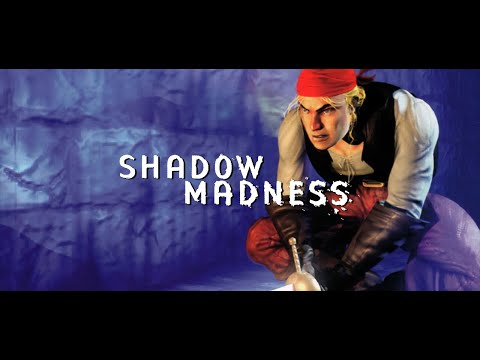
All is definitely not well in the world of Arkose. The islands are falling into chaos caused by ‘shadow madness’, a plague of unknown origin and dire consequence! Who can possibly help before it’s too late?
The disease has no known cure and has no warning symptoms, making the result particularly fearsome. It turns its victims into hideous creatures that bare no resemblance to their former selves. You are the only chance that Arkose has.
With intricate battle scenarios involving magic, 6 heroes to choose from and many hours of engrossing gameplay, you can’t help but want to fight. Shadow Madness is a race against time and the deadliest enemy of all, the enemy
– Complex battle scenarios with three styles of magic.
– Six unique heroes with distinct personalities.
– 2 Disc product boasting over 48 hours of epic gameplay.
– Rich Story similar to classics like Final Fantasy VII.
– Turn Based battle style.
– FMV sequences.
– Mini Games made by the team that brought you Powerslave.
On a gentle spring evening, without warning or apparent source, chaos
descends upon the once thriving world of Arkose. A coastal town is silently
crushed, leaving piles of dust where people once stood. A pestilence infects
the land. It cares not whom it reduces to a blubbering, raving lunatic. The
infected spend their final days trying to escape from the cluthes of their
own shadows. There is no apparent cure.
The once prominent Gadgeteer race seems to disappear. Hysteria reigns
supreme. Doors are shut tight and towns turn hostile to strangers. Barriers
of all kinds, some quite lethal, spring-up as towns fight off deranged
strangers and the growing horde of bizarre creatures that are some how
connected with the disease. It’s as if some immense, demonic nightclub just
shut its doors at 2 AM, spewing its inebriated, bloodthirsty, vicious patrons
out into the world all at once.
A small band of orphans stumbles along seeking help and answers. They are
assisted by numerous characters and confront hordes of vicious and conniving
adversaries. They wander and explore sweeping landscapes, ranging from
fantastic flying cities to haunted villages and mysterious ruins. They must
solve challenging puzzles, complete difficult mini-quests and meet a slew of
quirky beings as they try to solve the mystery of Shadow Madness.
Minimum:
System: Windows 7 or moreHard drive: Pemtium III or higher
Memory: 2 GB RAM
Graphics: 256 MB or more
FREE GOG PC GAMES PRESENTS
Shadow Madness (c) Crave / Piko Interactive
The world of Arkose is in Chaos as a mysterious plague, known as “Shadow Madness”, ravages the land. With no cure, it strikes without warning, leaving vile creatures and piles of dust where its victims once stood. As the one hope to this doomed land, you must stop this scourge before it stops you.
More info here: https://www.gog.com/game/shadow_madness
Game Media


How to Download & Install
- Click the download button below. You will be redirected to our link generator.
- On that page, copy the link or click the button. Make sure you have a Supported Client before starting.
- Wait for the Shadow Madness download process to finish (100%), then locate the files or folder.
- Install the game:
– Run or Double click setup_shadow_madness_1.0_(53867). exe - Once installation is complete, launch the game and enjoy!
- Support the developers: If you like the game, please consider buying the official version.
Need help? Visit our FAQs page for common issues and solutions, or go to the official Support Center directly for further assistance.
This is a free unmodified Shadow Madness DRM-Free installer. No activation required. Just install and play.
Download Here⇩
Size: 603 MB
Shadow Madness [GOG]


I have 2010, 2012, 2013 and 2015-2022 Ms Visual C++ Redistributables and it still doesn’t start!
Hello Nagi82, did you encounter any errors? please state that also.
You can visit:
https://bit.ly/3yMDIrQ
hope that you’ll solution
I run as administrator, change compatibility but it doesn’t work, after 2 seconds with a black screen it exits
Sorry to know that Nagi82, we tested this with no problem with our test computer, just make sure you have all the needed redistributables from our FAQs page.