

Game Details
About this game:
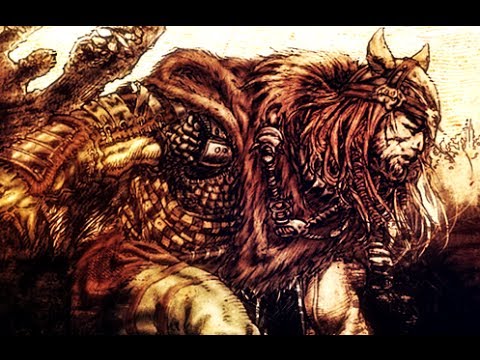
The classic Viking third-person hack-and-slash melee action game is now available on GOG! This release, known as Rune Classic, contains the original Rune content, plus the multiplayer expansion pack Halls of Valhalla. Play the epic single player campaign with new monsters imported from Rune Viking Warlord or jump online to challenge your friends in 4 challenging multi player modes.
– Includes Rune and the Halls of Valhalla expansion.
– Experience multiplayer in vicious, fun “up close and personal” melee action with swords, maces, hammers, and axes (or your opponent’s head or arm).
– Includes Deathmatch, Team Deathmatch, Arena and Headball.
– New enemies added
– Frost Giants, Skeletons and Hell Hounds from Rune Viking Warlord.
Minimum:
Windows XP / Vista / 7, Hard drive: Intel Pentium 4 @ 2.0 GHz / AMD Athlon XP 2200+, 2 GB of RAM, 1 GB of hard drive space,
Graphics: nVidia GeForce 6600 / ATI Radeon x1300 with 256 MB of VRAM or more, DirectX 9.0c- compatible sound card, keyboard, mouse.
FREE GOG PC GAMES PRESENTS
Rune Classic (c) Human Head Studios / Nine Realms
The classic Viking third-person hack-and-slash melee action game is now available on GOG! This release, known as Rune Classic, contains the original Rune content, plus the multiplayer expansion pack Halls of Valhalla. Play the epic single player campaign with new monsters imported from Rune Viking Warlord or jump online to challenge your friends in 4 challenging multi player modes.
More info here: https://www.gog.com/game/rune_classic
Game Media


How to Download & Install
- Click the download button below. You will be redirected to our link generator.
- On that page, copy the link or click the button. Make sure you have a Supported Client before starting.
- Wait for the Rune Classic download process to finish (100%), then locate the files or folder.
- Install the game:
– Run or Double click setup_rune_classic_********. exe - Once installation is complete, launch the game and enjoy!
- Support the developers: If you like the game, please consider buying the official version.
Need help? Visit our FAQs page for common issues and solutions, or go to the official Support Center directly for further assistance.
Previous Version and Patch
We are keeping some of the old links and patches to make sure you can revert back to old version if you have problem with the latest version.
Previous Version/s:
Size: 2.7 GB
Rune Classic (GOG)
This is a free unmodified Rune Classic DRM-Free installer. No activation required. Just install and play.
Download Here⇩
Size: 2.75 GB
Rune Classic v1.10 (GOG)


Hi: freegogpcgames!!
Is Rune 2 ^*^ available?
Thanks!!
Hello Veritas, we are sorry, the game is not available via gog.
Multiplayer seems to be not working. It says it failed to connect to servers, so nothing seems to show up. Do you know if it’s because there shut down, or because no ones playing?
Not sure if the servers are still available but if you want to play online you will need to buy the game. 🙁
There is an unofficial fix for that.
here
http://therune.boards.net/thread/9/manual-masterserver-fix
Thanks for the info 😀