

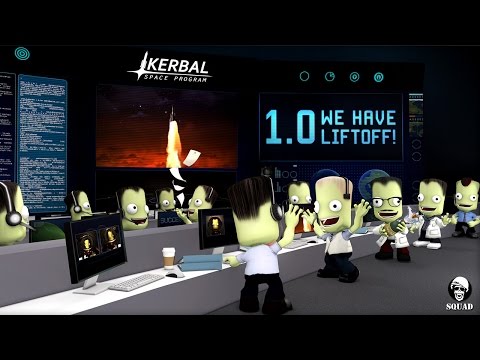
In Kerbal Space Program, take charge of the space program for the alien race known as the Kerbals.You have access to an array of parts to assemble fully-functional spacecraft that flies (or doesn’t) based on realistic aerodynamic and orbital physics. Launch your Kerbal crew into orbit and beyond (while keeping them alive) to explore moons and planets in the Kerbol solar system, constructing bases and space stations to expand the reach of your expedition.
Game Details
About this game:
Kerbal Space Program is a multi-genre game where players create their own space program.
In KSP, you must build space-worthy craft, capable of flying your crew out into space, without killing them. At your disposal is a collection of parts, which must be assembled to create a functional ship. Each part has its own function and will affect the way a ship flies (or doesn’t). So strap yourself in, and get ready to try some Rocket Science!
The game has different game modes, you can play the Career Mode if you want to expand and manage your own Space Center, taking on missions and researching new technologies. Or you can play Sandbox mode if you’re only interested in flying and discovering the Kerbal universe without restrictions. There is even a mid point between these two, Science mode.
The Vehicle Assembly Building and the Space Plane Hangar allows players to build spacecraft out of any imaginable combination of parts.
Fully-fledged, Physics-based Space Flight Simulation ensures everything will fly (and crash) as it should.
– Take your Kerbal crew out of the ship and do Extra Vehicular Activities.
– Fly out to Moons and other Planets.
– Procedural Terrain delivers detailed terrain at a vast scale. The Kerbal Planet is 600km in radius!
– Mod-enabled, allows players to create new content and modify the game.
– Ship systems. Keep an eye out for engine temperatures and fuel levels, and try not to explode.
– Build ships with multiple stages, and jettison parts away as they burn out.
– Full control over the shipโ€s setup allows for complex ships and advanced functionality.
– Dock spacecraft together to build Space Stations, Massive Starships, or even surface bases on other worlds.
– Manage your crewmembers, hire them, and send them out into space and make them into heroes.
– Research and Develop new technologies to advance your Space Program.
– Take on Missions to attract interest in your Space Program.
– Discover new worlds and expand the scientific knowledge of Kerbalkind.
– And a whole lot more!
Minimum:
Windows Vista / 7 / 8 / 10
Processor: Core 2 Duo
Memory: 3 GB RAM
Graphics:SM3 512MB VRAM
Hard Drive:1 GB HD space
Mouse, Keyboard
Recommended:
Windows 7 or 8 64 bit
Processor: Core i5
Memory: 4 GB RAM
Graphics: SM4 1GB VRAM
Hard Drive: 2 GB HD space
Game Media


How to Download & Install
- Click the download button below. You will be redirected to our link generator.
- On that page, copy the link or click the button. Make sure you have a Supported Client before starting.
- Wait for the Kerbal Space Program download process to finish (100%), then locate the files or folder.
- Install the game:
– Run or Double click setup_kerbal_space_program_********_(64bit)_(*****). exe
– Run or Double click DLC:
— setup_kerbal_space_program_breaking_ground_********_(64bit)_(*****). exe
— setup_kerbal_space_program_making_history_********_(64bit)_(*****). exe - Once installation is complete, launch the game and enjoy!
- Support the developers: If you like the game, please consider buying the official version.
Need help? Visit our FAQs page for common issues and solutions, or go to the official Support Center directly for further assistance.
This is a free unmodified Kerbal Space Program DRM-Free installer. No activation required. Just install and play.
Download Here⇩
Size: 5.23 GB
Kerbal Space Program v1.12.5.03190 + 2 DLC [GOG] – ENG+RUS/64bit only
Previous Version and Patch
We are keeping some of the old links and patches to make sure you can revert back to old version if you have problem with the latest version.
Previous Version/s:
Size: 2.58 GB
Kerbal Space Program v1.12.2.03167.r2 + 2 DLC [GOG] – ENG/64bit only
Size: 2.57 GB
Kerbal Space Program v1.12.3.03173r2 + 2 DLC [GOG] – ENG/64bit only
Size: 5.09 GB
Kerbal Space Program v1.12.4.03187 + 2 DLC [GOG] – ENG+RUS/64bit only


Link appears to be dead.
Gives 404 error.
Fixed, Hope that it is working already Thanks for letting us know 😀
you are the best
Thanks for trusting us Frank, have fun! 😀
Hi guys just updated the game please check 😀
Really appreciate all the work you guys do 🙂
Hi TTT, it is our pleasure 🙂
Hello, someone can leave me the link qith the 32bits version? because is for my old computer and i like to play this game
Hi Carlos, sorry not sure if this has a 32bit version. but checked via gog system requirements 64bit is required so maybe they didn’t publish 32bit for gog version 🙁
could add the Portuguese language
Sorry maico, we tried searching but didn’t find a download link with the language you are looking for 🙁
Language Packs
Kerbal Space Program_v1.2.4.3187-Language Packs for GOG Version.7z
https://pixeldrain.com/u/PeHKZkjM
Thanks Dr4G0nF1y,
Clean Virustotal:
https://www.virustotal.com/gui/file/85af97e3911b972c68b27da72ab9b00d13d2c929bcb23c52999bf0c07123d51c?nocache=1
Will you add the version 1.10.1?
Updated the download link to the latest we can find please check 😀
Can we get 1.9.1 added as well? Would be quite convenient
Sorry but there’s no available download link for that version 🙁
Could you please add 1.4.5 32-bit windows version of KSP? It’s the last 32-bit version, later ones were 64-bit only.
Sorry it is not available any more 🙁 we tried searching.
Please update to version 1.10.0.02917
Updated to the latest we can find please check 😀
Can you please upload 1.10? Thx
Updated the game to the latest we can find. please check 😀
Thanks! You are awesome!
I haven’t tried any other version except the latest one, Kerbal Space Program v1.9.0.02781 + 2 DLC (GOG), that one. I should clarify, I click on the launcher, the launcher starts for half a second then closes itself, don’t know what to do :/
Please make sure you have meet the system requirements. Then make sure you have installed all the needed redist software from Microsoft like DirectX, Visual C++ and .net Framework you can visit our FAQs page for download links and more info.
I did, the game won’t launch, it starts for a second then crashes immediatly. It’s not blocked by anything as far as i can see
Have you tried other version of the game?
Can you tell us what download link/version did you install on your system
How do you install this?
Download the link “the latest is Kerbal Space Program v1.9.0.02781 + 2 DLC (GOG)”
then install .exe file
and play
Please update to version 1.9 released recently.
Updated please check 😀
Hi, the game has been updated to 1.9, can you post that version? Thank you
Updated please check 😀
Please post the version 1.8 that was released recently.
Updated the download link to the latest we can find please check 😀
Hi! Please update to the latest including the dlcs when you can. Love everything you do on this site 🙂 Thanks for everything
Happy 50th moon anniversary 🌍🚀🛸
The latest we can find is already posted 🙁
You are always welcome 😀
Can you please uptade it to 1.7.2
The latest we can find is already posted 🙁
Please upload breaking ground dlc for 1.7
Already posted latest we can find
Thank you! Is it possible to add the new Breaking Ground DLC?
The latest we can find until is already on the download link 🙁
Hello
Please update
Thank you for everything
The latest we can find until now is already posted please check 🙁
could you upload the breaking ground DLC?
The latest we can find at the moment is already posted 🙁
Thank you works and is latest as of 1.7.
wow, the latest kerbal is huge now, unlike before :3
Yes as it contains other languages that’s why 🙁
We have included this on the more info tab:
Note about the size: It includes other languages that is why the file size is huge. All you need to do is choose the language you need.
Can you upload the KSP 1.7 update that came out today?
We have updated the download link with the latest we can find 😀
Old download links:
Size: 472.38 MB
Kerbal Space Program (2.3.0.5) (GOG)
Size: 1.18 GB
Kerbal Space Program (2.4.0.6) (GOG)
Can you please update it to the latest version. There’s lots of new things we’re missing in this version.
We have posted the latest we can find please check. 😀
Please read more info tab for info about the file size. 😀
Very nice, but the game is not on the latest update, and there is no way to update it, how do we do now?
We have updated the download link to the latest we can find please check. 😀
so, when I try installing it, it won’t download
What do you mean are you done with the download process before you install the game?
WHAT I TOLD YOU 1.3.1 NOT 1.0.3
Thanks again guys for an awesome upload 🙂
You are always welcome 😀 Have fun!!!
Latest and working great thank a lot guys love your site!
thanks a lot working great and really easy to install