
Overview

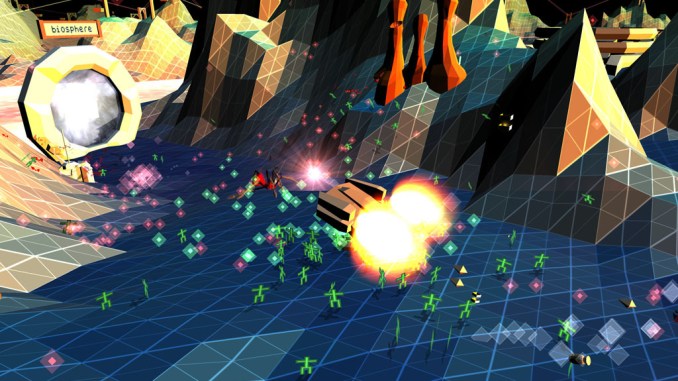
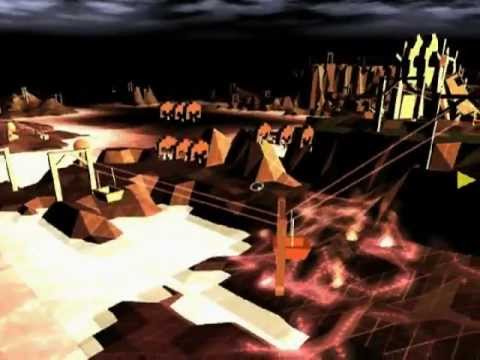
Combining fast-paced action with strategic battle planning, Darwinia features a novel and intuitive control mechanism, a graphical style ripped from 80’s retro classics like Tron and Defender, and a story concerning a tribe of nomadic sprites trapped in a modern 3D world.
Fully re-mastered in 2022 to celeberate the Darwinian’s 10000 anniversary this updated version brings an undisputed indie classic bang up to date. Running seamlessly on all modern systems, the game hasn’t aged a day and is a fresh and relevant now as it was when it first dropped. Winning 3 out of 5 prizes at the IGF including the Seumas McNally Grand prize for Best Independent Video Game and multiple editors’ choice awards, now is the time to play one of the most critically acclaimed indie games of all time!
Minimum System Requirements:
System: Windows 7 or later
Processor: Intel Core i5 (Westmere) or better
Memory: 4GB of RAM
Graphics: 4GB of VRAM
Graphics API (ANGLE): Direct3D 11+ or Vulkan 1.2.160+
Graphics API (OpenGL): OpenGL 3.3+
Screen Shots:


Video(s):
FreeGOGPCGames.com Presents
Darwinia (c) Introversion Software / Introversion Software
Darwinia combines fast-paced action and strategy. The game features an innovative, intuitive interface and 80s-style graphics. Help a tribe of nomadic elves caught in a modern three-dimensional world.Completely re-released in 2022 to celebrate the 10,000th anniversary of Darwinia, this updated version brings the undisputed classic of the indie game to life.
More info here: https://www.gog.com/game/darwinia
How to Download & Install
- Click the DRM-Free Darwinia v1.5.11/v2.3.3 download link below.
- Wait for the download client to finish (100%), then locate the downloaded files/folder.
- Install the game:
– Run or Double click setup_darwinia_****_(****). exe
-OR-
– Run or Double click setup_darwinia_****-windows-full_(64bit)_(****).exe - Once installation is complete, launch the game and enjoy!
Support the developers: If you like the game, please consider buying the official version.
Need help? Visit our FAQs page for common issues and solutions.
Old Links and Patches
We are keeping some of the old links and patches to make sure you can revert back to old version if you have problem with the latest version.
Old Link/s:
Size: 175.9 MiB
Darwinia – 10000th Anniversary Edition v2.20 [GOG]
Size: 173.4 MiB
Darwinia – 10000th Anniversary Edition v1.5.11 / 2.3.2 [GOG]
Download Here⇩
Official DRM-Free GOG installer – no activation or online account required to play.
Size: 175.1 MiB
Darwinia – 10000th Anniversary Edition v1.5.11 / 2.3.3 [GOG]
Bad Link 🙁
Sorry for the inconvenience we forgot to add the link 🙁
Thanks for leting us know we have updated the post please check again
The download link is incorrect. Its not a magnet.
Thanks for reporting this RocZi, we have updated the link please check