

Game Details
About this game:
TOTAL WAR HAS BEGUN… RISE TO THE CHALLENGE!
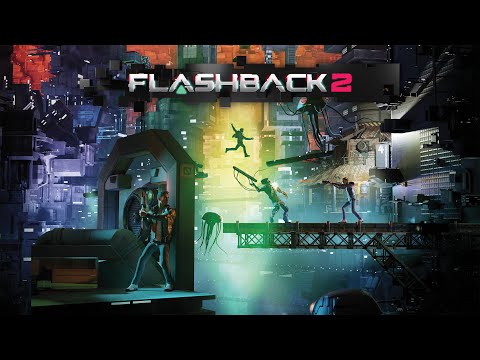
In 1992, Flashback revolutionized action gaming and gained legendary status, ranking among the 100 best video games in history.
Today, Paul Cuisset, the creator of the original game, invites you to play again as Conrad B. Hart, the young agent of the GBI (Galactic Bureau of Investigation).
In the 22nd century, the peace of the United Worlds extends throughout the Solar System — but this tranquility is threatened by the Morph invasion led by the fearsome General Lazarus.
In search of his lifelong friend, Ian, and with the help of his few allies — including A.I.S.H.A., his iconic AI-powered weapon — Conrad, once again, dives into a heart-pounding adventure full of twists, turns and revelations!
A gripping, fluid and intricate platform shooter, including exploration, puzzle solving and, of course, adventure!
FEATURES
– Immerse yourself in a vibrant sci-fi/cyberpunk universe and visit multiple environments (New Tokyo, New Washington, the Jungle…)
– Use A.I.S.H.A., a lethal adaptive weapon enhanced with combat AI.
– A gripping, fluid and intricate platform shooter.
– A 3D environment for even deeper immersion.
– Designed and developed by the creator of the original, Paul Cuisset.
– The cult game is back with a boost.
– A thrilling and intricate action-shooter.
– A potent and adaptive AI-powered weapon.
– A sci-fi universe true to the original Flashback.
Minimum:
System: Windows 10
Processor: Ryzen 3 1300x / Intel i3 7100
Memory: 8 GB RAM
Graphics: GeForce GTX 1050 Ti / AMD RX 560
DirectX: Version 11
Storage: 16 GB available space
Recommended:
System: Windows 10
Processor: Ryzen 5 1600X / Core i3-8100
Memory: 8 GB RAM
Graphics: GeForce GTX 1650 / Radeon RX 580
DirectX: Version 11
Storage: 16 GB available space
FREE GOG PC GAMES PRESENTS
Flashback 2 (c) Microids Studio Lyon, Paul Cuisset / Microids
Immerse yourself in an action-packed cyberpunk universe where the fate of humanity itself hangs in the balance. The Morphs are preparing their final attack, determined to enslave every civilization in the Solar System — and it’s your mission to fight back!
More info here: https://www.gog.com/en/game/flashback_2
Game Media


How to Download & Install
- Click the download button below. You will be redirected to our link generator.
- On that page, copy the link or click the button. Make sure you have a Supported Client before starting.
- Wait for the Flashback 2 download process to finish (100%), then locate the files or folder.
- Install the game:
– Run or Double click setup_********.exe
– Run or Double click (all) .exe on the DLC folder - Once installation is complete, launch the game and enjoy!
- Support the developers: If you like the game, please consider buying the official version.
Need help? Visit our FAQs page for common issues and solutions, or go to the official Support Center directly for further assistance.
Previous Version and Patch
We are keeping some of the old links and patches to make sure you can revert back to old version if you have problem with the latest version.
Previous Version/s:
Size: 1.92 GB
Flashback 2 v20231115 [GOG]
Size: 13.72 GB
Flashback 2 v20231120 [GOG]
Size: 13.13 GB
Flashback 2 v20231219 [GOG]
Size: 12.52 GB
Flashback 2 v20240125 [GOG]
This is a free unmodified Flashback 2 DRM-Free installer. No activation required. Just install and play.
Download Here⇩
Size: 11.9 GB
Flashback 2 v20240521 [GOG]


Please help. I downloaded the latest version but getting a blank screen after running, Game is not working.
Can you please add more details like if you already installed all the needed redistributable software and you have meet the system requirements?
and i’ll wait for it, thank you!
We have updated the game to latest we can get from gog. Please check
since yesterday (27/06/24) a new patch is available, please update the game!
This is still the latest version we can get until now but dont worry once found we will surely post it as soon as posible
We have updated the game to latest version please check. Please make sure your system meets the requirements before playing to avoid errors and also make sure to visit our faqs page for more info thanks
After trying to launch it, i only see a black screen 🙁
not working please help thank you