

Game Details
About this game:
This craft automation game brings you the most tempting features:
– Tiny robots
– Visual programming (for tiny robots)
– Crafting (performed by tiny robots)
– A rocket (carrying one tiny robot)
– Story (see below)
– A frozen planet to terraform
You land on a frozen planet with an important mission: to make it habitable. To do that, you’d need to harvest resources, craft tools, burn fires, melt the ice, plant trees and produce oxygen. Estimated time for the task: over 9000 years.
Or you can make robots to do that for you!
Enter CraftoMate! They can be scripted with visual programming to perform all kinds of tasks.
More importantly, they can be assembled and upgraded with surrounding materials.
Even more importantly: you can program them to harvest and craft those materials and eventually become a sustainable workforce, capable of terraforming the entire planet.
Just don’t forget to feed them once in a while… Though you can program them to do it themselves, too.
Minimum:
System: Windows Vista / 7 / 8 / 10 / 11
Processor: 1.2 GHz
Memory: 1 GB RAM
Graphics: Intel HD Graphics 3000
DirectX: Version 9.0
Storage: 100 MB available space
FREE GOG PC GAMES PRESENTS
Craftomation 101: Programming & Craft (c) Luden.io
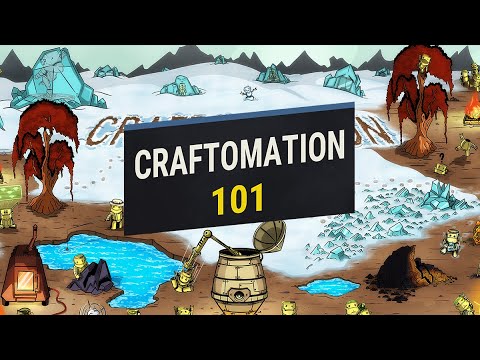
You land on a frozen planet in a tiny rocket with a robot inside. Harvest and combine materials to discover new ones. Use visual programming to make the robot do the tiresome work for you. Slowly build a gang of self-sustaining robot workers and watch them terraform the planet.
More info here: https://www.gog.com/en/game/craftomation_101_programming_craft
Game Media


How to Download & Install
- Click the download button below. You will be redirected to our link generator.
- On that page, copy the link or click the button. Make sure you have a Supported Client before starting.
- Wait for the Craftomation 101: Programming & Craft download process to finish (100%), then locate the files or folder.
- Install the game:
– Run or Double click setup_********.exe
– Run or Double click (all) .exe on the DLC folder - Once installation is complete, launch the game and enjoy!
- Support the developers: If you like the game, please consider buying the official version.
Need help? Visit our FAQs page for common issues and solutions, or go to the official Support Center directly for further assistance.
Previous Version and Patch
We are keeping some of the old links and patches to make sure you can revert back to old version if you have problem with the latest version.
Previous Version/s:
Size: 222.3 MB
Craftomation 101: Programming & Craft v0.71.7 [GOG] -In Dev-
Size: 222 MB
Craftomation 101: Programming & Craft v0.71.11 [GOG] -In Dev-
Size: 195.9 MB
Craftomation 101: Programming & Craft v0.78.2 [GOG] -In Dev-
Size: 201.6 MB
Craftomation 101: Programming & Craft v0.84.4 [GOG] -In Dev-
This is a free unmodified Craftomation 101: Programming & Craft DRM-Free installer. No activation required. Just install and play.
Download Here⇩
Size: 733.9 MB
Craftomation 101: Programming & Craft v0.95.2 [GOG] -In Dev-


Hi Guys,
Updated version: v0.71.11 (71681)
Please. Thanks!
We have updated the game to latest version we can get please check 😀
I can’t get it to work on my older laptop that was win 7 and is now win 10
Please make sure to install all the needed resist softwares from Microsoft you can go to our FAQs page for link and other info