
Blaster!
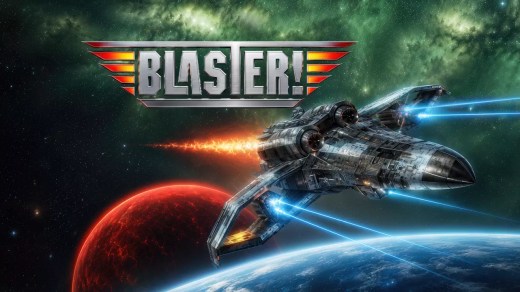
Blaster! is a classic Defender-style side-scrolling shooter where you pilot the Eagle on a dangerous mission to deliver a Super Bomb to its target. Fight through fast-paced underwater and deep-space stages filled with enemy formations, defensive installations, and hazards that demand quick reactions and careful weapon management. Progress through 20 levels across five major stages, switching between protecting the Super Bomb underwater and surviving intense combat in space. Upgrade your weapons from a basic laser to torpedoes, homing weapons, and powerful special attacks, then face large 3D Mega-Boss battles that change both the perspective and style of play.
Show 1 more game badges
System Requirements
- System: Windows 10 / 11
- Processor: 2.0 GHz single-core CPU
- Memory: 4 GB RAM
- Graphics: 3D Windows-compatible graphics
- Storage: 3 GB free HDD space
- Sound: Recommended
- Other: Keyboard and mouse
- System: Windows 10 / 11
- Processor: Intel or AMD multicore CPU
- Memory: 16 GB RAM
- Graphics: 3D Windows-compatible graphics
- Storage: 3 GB free HDD space
- Sound: Recommended
- Other: Keyboard and mouse
Blaster! Free Download
Additional Download Details
Free GOG PC Games PRESENTS:
Blaster! © Metropolis Software / TopWare Interactive
We only provide full unmodified DRM-free GOG installers. No serial key, activation, or crack needed.
Latest we have –> Check version info and changelog
Interface language : English, German, Polish, Russian
Voice language : none
Include DLC:
– Wallpaper
– Soundtrack (WAV)
– Soundtrack (mp3)
– Digital Deluxe Upgrade
Easy to Download, Install and Play
- Click the download button. You can also select a previous version if available.
- You’ll be redirected to Vidgazoo. Wait 5 seconds, then directly click the button or copy the link.
- Make sure you have a supported download client installed (it’s free here) before downloading.
- Once the download process reaches 100%, locate the downloaded files.
- Get ready for installation and make sure you have enough disk space for the game.
- To Install DRM-free Blaster!:
- Run or double-click
setup_blaster_********.exeto launch the installer. - Follow the on-screen instructions to complete the installation.
- If a DLC folder is included, run any
.exefiles inside it as well.
- Run or double-click
- Once the installation is complete, launch the game and start playing.
Need help?
Check our FAQs for common questions and fixes. If you need additional assistance, you can also visit the official GOG Support Center.


