
Keep Driving v1.4.3.14
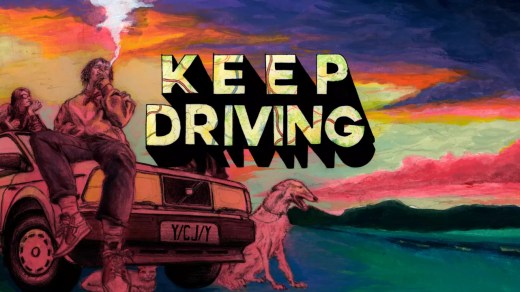
Keep Driving is an atmospheric management RPG set in the early 2000s, where you hit the road in your first car and attempt to reach a distant music festival. Plot your route across a procedurally generated pixel-art world, pick up hitchhikers, take odd jobs, and decide how far you are willing to push your aging vehicle. Maintain, repair, and customize your car while managing limited resources along the journey. Roadside problems are handled through a unique turn-based challenge system using your skills, upgrades, and whatever useful items you have packed away. Different routes, passengers, and decisions lead to multiple endings and encourage repeated road trips.
Show 1 more game badges
System Requirements
- System: Windows 10 (64-bit)
- Processor: Intel Core i3-3220 @ 3.30 GHz
- Memory: 8 GB RAM
- Graphics: Intel HD Graphics
- DirectX: Version 10
- Storage: 3 GB available space
- Other: Made with GameMaker Studio 2
Keep Driving Free Download
Additional Download Details
Free GOG PC Games PRESENTS:
Keep Driving © YCJY Games / YCJY Games
We only provide full unmodified DRM-free GOG installers. No serial key, activation, or crack needed.
Latest we have v1.4.3.14 –> Check version info and changelog
Interface language : English, German, Russian, Swedish, Spanish, Portuguese (Brazilian), Chinese (simplified), Japanese, Ukrainian
Voice language : English
Easy to Download, Install and Play
- Click the download button. You can also select a previous version if available.
- You’ll be redirected to Vidgazoo. Wait 5 seconds, then directly click the button or copy the link.
- Make sure you have a supported download client installed (it’s free here) before downloading.
- Once the download process reaches 100%, locate the downloaded files.
- Get ready for installation and make sure you have enough disk space for the game.
- To Install DRM-free Keep Driving:
- Run or double-click
setup_keep_driving_********.exeto launch the installer. - Follow the on-screen instructions to complete the installation.
- If a DLC folder is included, run any
.exefiles inside it as well.
- Run or double-click
- Once the installation is complete, launch the game and start playing.
Need help?
Check our FAQs for common questions and fixes. If you need additional assistance, you can also visit the official GOG Support Center.


