
Roadhouse Simulator
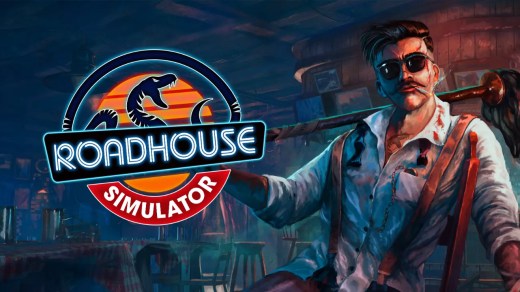
Roadhouse Simulator is a first-person management game and prelude to Gas Station Simulator, putting you in the role of the uncle during his early days on Route 66. Start as a bouncer keeping unruly patrons and rival biker gangs under control, then work your way toward running the entire roadhouse. Serve drinks, master the grill, manage inventory and equipment, hire employees, and expand the property with new facilities and parking. Deal with bar fights, shady biker arrangements, alternative suppliers, and surprise sheriff inspections while growing your influence and keeping the business profitable.
Show 1 more game badges
System Requirements
- System: Windows 10 (64-bit)
- Processor: Intel Core i3 3.0 GHz or AMD Ryzen 3xxx series
- Memory: 8 GB RAM
- Graphics: NVIDIA GeForce GTX 960 with 4 GB VRAM
- DirectX: Version 11
- Storage: 10 GB available space
- Other: Requires a 64-bit processor and operating system
- System: Windows 11 (64-bit)
- Processor: Recent-generation Intel Core i5
- Memory: 16 GB RAM
- Graphics: NVIDIA GeForce GTX 1070 or better with 6 GB VRAM
- DirectX: Version 12
- Storage: 15 GB available space
- Other: Requires a 64-bit processor and operating system
Roadhouse Simulator Free Download
Additional Download Details
FreeGOGPCGames PRESENTS:
Roadhouse Simulator © DRAGO entertainment / DRAGO entertainment
We only provide full unmodified DRM-free GOG installers. No serial key, activation, or crack needed.
Latest we have –> Check version info and changelog
Interface language : English, French, German, Russian, Spanish – Spain, Polish, Portuguese – Brazil, Turkish, Ukrainian, Chinese (simplified)
Voice language : English
Easy to Download, Install and Play
- Click the download button. You can also select a previous version if available.
- You’ll be redirected to Vidgazoo. Wait 5 seconds, then directly click the button or copy the link.
- Make sure you have a supported download client installed (it’s free here) before downloading.
- Once the download process reaches 100%, locate the downloaded files.
- Get ready for installation and make sure you have enough disk space for the game.
- To Install DRM-free Roadhouse Simulator:
- Run or double-click
setup_roadhouse_simulator_********.exeto launch the installer. - Follow the on-screen instructions to complete the installation.
- If a DLC folder is included, run any
.exefiles inside it as well.
- Run or double-click
- Once the installation is complete, launch the game and start playing.
Need help?
Check our FAQs for common questions and fixes. If you need additional assistance, you can also visit the official GOG Support Center.


