

Game Details
About this game:
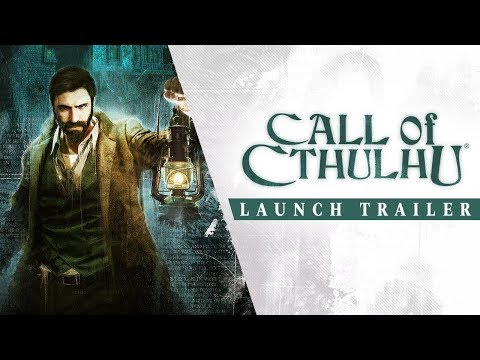
Call of Cthulhu, the official videogame inspired by Chaosium’s classic pen and paper RPG, brings you deep into a world of creeping madness and shrouded Old Gods within Lovecraft’s iconic universe. 1924. Private Investigator Pierce is sent to look into the tragic death of the Hawkins family on the isolated Darkwater Island. Soon enough, Pierce is pulled into a terrifying world of conspiracies, cultists, and cosmic horrors.
Nothing is as it seems.
Sanity is an irregular bedfellow, all too often replaced by whisperings in the dark. Strange creatures, weird science, and sinister cults dominate the Cthulhu Mythos, intent on realizing their mad schemes to bring about the end of everything.
Your mind will suffer – between sanity and psychosis, your senses will be disrupted until you question the reality of everything around you. Trust no one. Slinking shadows hide lurking figures… and all the while, the Great Dreamer prepares for his awakening.
Minimum:
Requires a 64-bit processor and operating system
OS: Windows 7/8/10 (64 bits)
Processor: Intel Core i5-3450 (3.1 GHz)/AMD FX-6300 (3.5 GHz)
Memory: 8 GB RAM
Graphics: 2 GB, GeForce GTX 660/Radeon HD 7870
Storage: 13 GB available space
Recommended:
Requires a 64-bit processor and operating system
OS: Windows 7/8/10 (64 bits)
Processor: Intel Core i7-3820 (3.6 GHz)/AMD FX-8370 (4.0 GHz)
Memory: 8 GB RAM
Graphics: 4 GB, GeForce GTX 970/Radeon R9 390
Storage: 13 GB available space
FREE GOG PC GAMES PRESENTS
Call of Cthulhu (c) Cyanide Studios / Focus Home Interactive
Call of Cthulhu, the official videogame inspired by Chaosium’s classic pen and paper RPG, brings you deep into a world of creeping madness and shrouded Old Gods within Lovecraft’s iconic universe.1924. Private Investigator Pierce is sent to look into the tragic death of the Hawkins family on the isolated Darkwater Island. Soon enough, Pierce is pulled into a terrifying world of conspiracies, cultists, and cosmic horrors.
More info here: https://www.gog.com/game/call_of_cthulhu
Game Media


How to Download & Install
- Click the download button below. You will be redirected to our link generator.
- On that page, copy the link or click the button. Make sure you have a Supported Client before starting.
- Wait for the Call of Cthulhu download process to finish (100%), then locate the files or folder.
- Install the game:
– Run or Double click setup_call_of_cthulhu_4.15.2_(64bit)_(33442). exe - Once installation is complete, launch the game and enjoy!
- Support the developers: If you like the game, please consider buying the official version.
Need help? Visit our FAQs page for common issues and solutions, or go to the official Support Center directly for further assistance.
Previous Version and Patch
We are keeping some of the old links and patches to make sure you can revert back to old version if you have problem with the latest version.
Previous Version/s:
No old link available at the moment.
Download Here⇩
Size: 12.12 GB
Call of Cthulhu (GOG)


Thank you for this upload!
You are always welcome Oliver have fun!
I copied the installation folder and paste it into the game folder 🙂
Thanks for the game.
Hi david, Is it working now?
hi I downloaded the game but I can’t change to the Portuguese language, I go to the folder (CALL OF CTHULHU>ENGINE>CONFIG>STEAMv132) and there are files missing from the folder.
The game is bugged, I cant advance past the first mission, not sure what the problem is,
I’ve downloaded it from here before and it worked perfectly.
Opss forgot: You can try this search and hope you find the solution:
https://bit.ly/3AgTKKE
Its the exact same pc on which I had played it previously, however I have reinstalled windows 10 (the same windows) perhaps something is missing, would you kindly point me to the redistributable software the game requires ?
And by the I appreciate the link you provided, however the search results over there are mainly for the 2006 Call of Cthulhu game.
Hi Anton, try to install all visual c++ thats what we’ve done to avoid problems with old games. Also make sure you have installed Microsoft .NET Framework and Microsoft DirectX. Better go to our FAQs page for download link and info. hope this helps.
I know it’s been a while but I’ve figured it out, apparently it had something to do with my hard disk, now I have a fresh install of windows 10 and a new hard drive and it worked perfectly the first time that I started it.
My thanks to the freegog team for their support!
Really thankful that you came back on us Anton, glad to know that it worked for you 😀
Hi Anton, can you tell us more about the problem? 🙁
You’ve said “I’ve downloaded it from here before and it worked perfectly.” did you installed it in a new system? If that the case make sure you have installed redistributable software’s that is needed to run the game.
Tried searching for updated download link but this is still the latest we can find 🙁
I finished the game and uninstall it. I don’t know if that’s the issue but I kept the save files after the uninstall and I couldn’t delete the remaining files from the game folder (~8GB). I tried from Lubuntu, deleted the folder but in Windows, a process named “callofcthulhu.exe” is still running in background, with no available “properties” nor “file location”. Any ideas what’s going on?
Sorry no idea about it have you tried searching the web?
Lubuntu? did you install the game using it? these games are for Windows and we cannot support any other OS 🙁