

Game Details
About this game:
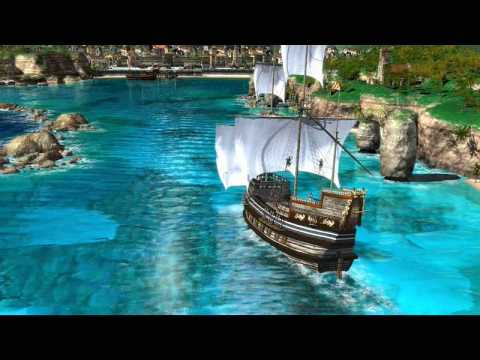
Port Royale 2 takes you back to the beginning of the 17th century, when the great colonial powers were competing for control of the Caribbean and when towns could rapidly expand (and collapse again) over a short period of time.
Take on the role of a young adventurer and, with bravery and skill, establish a large trading enterprise of great economic strength and military power. Trade goods between towns, set up production facilities, create cartels, accept all kinds of tasks and missions (merchants, diplomats and other), and set off on voyages to capture enemy ships and loot towns.
As pirates and military fleets threaten your trade convoys you may need to escort ships for your convoys, or you can turn the tides and hunt for pirates or capture the military ships, becoming more famous and expanding your own fleet as well as your stock of goods.
– Great replayability thanks to a wide range of career options
– Participate in epic sea battles using a broad range of ship classes
– Beautiful and crisp 2D and 3D graphics
Minimum:
Windows XP or Windows Vista, 1 GHz Processor (1.4 GHz recommended), 512MB RAM (1 GB recommended), 3D graphics card compatible with DirectX 7 (compatible with DirectX 9 recommended), Mouse, Keyboard.Compatibility notice: Requires Catalyst 12.6 or older drivers when playing on an ATI/AMD graphic card.
FREE GOG PC GAMES PRESENTS
Port Royale 2 (c) ASCARON Entertainment
Port Royale 2 takes you back to the beginning of the 17th century, when the great colonial powers were competing for control of the Caribbean and when towns could rapidly expand (and collapse again) over a short period of time. Take on the role of a young adventurer and, with bravery and skill, establish a large trading enterprise of great economic strength and military power.
More info here: https://www.gog.com/game/port_royale_2
Game Media


How to Download & Install
- Click the download button below. You will be redirected to our link generator.
- On that page, copy the link or click the button. Make sure you have a Supported Client before starting.
- Wait for the Port Royale 2 download process to finish (100%), then locate the files or folder.
- Install the game:
Run or Double click setup_port_royale_2_*****_(*****). exe - Once installation is complete, launch the game and enjoy!
- Support the developers: If you like the game, please consider buying the official version.
Need help? Visit our FAQs page for common issues and solutions, or go to the official Support Center directly for further assistance.
Previous Version and Patch
We are keeping some of the old links and patches to make sure you can revert back to old version if you have problem with the latest version.
Previous Version/s:
Size: 562.45 MB
Port_Royale_2 (GOG)
This is a free unmodified Port Royale 2 DRM-Free installer. No activation required. Just install and play.
Download Here⇩
Size: 562.45 MB
Port Royale 2 1.1.2.3 [GOG]


how to change the language?
Sorry Jonathan Sulis, we only test this in English so not sure if this game/link have the language you need 🙁
We have updated the game to the latest version guys please check 😀
Thanks a lot for this great game and such a nice website. I know its too much to ask but I have a graphic error all over the sea in the game. The reflections are literally hurt my eyes. do anyone have any solution for that other than compatability modes or changing config options in game directory.
no its okey. I liked first one too. compatible issues are not your or the links problem (: Thank you a lot tho for this site and corcerned attitude of you (:
You are much welcome. Happy to serve, stay safe.
Thankyou for your attention but I already tried lots of solutions on google which doesnt work. It seems sometimes windows 10 users have this issue even in the original game. Thats why i gave up on this. However I m playing the first port royale game (:
We are sorry to see that we tried searching for new version but this is the only download link available up to now.
Not really sure about the problem but you can try to search here. https://bit.ly/2H8qHSK
Hope this helps.
OMG! I lost my CD of this one and missed it for 4 years
😀
The game won’t start.. It is running clearly in the task manager, but the game won’t start up for me.. Is this game not compatible with Window’s 10? Because I tried running it in compatibility mode as well, but still nothing…
Try this solutions:
https://goo.gl/t7rRaC