

Game Details
About this game:
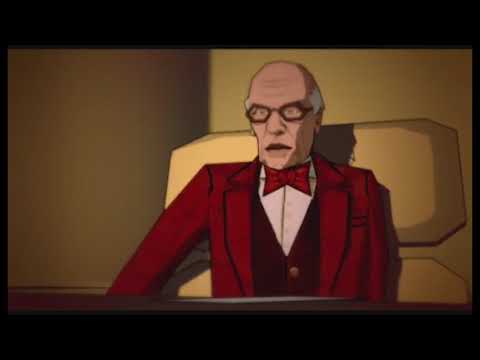
XIII is a first-person shooter with elements of stealth and action in certain missions. The game centers on the main character, named XIII, who has awakened with amnesia. He uses a variety of weapons and gadgets to uncover the mystery of his identity throughout the 13 chapters and 54 missions. The characters and weaponry in XIII are cel-shaded, giving a deliberately comic book style appearance, including onomatopoeic words contained in bubbles for sound effects. It uses the Unreal Engine 2, the most recent engine at that time, as it was “really strong for level design” and allowed development “across all platforms using one engine”. The graphics were compared with Jet Set Radio Future and Auto Modellista. The developer felt that the appearance reflected the comic book and innovated in its portrayal of violence; even blood splatters are shown in a cartoon manner.
XIII includes 16 weapons, from a knife to a bazooka, an Uzi to an M60. Objects such as bottles, chairs, or brooms may be used as weapons. Kevlar gear, helmets and first aid boxes are scattered throughout the map. People can be taken as hostages or as human shields, preventing enemies from firing on the protagonist. Lock picks are used to unlock doors and grapnels to climb on walls. Through the “sixth sense”, XIII can hear enemies behind walls with the aid of “tap-tap-tap” signals. Stealth operations include strangling enemies or hiding dead bodies. Captions pop up at the top when a headshot is performed or serve as clues or tips for the player.
Minimum:
CPU: 1 GHz Pentium® III, AMD Athlon™ or equivalent
RAM: 256 MB of RAM
VGA: 64 MB DirectX® 8.1-compliant video card that supports Hardware T&L; ATI® Radeon™ family (models 7000-9800) and NVIDIA® GeForce™ family (models 2-FX) supported
DX: DirectX 8.1
OS: Windows® 98/Me/2000/XP (only)
HDD: 1.2 GB free space needed to install and play
Sound: DirectX 8.1-compliant 16-bit sound card
ODD: 4x or better (not recommended for use with CD-RWs)
Network: Internet connection at 56 kbps or better
Recommended peripheral: Windows-compatible keyboard and mouse
FREE GOG PC GAMES PRESENTS
XIII (c) Ubisoft Paris Studios / Ubisoft Entertainment
XIII is a first-person shooter video game developed by Ubisoft Paris and published by Ubisoft for most platforms except for the OS X version, which was published by Feral Interactive. Loosely based on the first five volumes of the 1984 Belgian graphic novel series XIII, the protagonist Jason Fly (XIII) is a confused and amnesic man who searches for his identity throughout a comic book-style, cel-shaded world. Found stranded on a beach by a lifeguard, Fly is accused of having killed the President of the United States. The accusation later transpires as mistaken, as Fly finds himself facing a gang of 20 conspirators (“The XX”) who aim to overthrow the government
More info here: Romoved from gog
Game Media


How to Download & Install
- Click the download button below. You will be redirected to our link generator.
- On that page, copy the link or click the button. Make sure you have a Supported Client before starting.
- Wait for the XIII download process to finish (100%), then locate the files or folder.
- Install the game:
– Run or Double click setup_xiii_1.0_update_(32942). exe - Once installation is complete, launch the game and enjoy!
- Support the developers: If you like the game, please consider buying the official version.
Need help? Visit our FAQs page for common issues and solutions, or go to the official Support Center directly for further assistance.
Previous Version and Patch
We are keeping some of the old links and patches to make sure you can revert back to old version if you have problem with the latest version.
Previous Version/s:
No old link available at the moment.
This is a free unmodified XIII DRM-Free installer. No activation required. Just install and play.
Download Here⇩
Size: 1.88 GB
XIII (GOG)
Size: 2.15 GB
XIII v1.0 update 32942 (GOG)


What about the remake? @freegogpcgames
Posted the game please check.
Thank you very much!
Always welcome 😀
Hello
Now that XIII is again available on GOG could you please check if the version you have here is the same as on GOG? There may be an updated version on GOG.
Thanks
We have updated the download link with the latest we can find please check 😀
i am not getting any seeds…. magnet link does not show game files.
updated link is not working. original link is working. please check
Tested the download link and it is still working on our side using uTorrent 🙁
Hi, can you tell if this game contains no errors?
Because I downloaded a version (v1.4) and contains critical error at the beginning of the final missions, I do not know what to do.
It appears like this:
General protection fault!
History: FMallocWindows :: Realloc <- 74696177 27 FArray <- FArray :: Realloc <- 27 * 1 <- UStrProperty :: ImportText <- (StrProperty XIDCine.DialogueManager.SSpeaker.Sentences.Sentences) <- UArrayProperty :: ImportText <- (ArrayProperty XIDCine.DialogueManager.SSpeaker.Sentences) <- UStructProperty :: ImportText <- (StructProperty XIDCine.DialogueManager.Speakers.Speakers) <- UArrayProperty :: ImportText <- (ArrayProperty XIDCine.DialogueManager.Speakers) <- UObject :: LoadLocalized <- (DialogueManager SSH101c.DialogueManager6) <- UGameEngine :: LoadLevelLocalizedTexts <- LocalMapURL <- UGameEngine :: Browse <- ServerTravel <- UGameEngine :: Tick <- UpdateWorld <- MainLoop
Hi, currently having an issue booting this game up again. It’s saying “Can’t find file for package “WinDrv””. I’ve been able to play this game for the past few days without any issues until few days.
Here’s the error message:
Can’t find file for package ‘WinDrv’
History: UObject::SafeLoadError <- UObject::StaticLoadClass <- UGameEngine::Init <- InitEngine
You can try searching here:
http://bit.ly/2XHT1Ow
can you help me i download the game i starts also but when i play first level of it it hangs in games i can move where ever i need but not going to ahead level this is my problem
You can try to search solution here:
https://goo.gl/hTy3nR
Id love to use a trainer and I already copied it in the folder with the XIII.exe but I can’t use it. “Cannot find main programm .exe” does it say. Using WIN10
Sorry we only tested the game itself not sure if it support the trainer 🙁
Thanks anyway. Sorry for being such a bother. 😀
Hello again. Another game that works perfectly! Thank you very much! Although i have a kinda dumb problem… and that is that you should maybe get new pictures to put here, because those that you have kinda look boring. I know this is a dumb thing of me to complain about. Please don’t ban me.
It is alright but thats the only pix that we can put. 😀
Hi, I installed this on Windows 10 and works perfectly, but been trying to get it in widescreen and there are instructions online, however these say you need to edit a xiii.ini file, which doesn’t seem to be present here. Any ideas?
Here’s what we have found for your problem please read https://goo.gl/S80Cj0
here’s another one: https://goo.gl/XwdcxK
Perfect, thanks!
😀