

Beyond: Two Souls Free Download - DRM-Free PC Game - Full GOG Version
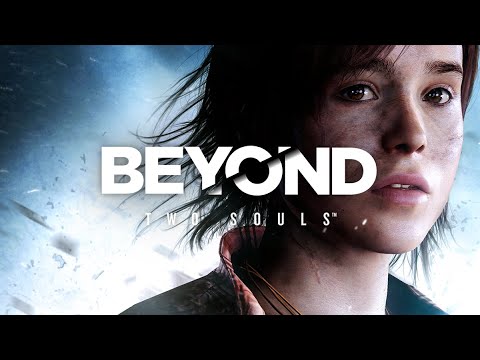
A unique psychological action thriller delivered by A-list Hollywood performances by Elliot Page and Willem Dafoe, Beyond: Two Souls takes you on a thrilling journey across the globe as you play out the remarkable life of Jodie Holmes.
Game Details
About this game:
LIVE AN EXTRAORDINARY LIFE: ONE LIFE, TWO SOULS
A unique psychological action thriller delivered by A-list Hollywood performances by Elliot Page and Willem Dafoe, Beyond: Two Souls™ takes you on a thrilling journey across the globe as you play out the remarkable life of Jodie Holmes.
Born with a connection to a mysterious entity with incredible powers, Jodie is different.
Your actions will determine Jodie’s fate as she faces extraordinary challenges, danger, and heart-wrenching loss on a journey to discover the truth of who she is.
Create an action-packed story through your choices and actions as you live her life – a girl born with a link to a supernatural entity called Aiden.
By playing as both Jodie and Aiden, you will face spectacular physical and psychological challenges to understand what truly lies… beyond.
TEST YOUR SKILLS WITH ‘ADVANCED EXPERIMENTS’
The original DLC mission from the PlayStation™ releases is included in the full PC game. The entire game is playable in two difficulty modes, and in Solo or Duo mode.
PLAY THE STORY THE WAY YOU WANT
Cinematic or chronological order? Select the way you want to experience the story, and even play in local co-op mode using two different controllers for each player – one to play as Jodie and the other to play as Aiden. Play the way you want to play.
FULLY OPTIMIZED FOR PC
Beyond: Two Souls is brought to PC with stunning visuals including 4K resolution, widescreen 21:9 compatibility, and 60 fps framerate.
Minimum:
System: Windows 7 or later (64 bit)
Processor: Intel Core i5-4430 @ 3.0 GHz or AMD FX-6300 @ 3.5 GHz
Memory: 4 GB RAM
Graphics: Nvidia GeForce GTX 660 with 2GB VRAM or AMD Radeon HD 7870 with 2GB VRAM
DirectX: Version 11
Storage: 49 GB available space
Additional Notes: 720p, 30 FPS
Requires a 64-bit processor and operating system
Recommended:
System: Windows 7 or later (64 bit)
Processor: Intel Core i5-6600K @ 3.5GHz or AMD Ryzen 3 1300X @ 3.4GHz
Memory: 8 GB RAM
Graphics: Nvidia GeForce GTX 970 with 4GB VRAM or AMD Radeon R9 390 with 4GB VRAM
DirectX: Version 11
Storage: 49 GB available space
Additional Notes: 1080p, 60 FPS
Requires a 64-bit processor and operating system
Game Media


How to Download & Install
- Click the download button below. You will be redirected to a page where you need to wait 5 seconds.
- On that page, copy the link or click the button. Make sure you have a Supported Client before starting.
- Wait for the Beyond: Two Souls download process to finish (100%), then locate the files or folder.
- Install the game:
– Run or Double click setup_********.exe
– Run or Double click (all) .exe on the DLC folder - Once installation is complete, launch the game and enjoy!
- Support the developers: If you like the game, please consider buying the official version.
Need help? Visit our FAQs page for common issues and solutions, or go to the official Support Center directly for further assistance.
Get the free Verified Beyond: Two Souls DRM-Free installer. No activation required. Just install and play.
Download Here⇩
Size: 80.74 GiB
Beyond: Two Souls v1.0 [GOG]
Previous Version and Patch
We are keeping some of the old links and patches to make sure you can revert back to old version if you have problem with the latest version.
Previous Version/s:
No Previous Version/s at the moment
We have updated the link with seeds please check sorry if we are late
Hi, the download is getting stuck at 89%. Please check the link again.
game not work black screen update patch
25/05/25
Hi! Man the game don’t have another audio language? I saw on gog page many options, but on this version is only english. Can you fix this, please? Thanks man.
Greatings from Brazil.
For pepople with 50fps cap problem use this :
https://github.com/PhantomGamers/BtsFpsPatcher/releases
put 60 or whatever you want
But this release miss the language changer, only english avaible in this gog release
Loved this game on the PS3 such a good clasic even though its very strange but thats what its about realy. worth a go.
I’m sorry to say, but the game it’s not worth playing. I’s not good at all.
What’s the problem with the game?
I’m sorry to say, but the game it’s not worth playing. I’s not hood at all.