
Beyond: Two Souls v1.0
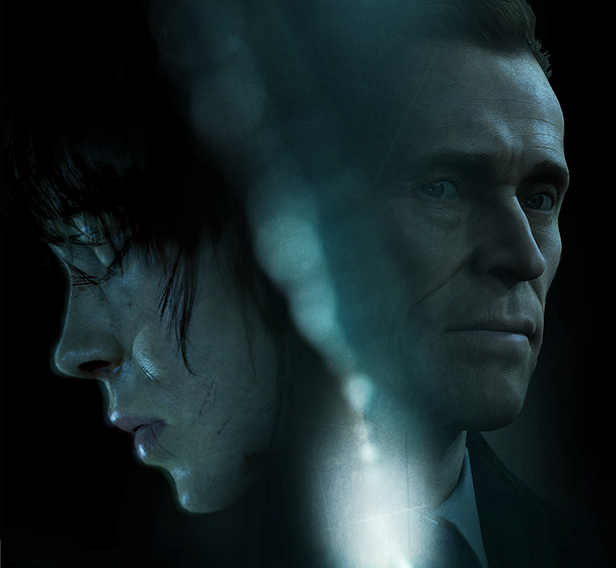
Beyond: Two Souls is a psychological action thriller where you control Jodie Holmes, a woman linked to a supernatural entity named Aiden. Switch between Jodie and Aiden to solve puzzles, navigate environments, and influence the story through choices that affect outcomes. The narrative spans fifteen years of Jodie's life as she evades authorities, uncovers her origins, and confronts global threats. Performances by Elliot Page and Willem Dafoe bring emotional depth to the cinematic, story-driven experience.
Show 1 more game badges

Beyond: Two Souls Overview
LIVE AN EXTRAORDINARY LIFE: ONE LIFE, TWO SOULS
A unique psychological action thriller delivered by A-list Hollywood performances by Elliot Page and Willem Dafoe, Beyond: Two Souls™ takes you on a thrilling journey across the globe as you play out the remarkable life of Jodie Holmes.
Born with a connection to a mysterious entity with incredible powers, Jodie is different.
Your actions will determine Jodie’s fate as she faces extraordinary challenges, danger, and heart-wrenching loss on a journey to discover the truth of who she is.
Create an action-packed story through your choices and actions as you live her life – a girl born with a link to a supernatural entity called Aiden.
By playing as both Jodie and Aiden, you will face spectacular physical and psychological challenges to understand what truly lies… beyond.
TEST YOUR SKILLS WITH ‘ADVANCED EXPERIMENTS’
The original DLC mission from the PlayStation™ releases is included in the full PC game. The entire game is playable in two difficulty modes, and in Solo or Duo mode.
PLAY THE STORY THE WAY YOU WANT
Cinematic or chronological order? Select the way you want to experience the story, and even play in local co-op mode using two different controllers for each player – one to play as Jodie and the other to play as Aiden. Play the way you want to play.
FULLY OPTIMIZED FOR PC
Beyond: Two Souls is brought to PC with stunning visuals including 4K resolution, widescreen 21:9 compatibility, and 60 fps framerate.
System Requirements
- System: Windows 7 or later (64 bit)
- Processor: Intel Core i5-4430 @ 3.0 GHz or AMD FX-6300 @ 3.5 GHz
- Memory: 4 GB RAM
- Graphics: Nvidia GeForce GTX 660 with 2 GB VRAM or AMD Radeon HD 7870 with 2 GB VRAM
- DirectX: DirectX 11
- Storage: 49 GB available space
- Additional Notes: 720p, 30 FPS; Requires a 64-bit processor and operating system
- System: Windows 7 or later (64 bit)
- Processor: Intel Core i5-6600K @ 3.5 GHz or AMD Ryzen 3 1300X @ 3.4 GHz
- Memory: 8 GB RAM
- Graphics: Nvidia GeForce GTX 970 with 4 GB VRAM or AMD Radeon R9 390 with 4 GB VRAM
- DirectX: DirectX 11
- Storage: 49 GB available space
- Additional Notes: 1080p, 60 FPS; Requires a 64-bit processor and operating system
Beyond: Two Souls Free Download
Additional Download Details
Free GOG PC Games PRESENTS:
Beyond: Two Souls © Quantic Dream / Quantic Dream
We only provide full unmodified DRM-free GOG installers. No serial key, activation, or crack needed.
Latest we have v1.0 –> Check version info and changelog
Easy to Download, Install and Play
- Click the download button. You can also select a previous version if available.
- You’ll be redirected to Vidgazoo. Wait 5 seconds, then directly click the button or copy the link.
- Make sure you have a supported download client installed (it’s free here) before downloading.
- Once the download process reaches 100%, locate the downloaded files.
- Get ready for installation and make sure you have enough disk space for the game.
- To Install DRM-free Beyond: Two Souls:
- Run or double-click
setup_beyond_two_souls_********.exeto launch the installer. - Follow the on-screen instructions to complete the installation.
- If a DLC folder is included, run any
.exefiles inside it as well.
- Run or double-click
- Once the installation is complete, launch the game and start playing.
Need help?
Check our FAQs for common questions and fixes. If you need additional assistance, you can also visit the official GOG Support Center.


