
FIRE AND ASHES v24-10-26
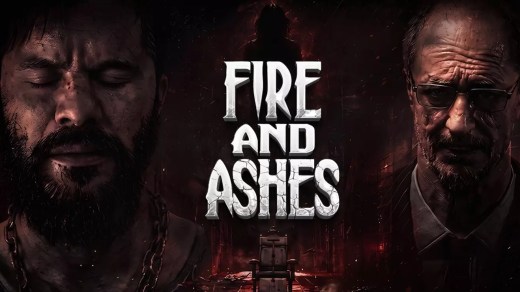
FIRE AND ASHES is a first-person psychological horror game where Henry Gray awakens inside a nightmarish psychiatric hospital. Explore dark corridors, secret laboratories, and distorted memories while fighting crazed patients, unnatural creatures, and other horrors as the boundary between reality and madness begins to collapse. Sound becomes both a weapon and a threat through an advanced voice-recognition system that can detect your breathing, whispers, and screams. Fight with scavenged resources, solve puzzles, uncover clues, and piece together the tragedy behind Henry’s past while searching for a way to survive.
Show 1 more game badges
System Requirements
- System: Windows 10 / 11 (64-bit)
- Processor: Intel Core i5-4440 or equivalent
- Memory: 8 GB RAM
- Graphics: NVIDIA GeForce GTX 1060 or equivalent
- DirectX: Version 11
- Storage: 30 GB available space
- Sound: DirectX-compatible sound card
- Other: Requires a 64-bit processor and operating system
- System: Windows 10 / 11 (64-bit)
- Processor: Intel Core i7-4770K or equivalent
- Memory: 8 GB RAM
- Graphics: NVIDIA GeForce RTX 3060 or equivalent
- DirectX: Version 11
- Storage: 30 GB available space
- Sound: DirectX-compatible sound card
- Other: Requires a 64-bit processor and operating system
FIRE AND ASHES Free Download
Additional Download Details
Free GOG PC Games PRESENTS:
FIRE AND ASHES © ASDstudio / Antelus Games
We only provide full unmodified DRM-free GOG installers. No serial key, activation, or crack needed.
Latest we have v24-10-26 –> Check version info and changelog
Interface language : English, French, Italian, German, Russian, Spanish, Japanese, Armenian, Portuguese, Chinese (simplified)
Voice language : English, Russian
Previous versions (1)
Easy to Download, Install and Play
- Click the download button. You can also select a previous version if available.
- You’ll be redirected to Vidgazoo. Wait 5 seconds, then directly click the button or copy the link.
- Make sure you have a supported download client installed (it’s free here) before downloading.
- Once the download process reaches 100%, locate the downloaded files.
- Get ready for installation and make sure you have enough disk space for the game.
- To Install DRM-free FIRE AND ASHES:
- Run or double-click
setup_fire_and_ashes_********.exeto launch the installer. - Follow the on-screen instructions to complete the installation.
- If a DLC folder is included, run any
.exefiles inside it as well.
- Run or double-click
- Once the installation is complete, launch the game and start playing.
Need help?
Check our FAQs for common questions and fixes. If you need additional assistance, you can also visit the official GOG Support Center.


