
Steredenn: Binary Stars v2.7.3
Steredenn: Binary Stars is a fast-paced space shooter where you pilot a lone ship through waves of alien enemies. Collect power-ups dropped by defeated foes and switch weapons on the fly to adapt your strategy. The game features procedurally generated levels that change with each run, offering unpredictable enemy patterns and layouts. Survive as long as possible while battling increasingly difficult enemy formations and challenging boss encounters. Master different weapon types and optimize your loadout to maximize your chances against relentless alien hordes.
Show 1 more game badges

Steredenn: Binary Stars Overview
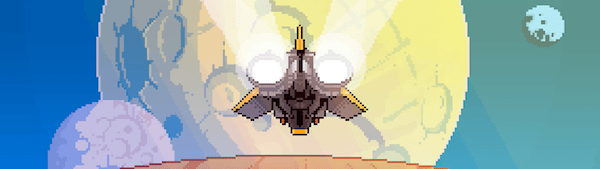
Steredenn is an award-winning mashup of a classic shmup and a rogue-like, carved in big beautiful pixels, with insane boss battles. Fly solo or co-op with a friend, fighting off the worst scourges of space in a never-ending struggle for survival.
Steredenn: Binary Stars is the hugely expanded version of the acclaimed Steredenn. Enjoy infinite replayability and unforgiving gameplay through intense boss fights, (almost) randomly generated environments, twisted space events and a massive arsenal of weapons. Enhance your ship during your flight with upgrades aplenty, and forge your own path across the universe! 
INTENSE GAMEPLAY
- QUICK, INTENSE SESSIONS: with rock-hard boss battles that’ll keep you coming back for “just one more run”
- INFINITE REPLAYABILITY: Endless arcade action, where levels are (practically) randomly-generated.
- LOCAL COOP MODE: 2 ships, 4 weapons, 1 lifebar – test your friendships!
GALACTIC CONTENT
- 5 PLAYABLE SHIPS: each with its own special ability and playstyle
- MIGHTY ARSENAL: 42 weapons and 30 upgrades with tons of customisation options
- THE ULTIMATE EDITION: Loads of new content, reworked balancing, scoring, optimisation & always more polish
GAME MODES
- NORMAL: select your ship, choose between 2 difficulties, prepare for the fight!
- BOSS RUSH: fight a weekly selection of epic bosses and work your way up the leaderboard
- DAILY RUN: Try to get to number one in a special daily leaderboard where all players share the same run, guns and bosses. Be ready – you only get one chance per day!
- ARENA: Unlock a boss by defeating it in the main game. Then, train against it in a 1-on-1 duel. Your guns, your laws, your fight.
System Requirements
- System: Windows XP
- Processor: Dual Core CPU 2.4 GHz
- Memory: 2048 MB RAM
- Graphics: Intel HD Graphics 3000, Nvidia GeForce 8000, ATI Radeon HD 4800 Series
- DirectX: DirectX 9.0
- Storage: 500 MB available space
Steredenn: Binary Stars Free Download
Additional Download Details
Free GOG PC Games PRESENTS:
Steredenn: Binary Stars © Pixelnest Studio / TyGAMES
We only provide full unmodified DRM-free GOG installers. No serial key, activation, or crack needed.
Latest we have v2.7.3 –> Check version info and changelog
Easy to Download, Install and Play
- Click the download button. You can also select a previous version if available.
- You’ll be redirected to Vidgazoo. Wait 5 seconds, then directly click the button or copy the link.
- Make sure you have a supported download client installed (it’s free here) before downloading.
- Once the download process reaches 100%, locate the downloaded files.
- Get ready for installation and make sure you have enough disk space for the game.
- To Install DRM-free Steredenn: Binary Stars:
- Run or double-click
setup_steredenn_binary_stars_********.exeto launch the installer. - Follow the on-screen instructions to complete the installation.
- If a DLC folder is included, run any
.exefiles inside it as well.
- Run or double-click
- Once the installation is complete, launch the game and start playing.
Need help?
Check our FAQs for common questions and fixes. If you need additional assistance, you can also visit the official GOG Support Center.


