
Regions of Ruin: Runegate v1.0.37 +DLC
Regions of Ruin: Runegate is a 2D action RPG where you play as a lone dwarf exploring diverse landscapes, gathering resources, and rebuilding a haven for your scattered people. Combat involves hack-and-slash mechanics against goblins and other enemies, with options for direct attacks or stealth approaches. You can customize your hero's appearance and fighting style through weapons, gear, and skill trees while assisting fellow dwarves, unlocking facilities, and uncovering the mysteries of dwarven ancestors across forests, caverns, and crystal-filled environments.
Show 1 more game badges

Regions of Ruin: Runegate Overview

This game is also included in:
Regions of Ruin: Runegate x SKALD Bundle
All that remains of the once-glorious dwarven civilization is dust, scattered exiles, and monster-infested landscapes. Embark on an explorative RPG hack-and-slash adventure as a lone dwarf attempting to re-establish a haven for your dwarven kin – and delve into the mysteries of their forebears.

The former land of the dwarves is as diverse as it is vast, filled with rich veins of resources, loyal allies and fearsome foes. Journey through lush environments, treacherous weather, glowing crystal-filled caverns and more in your pursuits for riches and information. And be prepared to carve your path through relentless enemies, hell-bent on sending the last of the dwarves into extinction.
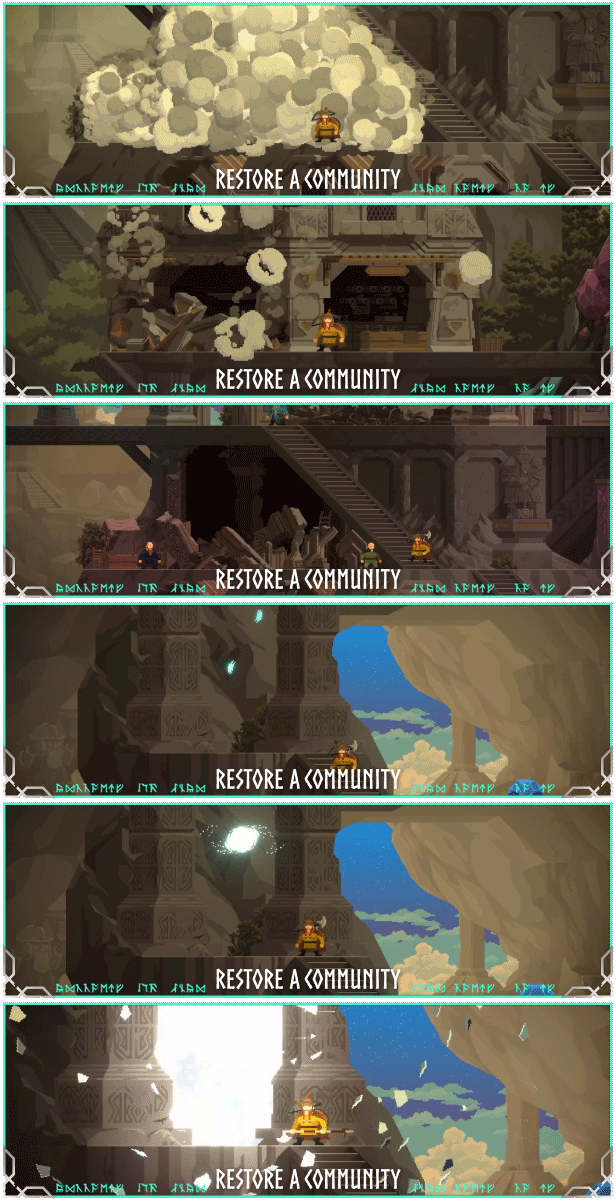
On your travels, you will encounter dwarven allies in need of assistance. Come to their aid, enlist their help and create a safe haven for your people by rebuilding a civilization. By gathering resources and meeting skilled adventurers, you will be able to unlock new facilities and technologies, furthering your pursuits.

Shape your dwarven hero from their appearance to their preferred style of fighting, through a range of weapons, gear and skill trees for you to explore and experiment with. Approach each encounter as you deem best: Dive straight into the fray with a spear in hand or sneak up close and stab a goblin in the back. Just remember – stay vigilant while fighting, for enemies will adapt to your actions.
System Requirements
- System: Windows 10
- Processor: Intel Core i5-4400 or MD FX-8320
- Memory: 8 GB RAM
- Graphics: Nvidia GeForce GTX 650 or MD Radeon R7 250X
- DirectX: DirectX 11
- Storage: 10 GB available space
- Additional Notes: Broadband Internet connection
- System: Windows 10 or higher
- Processor: Intel Core i5-4670 or AMD FX-8370
- Memory: 16 GB RAM
- Graphics: Nvidia GeForce GTX 660 Ti or AMD Radeon HD 7790
- DirectX: DirectX 11
- Storage: 10 GB available space
- Additional Notes: Broadband Internet connection; Yes
Regions of Ruin: Runegate Free Download
Additional Download Details
Free GOG PC Games PRESENTS:
Regions of Ruin: Runegate © Gameclaw Studio / Raw Fury
We only provide full unmodified DRM-free GOG installers. No serial key, activation, or crack needed.
Latest we have v1.0.37 +DLC –> Check version info and changelog
Source : Digital
Publication type : License (GOG)
Interface language : English, French, German, Russian, Spanish, Polish, Portuguese, Chinese (simplified), Spanish – Latin America
Voice language : none
Included:
Regions of Ruin: Runegate – The Merchant
Regions of Ruin: Runegate – Original Soundtrack
Easy to Download, Install and Play
- Click the download button. You can also select a previous version if available.
- You’ll be redirected to Vidgazoo. Wait 5 seconds, then directly click the button or copy the link.
- Make sure you have a supported download client installed (it’s free here) before downloading.
- Once the download process reaches 100%, locate the downloaded files.
- Get ready for installation and make sure you have enough disk space for the game.
- To Install DRM-free Regions of Ruin: Runegate:
- Run or double-click
setup_regions_of_ruin_runegate_********.exeto launch the installer. - Follow the on-screen instructions to complete the installation.
- If a DLC folder is included, run any
.exefiles inside it as well.
- Run or double-click
- Once the installation is complete, launch the game and start playing.
Need help?
Check our FAQs for common questions and fixes. If you need additional assistance, you can also visit the official GOG Support Center.


