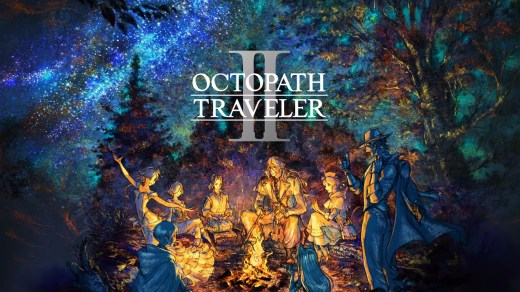
OCTOPATH TRAVELER
OCTOPATH TRAVELER is a turn-based fantasy JRPG where eight travelers set out on individual adventures across the vast world of Orsterra. Choose your starting character and uncover each traveler’s story while exploring eight distinct regions, completing quests, meeting new companions, and deciding how your journey unfolds. Use each character’s unique Path Actions, skills, and talents both in exploration and battle. Identify enemy weaknesses to break their defenses, plan attacks carefully, and tackle side quests in different ways. Retro-inspired 2D characters blend with detailed 3D environments to create the game’s distinctive visual style.
Show 1 more game badges

System Requirements
- System: Windows 7 SP1 / 8.1 / 10 (64-bit)
- Processor: AMD FX-4350 / Intel Core i3-3210
- Memory: 4 GB RAM
- Graphics: AMD Radeon R7 260X (2 GB VRAM) / NVIDIA GeForce GTX 750 (2 GB VRAM)
- DirectX: Version 11
- Storage: 5 GB available space
- Sound: DirectX-compatible sound card
- Other: 30+ FPS at 1280×720 with the graphics preset set to "Low"
- System: Windows 7 SP1 / 8.1 / 10 (64-bit)
- Processor: AMD Ryzen 3 1200 / Intel Core i5-6400
- Memory: 6 GB RAM
- Graphics: AMD Radeon RX 470 (4 GB VRAM) / NVIDIA GeForce GTX 1060 (6 GB VRAM)
- DirectX: Version 11
- Storage: 5 GB available space
- Sound: DirectX-compatible sound card
- Other: Expected framerate of 60 FPS at 1920×1080 with the graphics preset set to "Very High". Depending on the monitor, graphics card, and PC setup, the display resolution can be expanded to 4K. However, 4K resolutions are not officially supported.
OCTOPATH TRAVELER Free Download
Additional Download Details
Free GOG PC Games PRESENTS:
OCTOPATH TRAVELER © Square Enix, ACQUIRE Corp. / Square Enix
We only provide full unmodified DRM-free GOG installers. No serial key, activation, or crack needed.
Latest we have –> Check version info and changelog
Interface language : English, French, Italian, German, Spanish, Japanese, Chinese (simplified), Chinese (traditional)
Voice language : English, Japanese
Easy to Download, Install and Play
- Click the download button. You can also select a previous version if available.
- You’ll be redirected to Vidgazoo. Wait 5 seconds, then directly click the button or copy the link.
- Make sure you have a supported download client installed (it’s free here) before downloading.
- Once the download process reaches 100%, locate the downloaded files.
- Get ready for installation and make sure you have enough disk space for the game.
- To Install DRM-free OCTOPATH TRAVELER:
- Run or double-click
setup_octopath_traveler_********.exeto launch the installer. - Follow the on-screen instructions to complete the installation.
- If a DLC folder is included, run any
.exefiles inside it as well.
- Run or double-click
- Once the installation is complete, launch the game and start playing.
Need help?
Check our FAQs for common questions and fixes. If you need additional assistance, you can also visit the official GOG Support Center.