
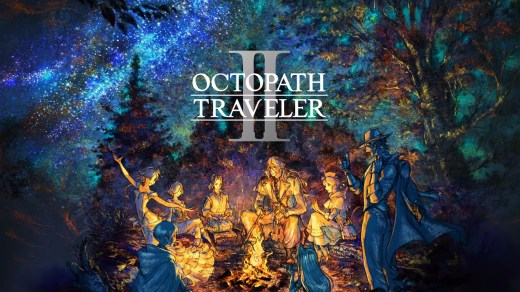
OCTOPATH TRAVELER II
OCTOPATH TRAVELER II is a turn-based fantasy JRPG set in Solistia, a world divided by sea where steam-powered technology and thriving industries shape a new era. Choose one of eight travelers, each with their own origins, motivations, abilities, and story, then explore the world freely as their individual journeys unfold. Travel between changing day and night environments, sail rivers and seas, and use character-specific Path Actions to interact with townspeople in different ways. Develop jobs and skills, exploit enemy weaknesses with the Break and Boost battle system, and unleash powerful Latent Powers when fights become difficult.
Show 1 more game badges
System Requirements
- System: Windows 10 / 11 (64-bit)
- Processor: AMD Ryzen 3 1200 / Intel Core i3-6100
- Memory: 8 GB RAM
- Graphics: AMD Radeon RX 460 / NVIDIA GeForce GTX 750
- DirectX: Version 12
- Storage: 10 GB available space
- Other: 60 FPS at 1280×720 with the graphics preset set to "Low". Requires 2 GB VRAM.
- System: Windows 10 / 11 (64-bit)
- Processor: AMD Ryzen 3 1200 / Intel Core i5-6400
- Memory: 8 GB RAM
- Graphics: AMD Radeon RX 470 / Intel Arc A750 / NVIDIA GeForce GTX 1060 (6 GB VRAM)
- DirectX: Version 12
- Storage: 10 GB available space
- Other: 60 FPS at 1920×1080 with the graphics preset set to "Highest". Requires 16 GB system RAM when running on an Intel GPU.
OCTOPATH TRAVELER II Free Download
Additional Download Details
Free GOG PC Games PRESENTS:
OCTOPATH TRAVELER II © Square Enix, ACQUIRE Corp. / Square Enix
We only provide full unmodified DRM-free GOG installers. No serial key, activation, or crack needed.
Latest we have –> Check version info and changelog
Interface language : English, Italian, German, Spanish, Japanese, Korean, Simplified Chinese, Traditional Chinese
Voice language : English, Japanese
Easy to Download, Install and Play
- Click the download button. You can also select a previous version if available.
- You’ll be redirected to Vidgazoo. Wait 5 seconds, then directly click the button or copy the link.
- Make sure you have a supported download client installed (it’s free here) before downloading.
- Once the download process reaches 100%, locate the downloaded files.
- Get ready for installation and make sure you have enough disk space for the game.
- To Install DRM-free OCTOPATH TRAVELER II:
- Run or double-click
setup_octopath_traveler_ii_********.exeto launch the installer. - Follow the on-screen instructions to complete the installation.
- If a DLC folder is included, run any
.exefiles inside it as well.
- Run or double-click
- Once the installation is complete, launch the game and start playing.
Need help?
Check our FAQs for common questions and fixes. If you need additional assistance, you can also visit the official GOG Support Center.


