
Pure Pinball 2 REDUX
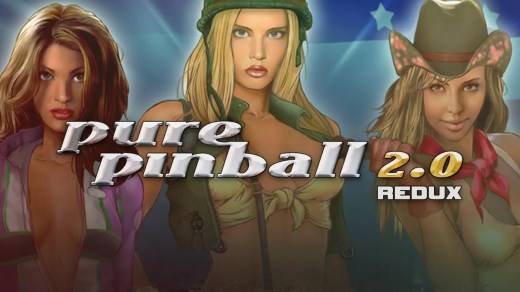
Pure Pinball 2 REDUX is a classic 3D pinball simulation featuring detailed tables, realistic ball physics, and multiple viewing options. Play across three distinct tables themed around racing, war, and trains, each offering its own layouts, special modes, flippers, and scoring opportunities. Choose from 12 different camera setups, including full-table views, close-ups, ball-follow perspectives, and traditional scrolling. The physics engine continuously calculates ball movement to deliver responsive flipper control and multiball gameplay, while reflective surfaces, glass effects, and detailed table elements recreate the look of physical pinball machines.
Show 1 more game badges
System Requirements
- System: Windows XP or Windows Vista
- Processor: 1 GHz CPU
- Memory: 256 MB RAM
- Graphics: DirectX 7-compatible 3D graphics card with hardware T&L (Transform & Lighting) support. DirectX 9 compatibility is recommended.
Pure Pinball 2 REDUX Free Download
Additional Download Details
Free GOG PC Games PRESENTS:
Pure Pinball 2 REDUX © Legendo Entertainment / Legendo Entertainment
We only provide full unmodified DRM-free GOG installers. No serial key, activation, or crack needed.
Latest we have –> Check version info and changelog
Interface language : English
Voice language : English
Easy to Download, Install and Play
- Click the download button. You can also select a previous version if available.
- You’ll be redirected to Vidgazoo. Wait 5 seconds, then directly click the button or copy the link.
- Make sure you have a supported download client installed (it’s free here) before downloading.
- Once the download process reaches 100%, locate the downloaded files.
- Get ready for installation and make sure you have enough disk space for the game.
- To Install DRM-free Pure Pinball 2 REDUX:
- Run or double-click
setup_pure_pinball_2_redux_********.exeto launch the installer. - Follow the on-screen instructions to complete the installation.
- If a DLC folder is included, run any
.exefiles inside it as well.
- Run or double-click
- Once the installation is complete, launch the game and start playing.
Need help?
Check our FAQs for common questions and fixes. If you need additional assistance, you can also visit the official GOG Support Center.


