
HOPE 01 v1.30
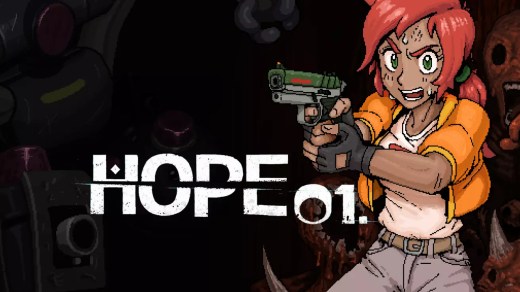
HOPE 01 is a 2D post-apocalyptic survival action game set inside a deteriorating underground habitat cluster. Wake with a mysterious request to find HAB 01, then explore an interconnected labyrinth, help stranded survivors, battle hostile creatures, and make choices that can influence the fate of humanity. Search dangerous rooms for weapons, armor, gadgets, and supplies while building a loadout suited to each expedition. Extract safely to keep your loot, scan useful items for later fabrication, and prepare carefully before facing increasingly dangerous enemies and bosses.
Show 1 more game badges
System Requirements
- System: Windows (64-bit)
- Processor: AMD Ryzen 3 3100, Ryzen 5 2600, or Intel Core i3-10100F
- Graphics: Most graphics cards
- Storage: 70 MB available space
- Other: Requires a 64-bit processor and operating system
- System: Windows (64-bit)
- Processor: AMD Ryzen 5 5600X, Ryzen 5 7600, Intel Core i5-12400, or Intel Core i5-13400
- Graphics: Most graphics cards
- Storage: 70 MB available space
- Other: Requires a 64-bit processor and operating system
HOPE 01 Free Download
Additional Download Details
Free GOG PC Games PRESENTS:
HOPE 01 © Bending Boy Games / Bending Boy Games
We only provide full unmodified DRM-free GOG installers. No serial key, activation, or crack needed.
Latest we have v1.30 –> Check version info and changelog
Interface language : English
Voice language : English
Previous versions (1)
Easy to Download, Install and Play
- Click the download button. You can also select a previous version if available.
- You’ll be redirected to Vidgazoo. Wait 5 seconds, then directly click the button or copy the link.
- Make sure you have a supported download client installed (it’s free here) before downloading.
- Once the download process reaches 100%, locate the downloaded files.
- Get ready for installation and make sure you have enough disk space for the game.
- To Install DRM-free HOPE 01:
- Run or double-click
setup_hope_01_********.exeto launch the installer. - Follow the on-screen instructions to complete the installation.
- If a DLC folder is included, run any
.exefiles inside it as well.
- Run or double-click
- Once the installation is complete, launch the game and start playing.
Need help?
Check our FAQs for common questions and fixes. If you need additional assistance, you can also visit the official GOG Support Center.


