
The Caligula Effect: Overdose v1.03 + 5 DLC
The Caligula Effect: Overdose is a JRPG set in Mobius, a virtual high school world created by a sentient Vocaloid to trap people in an idealized fantasy. You play as a student who discovers the truth and must escape by battling enemy musicians using a tactical turn-based system that lets you predict enemy actions three moves ahead. This enhanced version includes new scenarios, a female protagonist route, and additional party members not found in the original release.

The Caligula Effect: Overdose Overview
Mobius. An idyllic world that exists for the sake of letting people forget about the pain and problems of reality. In this world created by a sentient vocaloid program, μ (Mu), reality and fantasy has become blurred, allowing people to relive their high school years in bliss. Yet in this seemingly beautiful and perfect world, something is amiss. Escape from this false paradise with your fellow students and return to reality in The Caligula Effect: Overdose!
Key Features:

- An Overdose of New Features – The Caligula Effect: Overdose boasts enhanced visuals and gameplay! Explore new scenarios, endings, and the “Forbidden Musician Route” while escaping the virtual world of Mobius.
- The New Faces of Kishimai High – Play as the newly added female protagonist! Plus, meet two new members of the Go-Home Club, who each have their own new Ostinato Musician to face.
- Use the Imaginary Chain! – Turn-based battle meets exhilarating action in this refined JRPG battle system! Develop a flawless strategy after using the Imaginary Chain to predict what your enemies will do next!
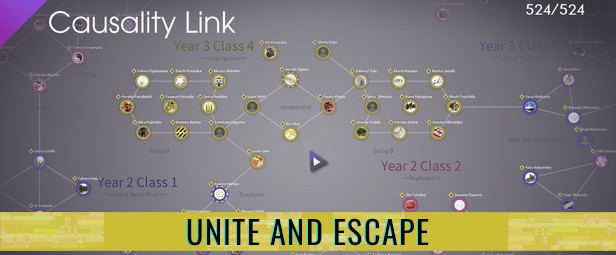
- Unite and Escape – Sometimes, it’s hard to go it alone. Befriend over 500 other students in this imaginary paradise to improve your skills in battle and ultimately return to reality.


System Requirements
- System: Windows 7 64-bit or later
- Processor: Dual-core Intel or AMD processor, 2.5 GHz or faster
- Memory: 4 GB RAM
- Graphics: NVIDIA GeForce 450 GTS or AMD Radeon 6770 HD
- DirectX: DirectX 11
- Storage: 6 GB available space
- Additional Notes: 3D Resolution Scale at 50%
- System: Windows 7 64-bit or later
- Processor: Quad-core Intel or AMD processor, 2.5 GHz or faster
- Memory: 8 GB RAM
- Graphics: NVIDIA GeForce 470 GTX or AMD Radeon 6870 HD
- DirectX: DirectX 11
- Storage: 6 GB available space
- Additional Notes: 3D Resolution Scale at 100%
The Caligula Effect: Overdose Free Download
Additional Download Details
Free GOG PC Games PRESENTS:
The Caligula Effect: Overdose © FURYU Corporation, Engine Software BV / NIS America, Inc.
We only provide full unmodified DRM-free GOG installers. No serial key, activation, or crack needed.
Latest we have v1.03 + 5 DLC –> Check version info and changelog
Easy to Download, Install and Play
- Click the download button. You can also select a previous version if available.
- You’ll be redirected to Vidgazoo. Wait 5 seconds, then directly click the button or copy the link.
- Make sure you have a supported download client installed (it’s free here) before downloading.
- Once the download process reaches 100%, locate the downloaded files.
- Get ready for installation and make sure you have enough disk space for the game.
- To Install DRM-free The Caligula Effect: Overdose:
- Run or double-click
setup_the_caligula_effect_overdose_********.exeto launch the installer. - Follow the on-screen instructions to complete the installation.
- If a DLC folder is included, run any
.exefiles inside it as well.
- Run or double-click
- Once the installation is complete, launch the game and start playing.
Need help?
Check our FAQs for common questions and fixes. If you need additional assistance, you can also visit the official GOG Support Center.


