

Game Details
About this game:
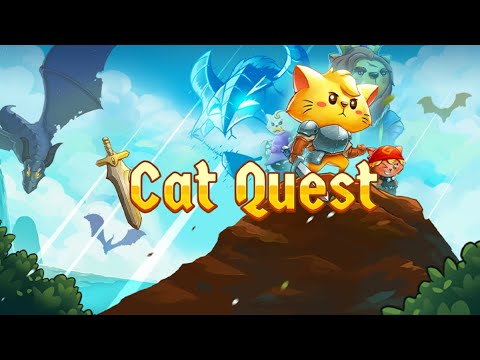
Cat Quest is an open world RPG set in the pawsome world of cats!
Leap into a grand adventure in purrsuit of the evil Drakoth and your catnapped sister! Explore Felingard’s huge overworld map, risk life and limb delving into dungeons for epic loot, and lend a paw to a furry cast of characters in a flurry of side quests.
Real-time Combat: Combat in Cat Quest takes place entirely in real time, allowing you to get close to enemies with a slash of your blade, dodge roll to avoid a counter-attack, and then finish them off with powerful magic! Wield the ancient spells of Lightnyan, Flamepurr, and Healpaw to vanquish your foes! (Fur real!)
Equipment Customization: Outfit your catventurer with a whole basket of equipment! Prefurr casting spells? Don an arcane hood, robes, and a staff to bolster your mana reserves! Want to protect yourself from attack? Deck out your catventurer with chainmail armor to increase your health and provide an extra level of protection. Weapons, armor, and spells can be mixed and matched to create the purrfect combinations for your playstyle!
World Exploration: The world of Felingard is littered with interesting places and people! Discover a possessed town whose residents lust for obscene amounts of meat, assist the mages Mewlin and Meowgan in their search to break a magic seal, and locate someone’s missing delivery of “House of Parchments” and “The Pouncing Dead”. Exploration is one of the main scratching posts of Cat Quest, and with locations such as Bermewda’s Triangle, the Furbidden Fields, and Pawt City to explore, it’s time to get pawing!
Soundtrack: Experience an enchanting orchestral score inspired by classic RPGs!
Minimum:
OS: Windows 7
Processor: Intel(R) Core(TM) i3-2100 CPU @ 3.10GHz (4 CPUs), ~3.1GHz
Memory: 4 GB RAM
Graphics: Intel(R) HD Graphics 520
Storage: 250 MB available space
Recommended:
OS: Windows 10
Processor: Intel(R) Core(TM) i7-7500U CPU @ 2.70GHz
Memory: 8 GB RAM
Graphics: Intel(R) HD Graphics 620
DirectX: Version 12
Storage: 250 MB available space
FREE GOG PC GAMES PRESENTS
Cat Quest (c) The Gentlebros / PQube Limited
Cat Quest is an open world RPG set in the pawsome world of cats!Leap into a grand adventure in purrsuit of the evil Drakoth and your catnapped sister! Explore Felingard’s huge overworld map, risk life and limb delving into dungeons for epic loot, and lend a paw to a furry cast of characters in a flurry of side quests.
More info here: https://www.gog.com/game/cat_quest
Game Media


How to Download & Install
- Click the download button below. You will be redirected to our link generator.
- On that page, copy the link or click the button. Make sure you have a Supported Client before starting.
- Wait for the Cat Quest download process to finish (100%), then locate the files or folder.
- Install the game:
Run or Double click setup_cat_quest_********. exeOptional:
Run or Double click setup_cat_quest_ii_********. exe
- Once installation is complete, launch the game and enjoy!
- Support the developers: If you like the game, please consider buying the official version.
Need help? Visit our FAQs page for common issues and solutions, or go to the official Support Center directly for further assistance.
Previous Version and Patch
We are keeping some of the old links and patches to make sure you can revert back to old version if you have problem with the latest version.
Previous Version/s:
Size: 305.5 MB
Cat Quest v1.0.13 + II (GOG)
Size: 278.4 MB
Cat Quest v1.2.10.2 + II [GOG]
Size: 311.1 MB
Cat Quest (1.2.10.2) + II [GOG]
Size: 1.46 GB
Cat Quest (1.2.10.3) + II (1.7.7.4) + III (1.4.3) [GOG]
This is a free unmodified Cat Quest DRM-Free installer. No activation required. Just install and play.
Download Here⇩
Size: 1.46 GB
Cat Quest (1.2.10.3) + II (1.7.7.4) + III (1.4.7) [GOG]


can you please upload mac version? thanks
@Kladik, sorry we only post windows games here 🙁
link not work Cat Quest + Cat Quest II [Anthology] (GOG) please fix it update
Please check we have updated the download link with the latest version we can find 😀