
Undead Horde Free Download
Undead Horde is an action strategy game where you play as a necromancer who raises and commands an army of undead minions. Recruit skeletons, zombies, and other creatures from fallen enemies, then lead them into battle to conquer territory and defeat strongholds. As you progress, expand your necromantic powers, unlock new unit types, and strengthen your horde through upgrades and strategic combat encounters across varied environments.

Undead Horde Overview
Become a necromancer and raise the dead – Undead Horde is a necromantic action game with elements from RPG, strategy and hack’n’slash. You’ll battle against the living who’ve driven the necromancers and their undead minions into exile. You’ll re-animate all kinds of creatures and build an army of up to 100 undead. Your army follows you or attacks by itself depending on your commands.
- Explore and conquer a fantasy world filled with creatures from humans to giant scorpions
- Re-animate your slain enemies and make them part of your undead army
- Endless number of new weapons, trinkets and magical items
- Level up and create the necromancer of your nightmares
- Sell and trade your loot with various merchants
- Manage shops with upgrades
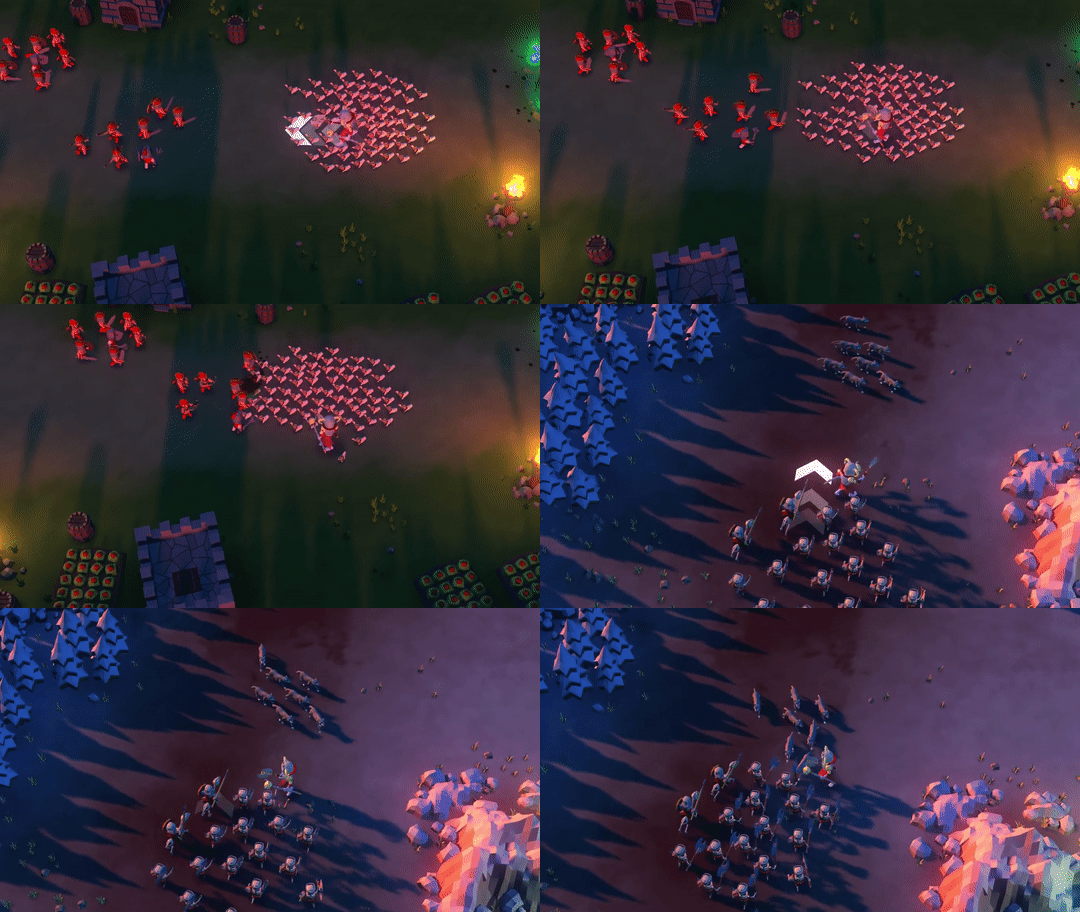
You will command a horde of Undead minions and unlock new minion types by slaying your enemies. There are over a dozen minions ranging from human archers to venomous scorpions.

As a necromancer you can raise your slain enemies as undead warriors. You will also summon undead from your crypt. Graves may offer supring reinforcements whenever you find them.

Make your Necromancer and minions even more powerful with items. Procedural item generation provides endless amount of new and exciting items for the necromancer to play with.

You will conquer back the lands the living stole from you. Making your way through forests, deserts, and wastelands you will finally destroy the Paladin Goodhelper

System Requirements
- System: Windows 7 / 8 / 10
- Processor: 2.0 GHz
- Memory: 2048 MB RAM
- Graphics: SM 3.0+
- DirectX: DirectX 11
- Storage: 500 MB available space
Undead Horde Free Download
Additional Download Details
Free GOG PC Games PRESENTS:
Undead Horde © 10tons / 10tons
We only provide full unmodified DRM-free GOG installers. No serial key, activation, or crack needed.
Latest we have v1.2.2 –> Check version info and changelog
Instructions
- Click the download button. You can also select a previous version if available.
- You’ll be redirected to Vidgazoo. Wait 5 seconds, then directly click the button or copy the link.
- Make sure you have a supported download client installed (it’s free here) before downloading.
- Once the download process reaches 100%, locate the downloaded files.
- Get ready for installation and make sure you have enough disk space for the game.
- To Install DRM-free Undead Horde:
- Run or double-click
setup_undead_horde_********.exeto launch the installer. - Follow the on-screen instructions to complete the installation.
- If a DLC folder is included, run any
.exefiles inside it as well.
- Run or double-click
- Once the installation is complete, launch the game and start playing.
Need help?
Check our FAQs for common questions and fixes. If you need additional assistance, you can also visit the official GOG Support Center.


