
Hellslave v1.46
Hellslave is a dark action RPG set in a brutal underworld where players control a damned soul fighting to survive. Using a combination of powerful weapons and demonic abilities, players battle infernal minions across corrupted realms. Progress is driven by forging pacts with dark entities to unlock new strengths and customize playstyle. The game emphasizes aggressive combat, strategic ability use, and exploration of hostile environments filled with traps and enemies. Success depends on mastering weapon types, managing resources, and adapting to increasingly difficult encounters. Hellslave blends fast-paced action with RPG progression in a grim, atmospheric setting defined by relentless danger and supernatural power.
Show 1 more game badges

Hellslave Overview
The world of Hellslave
The world is coming to an end and humanity is on the brink of extinction. Save it from a demon invasion by making a pact with the Devil and praise one of 6 demons to avoid humanity’s demise into darkness. Use your newly acquired demonic power against the invaders but it may have a bigger impact on you than you thought…
A unique experience
Hellslave is a dungeon crawler unlike others following on the footpath of classic dungeon crawler but introducing new mechanics and drawing its inspirations from Dark fantasy universe, poems and artists (such as John Milton).
Unleash unique powers and skills
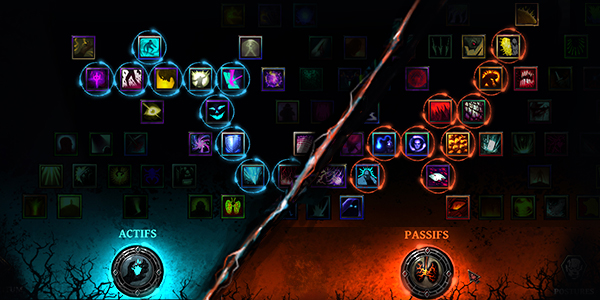
Customize your character around a passive skill tree, discover and experiment with dozens of skills and demonic powers. Take advantage of synergy between skills to achieve combo and defeat your foes.
A dark world to explore
Travel on world maps filled with dozens of unique landmarks but beware of what lurks in the dark. From villages to graveyards and crypt, destroy your foes, retrieve old relics to help the inhabitants of this doomed world.
Fight your way through this perilous world
Deal with dozens of different enemies from zombies, ghosts, demons and bosses straight from hell to fight for your life and this world’s survival.
Gameplay driven by a strong art direction
Contemplate unique visuals during your journey in hell on earth through handcrafted cut-scenes and visuals.
Your journey in Hell is just beginning
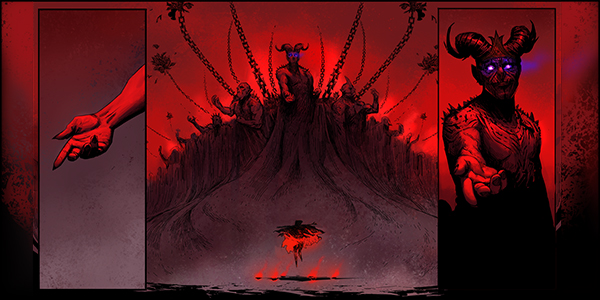
Experience different playthroughs depending on the powers of your starting Demon. If the first journey wasn’t enough for you, enjoy this hellish invasion a second time with the challenging New Game +.

System Requirements
- System: Windows 7, 8, 10, 32/64-bit
- Processor: 2.8 GHz Dual Core CPU
- Memory: 4 GB RAM
- Graphics: AMD Radeon HD 6670, GeForce GTX 200 series with at least 1 GB
- DirectX: DirectX 9.0
- Storage: 1500 MB available space
- Additional Notes: DirectX 9.0c compatible sound card with latest drivers
- System: Windows 7, 8, 10, 32/64-bit
- Processor: Quad Core CPU
- Memory: 4 GB RAM
- Graphics: AMD R7 200 series, GeForce GTX 500 series
- DirectX: DirectX 9.0
- Storage: 1500 MB available space
- Additional Notes: DirectX 9.0c compatible sound card with latest drivers
Hellslave Free Download
Additional Download Details
Free GOG PC Games PRESENTS:
Hellslave © ARS GOETIA / PID Games
We only provide full unmodified DRM-free GOG installers. No serial key, activation, or crack needed.
Latest we have v1.46 –> Check version info and changelog
Previous versions (4)
Easy to Download, Install and Play
- Click the download button. You can also select a previous version if available.
- You’ll be redirected to Vidgazoo. Wait 5 seconds, then directly click the button or copy the link.
- Make sure you have a supported download client installed (it’s free here) before downloading.
- Once the download process reaches 100%, locate the downloaded files.
- Get ready for installation and make sure you have enough disk space for the game.
- To Install DRM-free Hellslave:
- Run or double-click
setup_hellslave_********.exeto launch the installer. - Follow the on-screen instructions to complete the installation.
- If a DLC folder is included, run any
.exefiles inside it as well.
- Run or double-click
- Once the installation is complete, launch the game and start playing.
Need help?
Check our FAQs for common questions and fixes. If you need additional assistance, you can also visit the official GOG Support Center.


