

Game Details
About this game:
THE JOURNEY OF A LITTLE GHOST
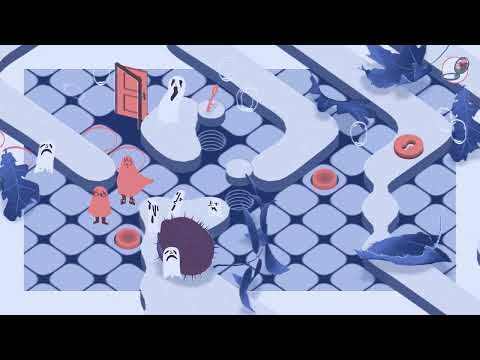
How to say Goodbye tells the story of someone who has recently been turned into a ghost, lost in an unfamiliar world populated by disoriented spirits. In this narrative puzzle game, move the decor to help the characters escape the liminal world in which they are lost. Help them on their quest to move on and escape from the grasp of a mysterious Wizard.
A PUZZLE GAME BASED ON WORLD MANIPULATION
Overcome tricky grid-based puzzles to lead the ghosts onward and travel through more than 15 chapters, from your kitchen to the moon. Solve numerous conundrums in a universe inspired by illustration and great classics of children’s literature (Tomi Ungerer, Tove Jansson, Antoine de Saint-Exupéry, Maurice Sendak…)
A STRONG AND UNIQUE THEME
– A poignant puzzle game that deals with grief with kindness and subtlety
– Save your friends before they disappear forever
– Guide the ghosts out of the strange world in which they are trapped
– Meet various characters, help them find peace and mourn their own death
– Unveil the secret of the Wizard and the Spleens, the misguided spirits that haunt the other side
Minimum:
System: Windows 7 SP1+Hard drive: SSE2 instruction set support
Memory: 4 GB RAM
Graphics: DX10 (shader model 4.0)
DirectX: Version 10
Storage: 1000 MB available space
FREE GOG PC GAMES PRESENTS
How to Say Goodbye (c) Florian Veltman, Baptiste Portefaix, ARTE France / ARTE France
How to Say Goodbye is a beautiful narrative puzzle game inspired by picture books. Reorganize the environment and solve puzzles to help a group of ghosts on their quest to finally move on.
More info here: https://www.gog.com/en/game/how_to_say_goodbye
Game Media


How to Download & Install
- Click the download button below. You will be redirected to our link generator.
- On that page, copy the link or click the button. Make sure you have a Supported Client before starting.
- Wait for the How to Say Goodbye download process to finish (100%), then locate the files or folder.
- Install the game:
– Run or Double click setup_how_to_say_goodbye_ 1.0.6_(60951). exe - Once installation is complete, launch the game and enjoy!
- Support the developers: If you like the game, please consider buying the official version.
Need help? Visit our FAQs page for common issues and solutions, or go to the official Support Center directly for further assistance.
Previous Version and Patch
We are keeping some of the old links and patches to make sure you can revert back to old version if you have problem with the latest version.
Previous Version/s:
Size: GB
How to Say Goodbye v1.0.6 [GOG]
This is a free unmodified How to Say Goodbye DRM-Free installer. No activation required. Just install and play.
Download Here⇩
Size: GB
How to Say Goodbye v1.0.7 [GOG]


