
Battle Chasers: Nightwar v24037
Battle Chasers: Nightwar is a turn-based RPG inspired by classic console JRPGs and the Battle Chasers comic series. Build a party from six unique heroes, explore a richly illustrated fantasy world, and delve into procedurally generated dungeons filled with traps, puzzles, secrets, and valuable loot. Tactical battles revolve around character abilities, Battle Bursts, and an Overcharge system that provides temporary mana during combat. Customize your heroes with equipment, perks, and crafted items while searching the overworld for hidden dungeons, rare enemies, and challenging bosses.
Show 1 more game badges

Battle Chasers: Nightwar Overview
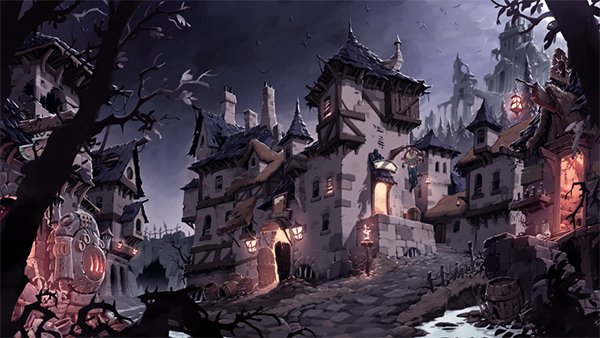
Battle Chasers: Nightwar is an RPG inspired by the classic console greats, featuring deep dungeon diving, turn-based combat presented in a classic JRPG format, and a rich story driven by exploration of the world.
- Classic turn-based combat inspired by the console RPG greats, with a unique overcharge mana system and incredible Battle Bursts.
- Beautiful, randomly-generated dungeons loaded with traps, puzzles, secrets and loot.
- Explore an overworld peppered with hidden dungeons, rare bosses and randomly appearing friends and foes.
- Action oriented, randomly-generated dungeons loaded with traps, puzzles and secrets. Use each hero’s unique dungeon skills to survive
- Build your adventuring party by choosing three of six available heroes from the classic Battle Chasers comic series, each with unique abilities, perks, items and dungeon skills
- Dive into the deep crafting system, using the unique ingredient-overloading system to create epic items!
The best-selling comic book Battle Chasers was first released in the late 90s and quickly generated a passionate cult following.
System Requirements
- System: Windows 7 / 8 / 10 64 bit
- Processor: 2.0 GHz CPU
- Memory: 4 GB RAM
- Graphics: Intel HD 4000 or equivalent with 1 GB VRAM
- DirectX: DirectX 11
- Storage: 8 GB available space
- Additional Notes: DirectX compatible; These are preliminary system specs that can and will change!
Battle Chasers: Nightwar Free Download
Additional Download Details
Free GOG PC Games PRESENTS:
Battle Chasers: Nightwar © Airship Syndicate / THQ Nordic GmbH
We only provide full unmodified DRM-free GOG installers. No serial key, activation, or crack needed.
Latest we have v24037 –> Check version info and changelog
Source : Digital
Publication type : License
Interface language : English, French, German, Russian, Spanish, Italian, Polish, Portuguese, Chinese, Korean, Japanese
Voice language : English, French, German, Russian, Spanish, Polish, Japanese
Previous versions (1)
Easy to Download, Install and Play
- Click the download button. You can also select a previous version if available.
- You’ll be redirected to Vidgazoo. Wait 5 seconds, then directly click the button or copy the link.
- Make sure you have a supported download client installed (it’s free here) before downloading.
- Once the download process reaches 100%, locate the downloaded files.
- Get ready for installation and make sure you have enough disk space for the game.
- To Install DRM-free Battle Chasers: Nightwar:
- Run or double-click
setup_battle_chasers_nightwar_********.exeto launch the installer. - Follow the on-screen instructions to complete the installation.
- If a DLC folder is included, run any
.exefiles inside it as well.
- Run or double-click
- Once the installation is complete, launch the game and start playing.
Need help?
Check our FAQs for common questions and fixes. If you need additional assistance, you can also visit the official GOG Support Center.


