
BEAST v1.2.24763
BEAST is a survival action game where you play as a fearsome creature in a savage wilderness. Hunt prey, fight rivals, and evolve your abilities to grow stronger and dominate the ecosystem as the apex predator. Explore a dynamic environment filled with dangers and opportunities, adapting your strategy to survive and thrive.
Show 1 more game badges

BEAST Overview
Unleash your inner demon in BEAST, a brutal, turn-based tactical RPG that’s currently available in Early Access. Serving as False Prophet’s debut title, BEAST aims to redefine the turn-based tactics genre by telling a gritty, grounded story with morally ambiguous characters. With gridless, turn-based tactics gameplay at the forefront, players are able to strategize to take down their foes on the battlefield in the most visceral ways possible. But you don’t need to venture forth alone. You’ll have access to the warband consisting of loyal comrades, each with different skills and abilities. Will you work alongside them or consume them to enhance your Beast abilities? This is an Early Access game and False Prophet is listening to its playerbase to ensure BEAST is the best game it can be.
Deep, Rich Narrative

Long presumed dead, a veteran returns from a 10-year-long Ottoman slavery. His Carpathian homeland is feebly reigned by the demented prophet-king, its lands ruined by raiders and cursed with a hellish plague. Everything he loved and cherished is either gone or has changed beyond recognition. All he has left is his soldiers’ loyalty – and a holy quest to end the plague. Facing hordes of enemies as well as his inner demons, you must help him see it through no matter the cost!
Unique BEAST System

Exercise or exorcize your inner Beast – you decide. The Insanity system pushes you to make difficult moral decisions during combat.
Insanity of the Dark Ages
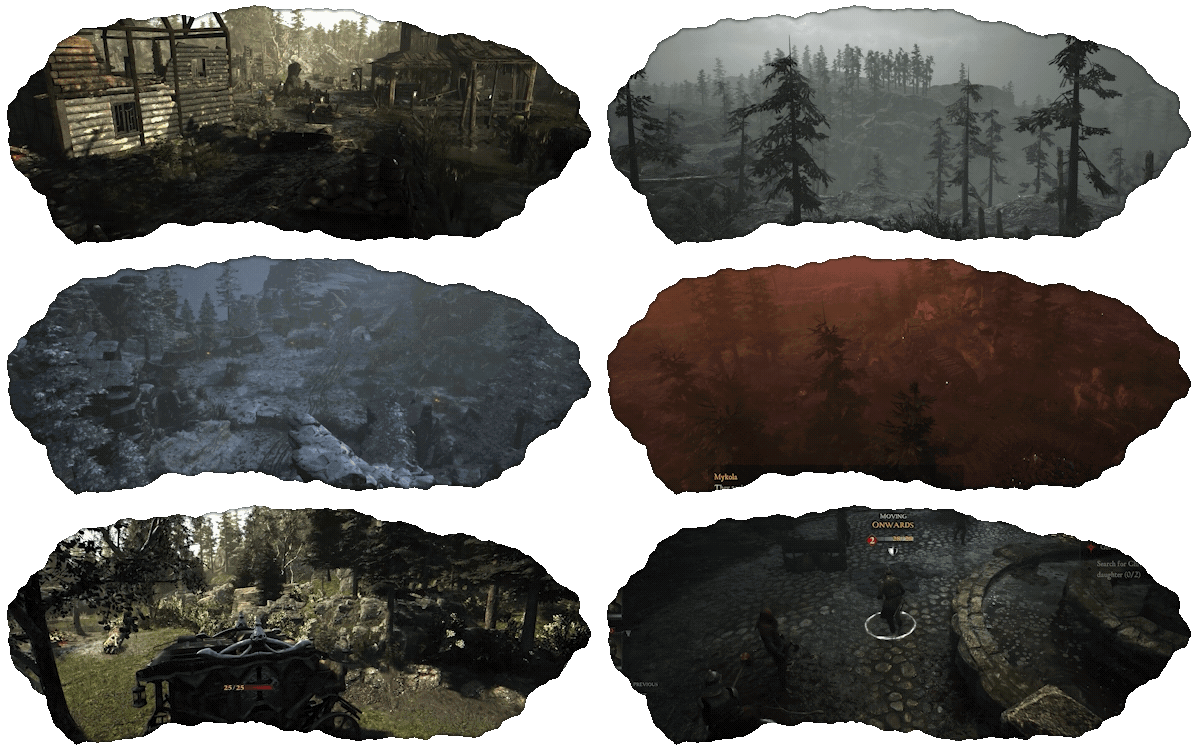
Atmospheric, story-rich, grim, dark world inspired by Carpathian legends. There is only evil – greater or lesser.
Close the gap with Ranged Weapons
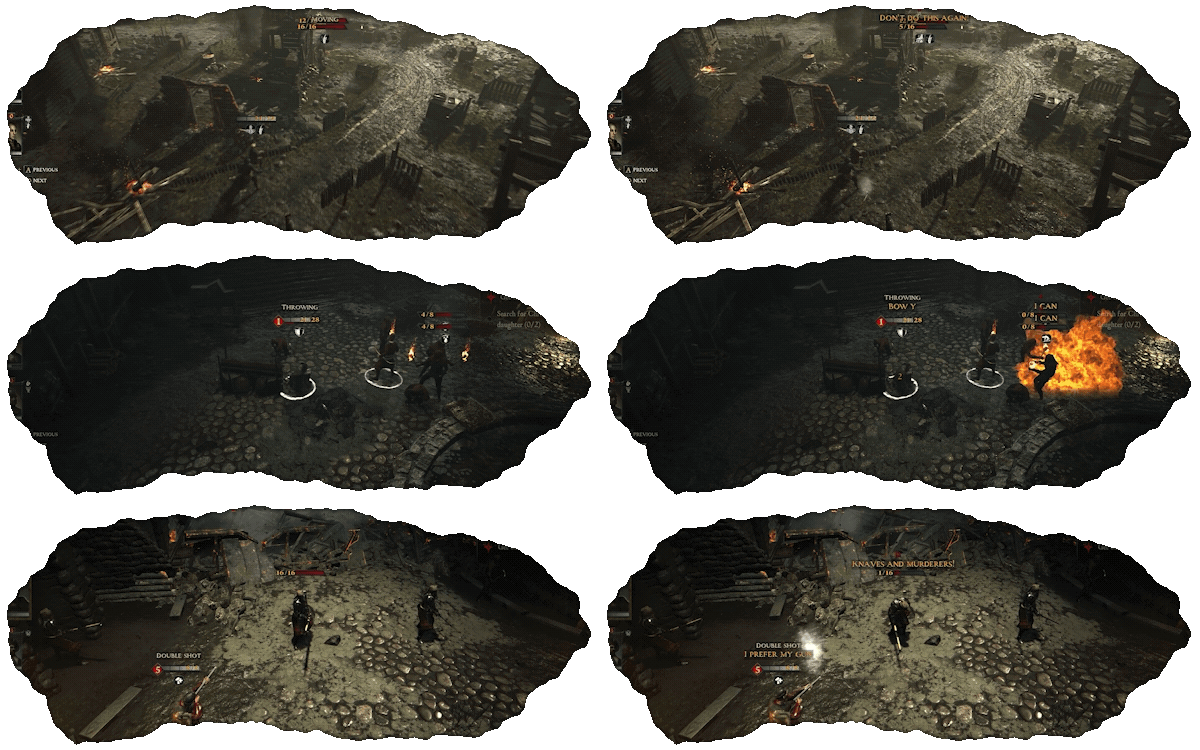
Command your squad in fast-paced, gridless, turn-based tactical battles.
Brutal Melee Combat
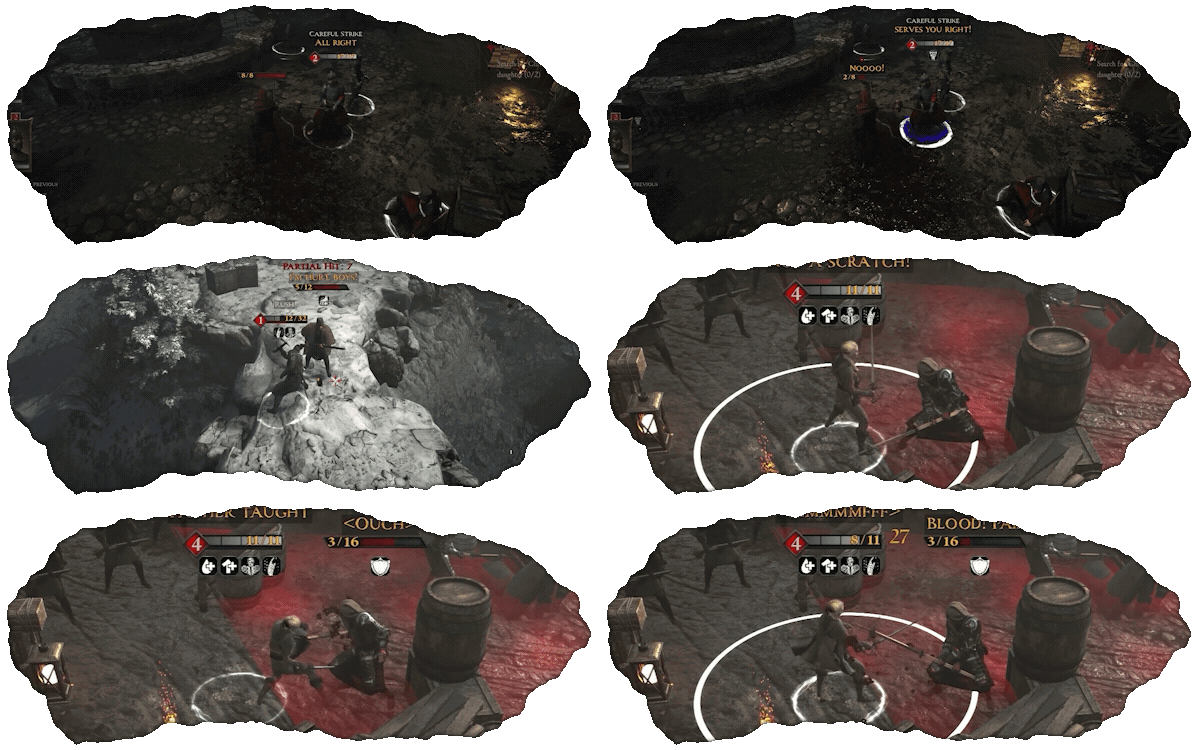
Advance and survive intense and visceral encounters.
System Requirements
- System: Windows 10
- Processor: Ryzen 3 3100 or Intel Core i5-9400F or better
- Memory: 16 GB RAM
- Graphics: AMD Radeon RX 560/Nvidia GTX 1050 or better
- DirectX: DirectX 12
- Storage: 85 GB available space
- Additional Notes: Broadband Internet connection; Steam Deck tested & other handhelds are under evaluation; Requires a 64-bit processor and operating system
- System: Windows 10
- Processor: Intel i7 8700 | AMD Ryzen 5 3600
- Memory: 16 GB RAM
- Graphics: NVIDIA RTX 2080 | AMD RX 6700 | 8GBs
- DirectX: DirectX 12
- Storage: 100 GB available space
- Additional Notes: Broadband Internet connection; I; Steam Deck tested & other handhelds are under evaluation; Requires a 64-bit processor and operating system
BEAST Free Download
Additional Download Details
Free GOG PC Games PRESENTS:
BEAST © False Prophet / False Prophet
We only provide full unmodified DRM-free GOG installers. No serial key, activation, or crack needed.
Latest we have v1.2.24763 –> Check version info and changelog
Previous versions (1)
Easy to Download, Install and Play
- Click the download button. You can also select a previous version if available.
- You’ll be redirected to Vidgazoo. Wait 5 seconds, then directly click the button or copy the link.
- Make sure you have a supported download client installed (it’s free here) before downloading.
- Once the download process reaches 100%, locate the downloaded files.
- Get ready for installation and make sure you have enough disk space for the game.
- To Install DRM-free BEAST:
- Run or double-click
setup_beast_********.exeto launch the installer. - Follow the on-screen instructions to complete the installation.
- If a DLC folder is included, run any
.exefiles inside it as well.
- Run or double-click
- Once the installation is complete, launch the game and start playing.
Need help?
Check our FAQs for common questions and fixes. If you need additional assistance, you can also visit the official GOG Support Center.


