
Monomyth
Monomyth is a first-person action RPG set in a dark labyrinth where players explore interconnected corridors, solve environmental puzzles by manipulating switches and levers, and engage in tactical combat using melee and ranged weapons. As they progress, players uncover the secrets of a forgotten world through fragmented lore scattered across ancient ruins and cryptic inscriptions. The game emphasizes deliberate movement, resource management, and adaptive strategies against varied enemy types, blending exploration with narrative discovery in a minimalist fantasy setting.
Show 1 more game badges

Monomyth Overview
As the sun sets on the empires of mankind and civilization crumbles under great storms ravaging the world’s surface, the people of Ariath retreat to the underground.
Amidst the chaos of this dying world your father, King Ferodin the Third sent an expedition to the fallen fortress city of Lysandria.
It is said, that within the ruins of the fortress lies the primeval seed – a divine gift that may calm the gods’ anger and put an end to the roaring thunder in the sky.
Spearheaded by your own brother, the expedition hoped to retrieve the sacred object but was never heard of again.
Against your father’s wish, you decide to travel to Lysandria yourself.
Find your brother and retrieve the divine gift, but beware: The ancient fortress is not as deserted as it seems…

MONOMYTH features a vast, interconnected game environment. Wander from the highest towers to the lowest caverns, find secret chambers, uncover hidden passageways and explore a multitude of differently themed areas. 
Explore a highly interactive underworld, filled with items, puzzles, monsters and a variety of peaceful inhabitants. Talk to characters using a detailed keyword-based dialogue system and combine items to interact with your surroundings. Trade, pick locks, break doors or throw objects! You can even bake bread! 
Swing your sword, cast spells, dodge, parry, and block. In MONOMYTH you move freely through the world, using a rich arsenal of deadly weapons and powerful magic. 
In MONOMYTH you are free to develop a unique character build. Invest into six different character attributes and thirteen skills, unlocking dozens of different playstyles. Will you be a nimble assassin, a fearsome battlemage, or maybe something completely different? The choice is all yours! 
Set in an apocalyptic fantasy world, MONOMYTH combines magic and technology into a new, unique setting. Open the gates to a dark, mysterious realm, beset by horrifying monstrosities and discover the secrets of the fortress city of Lysandria. 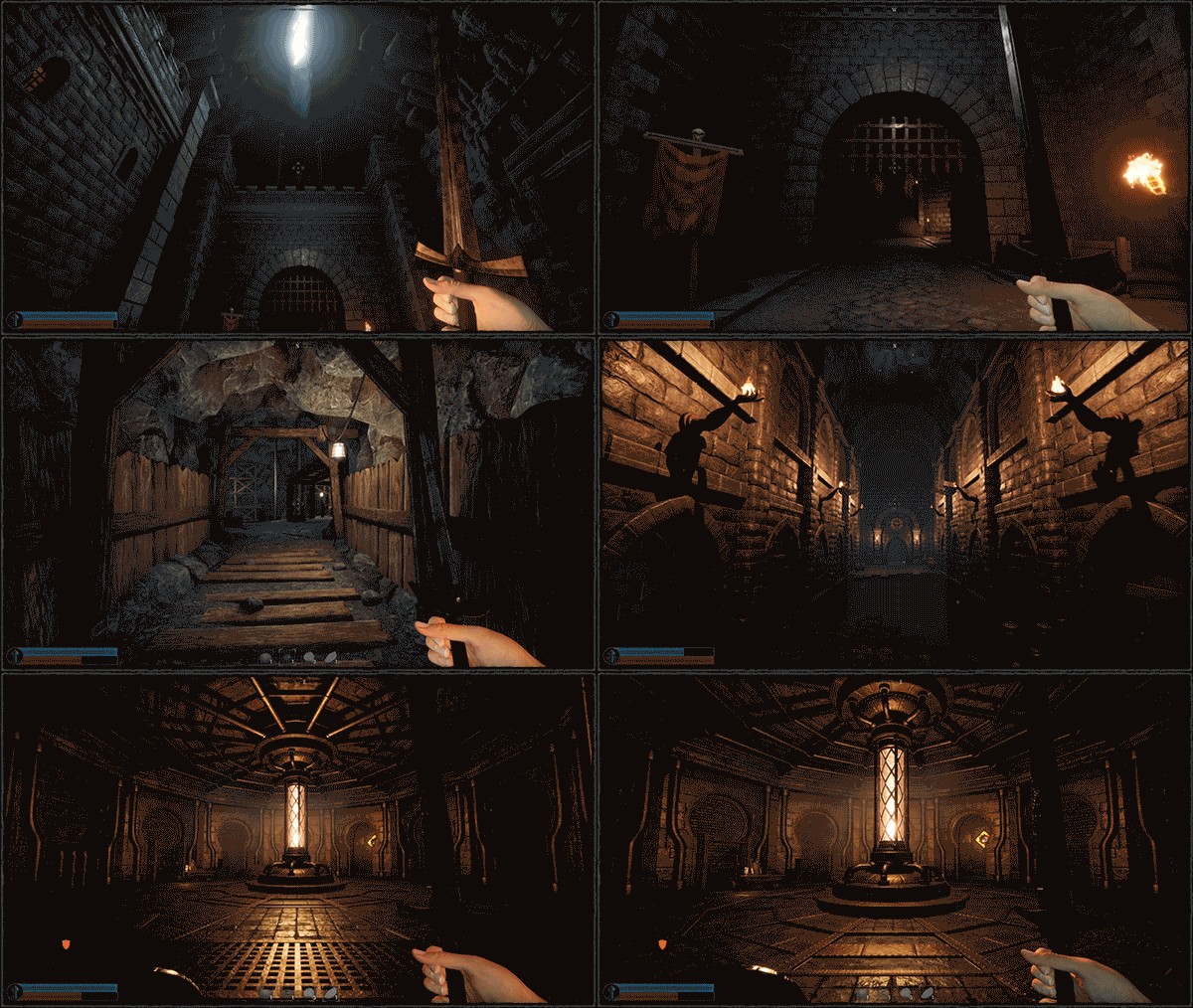
System Requirements
- System: Windows 10 64-bit
- Processor: Intel Core i5-9600K | AMD Ryzen 5 3500
- Memory: 8 GB RAM
- Graphics: NVIDIA GeForce RTX 2060 | AMD Radeon RX 5700
- Storage: 5 GB available space
- System: Windows 10 64-bit
- Processor: Intel Core i7-12700k | AMD Ryzen 9 5900X
- Memory: 16 GB RAM
- Graphics: NVIDIA GeForce RTX 3060 | AMD Radeon RX 6600
- Storage: 5 GB available space
Monomyth Free Download
Additional Download Details
Free GOG PC Games PRESENTS:
Monomyth © Rat Tower / Rat Tower
We only provide full unmodified DRM-free GOG installers. No serial key, activation, or crack needed.
Latest we have –> Check version info and changelog
Previous versions (1)
Easy to Download, Install and Play
- Click the download button. You can also select a previous version if available.
- You’ll be redirected to Vidgazoo. Wait 5 seconds, then directly click the button or copy the link.
- Make sure you have a supported download client installed (it’s free here) before downloading.
- Once the download process reaches 100%, locate the downloaded files.
- Get ready for installation and make sure you have enough disk space for the game.
- To Install DRM-free Monomyth:
- Run or double-click
setup_monomyth_********.exeto launch the installer. - Follow the on-screen instructions to complete the installation.
- If a DLC folder is included, run any
.exefiles inside it as well.
- Run or double-click
- Once the installation is complete, launch the game and start playing.
Need help?
Check our FAQs for common questions and fixes. If you need additional assistance, you can also visit the official GOG Support Center.


