
A Tiny Sticker Tale v1.0
In A Tiny Sticker Tale, players explore a hand-drawn miniature world as a fox named Flynn, collecting stickers with unique properties and applying them to characters and objects to alter behavior and solve environmental puzzles. Each sticker interaction changes how elements respond, enabling creative problem-solving and shaping narrative outcomes. The game emphasizes cozy exploration, player choice, and a gentle story about connection and discovery in a charming, interactive world.
Show 1 more game badges

A Tiny Sticker Tale Overview
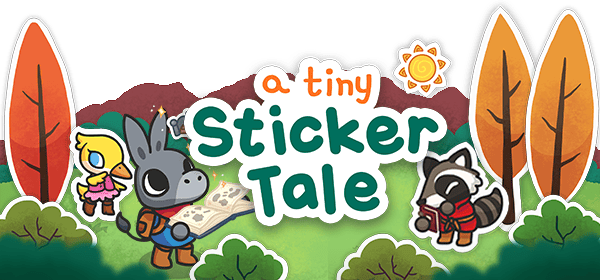
A Tiny Sticker Tale is a cozy miniature adventure about changing the world, using the power of stickers!
*(This is an emotional and short experience whose main story can be enjoyed in approximately 2 hours)
In A Tiny Sticker Tale, take anything from the world around you, turn it into a sticker, and use your creativity to stick it back in different places, solving puzzles, and helping your new friends!

In this wholesome bite-sized adventure, step into the tiny boots of Flynn, the donkey, and journey across Figori Island, discovering the vibrant quests that will require the power of a very special magical sticker album.
Game Features
-
Unique gameplay, use your creativity to solve puzzles by taking and placing stickers in different places
-
Change your surroundings by placing stickers
-
Customize and decorate your Island however you want!
-
Gorgeous, inviting art style, Figori Island is the perfect place to rest up after a long day of adventuring
-
Discover a detailed and fascinating Island full of mystery and adventure
-
Collect all stickers from the Island
*A Tiny Sticker Tale is designed to be a short adventure filled with many details, great additional content to the main story, and a lot of replayability!
Ogre Pixel
2023
System Requirements
- System: Windows 10
- Processor: Intel® Core™ i3 @ 3.2 GHz
- Memory: 4 GB RAM
- Storage: 500 MB available space
A Tiny Sticker Tale Free Download
Additional Download Details
Free GOG PC Games PRESENTS:
A Tiny Sticker Tale © Ogre Pixel / Ogre Pixel
We only provide full unmodified DRM-free GOG installers. No serial key, activation, or crack needed.
Latest we have v1.0 –> Check version info and changelog
Easy to Download, Install and Play
- Click the download button. You can also select a previous version if available.
- You’ll be redirected to Vidgazoo. Wait 5 seconds, then directly click the button or copy the link.
- Make sure you have a supported download client installed (it’s free here) before downloading.
- Once the download process reaches 100%, locate the downloaded files.
- Get ready for installation and make sure you have enough disk space for the game.
- To Install DRM-free A Tiny Sticker Tale:
- Run or double-click
setup_a_tiny_sticker_tale_********.exeto launch the installer. - Follow the on-screen instructions to complete the installation.
- If a DLC folder is included, run any
.exefiles inside it as well.
- Run or double-click
- Once the installation is complete, launch the game and start playing.
Need help?
Check our FAQs for common questions and fixes. If you need additional assistance, you can also visit the official GOG Support Center.


