
FOUNTAINS
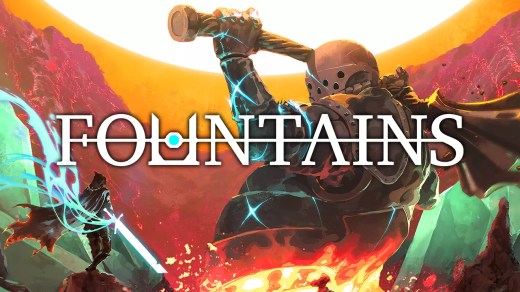
FOUNTAINS is a soulslike action RPG set in a vast, interconnected dark fantasy world. Play as a mysterious hooded prisoner who escapes a tyrannical regime and begins exploring a war-torn empire filled with dangerous enemies, hidden paths, ancient secrets, and the mystery surrounding the Fountain of Youth. Fight through demanding but fair battles where precision and quick thinking matter. Discover new abilities, equipment, and upgrades that open previously inaccessible areas, explore a seamless labyrinth packed with secrets, and uncover the world’s history through environmental storytelling while leaving messages for other players along the way.
Show 1 more game badges
System Requirements
- System: 64-bit Windows 10
- Processor: 1.2 GHz dual-core
- Memory: 4 GB RAM
- Graphics: OpenGL ES 2
- Storage: 1 GB available space
FOUNTAINS Free Download
Additional Download Details
Free GOG PC Games PRESENTS:
FOUNTAINS © John Pywell / Crunching Koalas
We only provide full unmodified DRM-free GOG installers. No serial key, activation, or crack needed.
Latest we have –> Check version info and changelog
Interface language : Russian, English, French, Spanish — Latin America, Portuguese — Brazil, Turkish, Chinese (simplified), Japanese, Spanish — Spain, German, Chinese (traditional)
Voice language : English
Included DLC:
– Shattered Shape
Easy to Download, Install and Play
- Click the download button. You can also select a previous version if available.
- You’ll be redirected to Vidgazoo. Wait 5 seconds, then directly click the button or copy the link.
- Make sure you have a supported download client installed (it’s free here) before downloading.
- Once the download process reaches 100%, locate the downloaded files.
- Get ready for installation and make sure you have enough disk space for the game.
- To Install DRM-free FOUNTAINS:
- Run or double-click
setup_fountains_********.exeto launch the installer. - Follow the on-screen instructions to complete the installation.
- If a DLC folder is included, run any
.exefiles inside it as well.
- Run or double-click
- Once the installation is complete, launch the game and start playing.
Need help?
Check our FAQs for common questions and fixes. If you need additional assistance, you can also visit the official GOG Support Center.


