
Allogloom
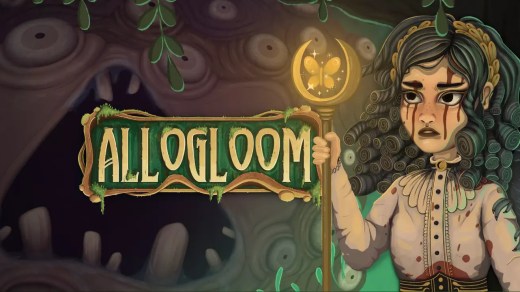
Allogloom is a hand-crafted point-and-click adventure where Nora investigates the disappearance of people from her hometown of Gruesome Grove. Armed with only a mysterious note pointing toward somewhere forbidden, she must explore the changed town, uncover buried secrets, and discover what is taking its residents. Search detailed environments, collect and combine items, negotiate with unusual characters, and solve inventive puzzles as the mystery grows darker. Encounter humans, animals, displaced monsters, and the town’s revered yet ravenous moths while navigating a story filled with twists, unsettling discoveries, and dark humor.
Show 1 more game badges
System Requirements
- System: Windows 10 or later
- Processor: Intel Core i5
- Memory: 8 GB RAM
- Graphics: NVIDIA GeForce GT 640
- DirectX: Version 10
Allogloom Free Download
Additional Download Details
Free GOG PC Games PRESENTS:
Allogloom © Galactic Ghosty / Iceberg Interactive
We only provide full unmodified DRM-free GOG installers. No serial key, activation, or crack needed.
Latest we have –> Check version info and changelog
Interface and subtitle language: English (ENG); German (DEU); French (FRA); Russian (RUS); Spanish (SPA); Portuguese-Brazilian (POR-BR); Polish (POL); Chinese Simplified (ZHO-Hans)
Voice-over language: None
Easy to Download, Install and Play
- Click the download button. You can also select a previous version if available.
- You’ll be redirected to Vidgazoo. Wait 5 seconds, then directly click the button or copy the link.
- Make sure you have a supported download client installed (it’s free here) before downloading.
- Once the download process reaches 100%, locate the downloaded files.
- Get ready for installation and make sure you have enough disk space for the game.
- To Install DRM-free Allogloom:
- Run or double-click
setup_allogloom_********.exeto launch the installer. - Follow the on-screen instructions to complete the installation.
- If a DLC folder is included, run any
.exefiles inside it as well.
- Run or double-click
- Once the installation is complete, launch the game and start playing.
Need help?
Check our FAQs for common questions and fixes. If you need additional assistance, you can also visit the official GOG Support Center.


