Battleplan v1.2.1
Battleplan is a real-time World War II strategy game focused on commanding entire divisions across massive historical battlefields. Create detailed multi-step plans directly on the map, issue high-level orders, and watch officers and subordinate units carry them out autonomously across battles that can span weeks of simulated time. Manage realistic chains of command, logistics, reinforcements, and officer development while fighting across terrain based on real geographic data. Pause, accelerate, or observe battles second by second as you cut supply lines, capture objectives, coordinate artillery and air support, and reshape your divisions throughout the campaign.
Show 1 more game badges
Battleplan Overview
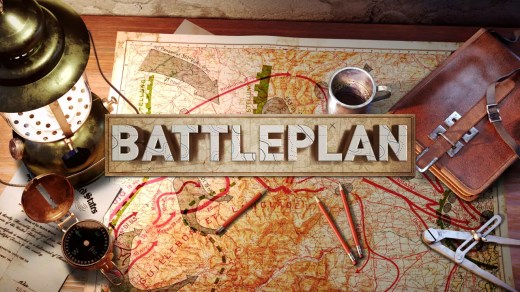
Take command of entire divisions and fight in some of the war’s largest battles. Battleplan is a unique real-time strategy game that simulates massive month-long battles with hundreds of thousands of troops second by second, day by day. You give high-level orders, then watch your officers and companies carry them out autonomously.

Create elaborate plans
Create elaborate, multi-step and multi-unit plans intuitively by directly drawing on the map. Employ varied tactics such as defence in depth, counterattacks, planned withdrawals and more. Perform preparatory bombardments before large set-piece attacks, then split the division to capture multiple objectives.

Realistic army
Each division is realistically modeled with headquarters, regiments, battalions and companies. Watch your infantry, tanks, engineers, anti-tank guns, artillery and scouts work together and perform tasks autonomously. Customize the entire chain of command and order of battle of your entire army. Combine divisions into corps, or split units down to companies. Requisition and upgrade units throughout the campaign. Hire and fire officers for your divisions. Listen to their advice – or don’t! Keep your officers alive so they gain veterancy (and quirks).

Massive battlefields
Fight across across thousands of kilometers modeled using real-world geographic data. Each road, town, forest and swamp is exactly where they are in real-life. Place your artillery on the high-ground by examining real-world elevation maps.
Real-time missions
Each mission is simulated second-by-second, allowing you to pause, play in real-time or fast-forward at will. Mission lengths range from one week to a month.

Master logistics
Starve the enemy by cutting their supply lines. Fuel your advance by capturing supply depots. Pull back when your units run low on supplies. Supply is realistically simulated, with terrain dictating supply flow.

Win the war
Play 10+ massive historical battles set on World War II specifically in the Western Front, from 1944 onward. Upgrade your divisions with new attachments and promote officers. Let wounded divisions rest and recuperate. Gain powerful air support assets such recon, fighter-bomber and heavy bomber aircraft.
Relive history
Learn real-world history by examining geo-tagged historical photos and videos where they were taken in real-life.
System Requirements
- System: Windows 11 / 10 (64-bit)
- Processor: Intel Celeron G4920 (legacy: Intel Core i3-2100) or AMD Athlon 200GE
- Memory: 4 GB RAM
- Graphics: NVIDIA GeForce GT 1030 (legacy: NVIDIA GeForce GTS 450) or AMD Radeon RX 460 (legacy: ATI Radeon HD 5570)
- Network: Broadband Internet connection
- DirectX: Version 11
- Storage: 8 GB available space
- Sound: DirectX-compatible sound card
- System: Windows 11 / 10 (64-bit)
- Processor: 4-core Intel or AMD CPU (Intel Core i3-8100 or AMD Ryzen 3 1200)
- Memory: 8 GB RAM
- Graphics: NVIDIA GeForce GTX 1040 3 GB (legacy: NVIDIA GeForce GTX 780) or AMD Radeon RX 580 (legacy: AMD Radeon R9 290X)
- Network: Broadband Internet connection
- DirectX: Version 11
- Storage: 8 GB available space
- Sound: DirectX-compatible sound card
Battleplan Free Download
Additional Download Details
Free GOG PC Games PRESENTS:
Battleplan © Foolish Mortals Games Inc. / Slitherine Ltd.
We only provide full unmodified DRM-free GOG installers. No serial key, activation, or crack needed.
Latest we have v1.2.1 –> Check version info and changelog
Interface language : English, French, German, Russian, Spanish – Spain, Polish
Voice language : English
Easy to Download, Install and Play
- Click the download button. You can also select a previous version if available.
- You’ll be redirected to Vidgazoo. Wait 5 seconds, then directly click the button or copy the link.
- Make sure you have a supported download client installed (it’s free here) before downloading.
- Once the download process reaches 100%, locate the downloaded files.
- Get ready for installation and make sure you have enough disk space for the game.
- To Install DRM-free Battleplan:
- Run or double-click
setup_battleplan_********.exeto launch the installer. - Follow the on-screen instructions to complete the installation.
- If a DLC folder is included, run any
.exefiles inside it as well.
- Run or double-click
- Once the installation is complete, launch the game and start playing.
Need help?
Check our FAQs for common questions and fixes. If you need additional assistance, you can also visit the official GOG Support Center.