Ecstatica
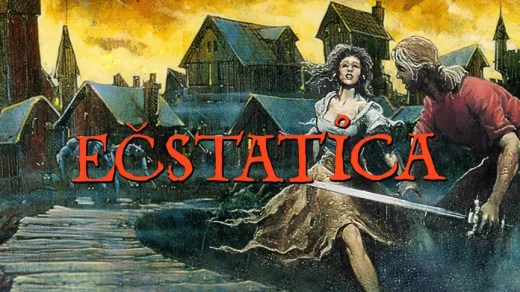
Ecstatica is a 1994 cult survival-horror adventure set in the deadly medieval village of Tirich. The game uniquely uses ellipsoid-based 3D graphics and features fixed-camera puzzles rather than combat. It has been re-released with modern enhancements including three graphics modes, controller support, and optional visual filters.
Show 1 more game badges
Ecstatica Overview
SURVIVE… OR ELSE
You only stopped for some water. Now you’re stuck in Tirich, a medieval village where absolutely everything wants you dead, including demons, goblins, a minotaur and a werewolf that simply refuses to die.
Survive nightmarish encounters, as absurd as only British humour can make them, and solve puzzles by the most ingenious means to free Tirich, and yourself, from mortal danger.
AN IMMERSIVE EXPERIENCE WITH A UNIQUE ART STYLE
There’s no health bar, no map and no quest log. There’s only this terrifyingly beautiful, rounded world, waiting to be experienced. While other games were built from polygons, this one went all in on ellipsoids: a unique and, for its time, remarkably realistic way to render 3D graphics.
RELIVE IT LIKE NEVER BEFORE
Originally released in 1994, Ecstatica is a cult survival-horror adventure game. It’s now available digitally for the first time, with a full suite of enhancements. Not only does it run smoothly on current systems, but it also includes full controller support and the ability to switch between three graphics modes – DOS, Windows 95 and modern Software offering high-resolution graphics.
FEATURES
- A pioneering survival-horror adventure – guide the hero through fixed-camera scenes where puzzles, not combat, drive progress
- A unique mix of horror and absurd British humour
- Immersive, movie-like experience – no UI, no prompts, no quest log
- Graphics built entirely from ellipsoids – a one-of-a-kind approach to 3D
- Play as a male or female protagonist
- Over 200 animated sequences, detailed 3D backgrounds, cinematic cuts and camera angles
ENHANCEMENTS
- Runs smoothly on modern hardware
- Three graphics modes: DOS (the original DOS 1994 release), Windows 95 (based on the 1997 re-release) and Software (real-time high resolution render)
- Switch graphics modes on the fly to compare them in real time
- No GPU needed! The game runs on the CPU alone
- Intuitive modern controls
- Full controller support
- Optional settings, including “Shaking Legs” that brings back the leg jitter from the DOS version and “DOS Ceilings” restoring the original release’s lower door frames and ceilings
- Three soundtrack versions – the same tracks sound different depending on the setting
System Requirements
- System: : Windows 10/11; : Requires a 64-bit processor and operating system
- Processor: : 1.8 GHz
- Memory: : 2 GB RAM
- Graphics: : The game runs on CPU
- Storage: : 500 MB available space
- Sound Card: : DirectX Compatible
Ecstatica Free Download
Additional Download Details
Free GOG PC Games PRESENTS:
Ecstatica © Andrew Spencer Studios / SNEG
We only provide full unmodified DRM-free GOG installers. No serial key, activation, or crack needed.
Latest we have –> Check version info and changelog
Publication type : License
Release : GOG
Interface language : Portuguese, Chinese (simplified), German, English, Russian, Spanish, French, Italian, Japanese, Polish
Voice language : English
Easy to Download, Install and Play
- Click the download button. You can also select a previous version if available.
- You’ll be redirected to Vidgazoo. Wait 5 seconds, then directly click the button or copy the link.
- Make sure you have a supported download client installed (it’s free here) before downloading.
- Once the download process reaches 100%, locate the downloaded files.
- Get ready for installation and make sure you have enough disk space for the game.
- To Install DRM-free Ecstatica:
- Run or double-click
setup_ecstatica_********.exeto launch the installer. - Follow the on-screen instructions to complete the installation.
- If a DLC folder is included, run any
.exefiles inside it as well.
- Run or double-click
- Once the installation is complete, launch the game and start playing.
Need help?
Check our FAQs for common questions and fixes. If you need additional assistance, you can also visit the official GOG Support Center.