

Blades of Time - Limited Edition Free Download - DRM-Free PC Game - Full GOG Version
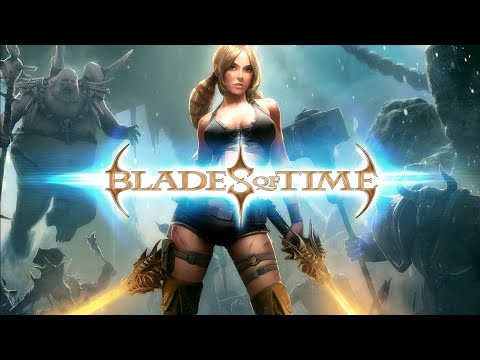
Ayumi, the gorgeous gun and sword-wielding treasure hunter, sets out on a journey to an ancient island in search of new adventures. While rich in bounty, the island is also filled with the magic of Chaos, being at the same time home to blood thirsty monsters.
Game Details
About this game:
Limited Edition includes:
Blades of Time
Blades of Time – Dismal Swamp DLC
Blades of Time – Original Soundtrack
Blades of Time – Artbook
Minimum:
OS: Windows XP
Processor: Intel Pentium 4 2.6GHz or AMD 3500+
Memory: 2 GB RAM
Graphics: Ati Radeon x1300 256 MB or nVidia GeForce 7300 GS
DirectX®: 9.0c
Hard Drive: 3 GB HD space
Sound: Direct X-compatible sound card
Recommended:
OS: Windows 7
Processor: Intel Core i5 or AMD Phenom
Memory: 2 GB RAM
Graphics: ATI Radeon 7750 or nVidia GTX 470
DirectX®: 9.0c
Hard Drive: 3 GB HD space
Sound: Direct X-compatible sound card
Game Media


How to Download & Install
- Click the download button below. You will be redirected to our link generator.
- On that page, copy the link or click the button. Make sure you have a Supported Client before starting.
- Wait for the Blades of Time - Limited Edition download process to finish (100%), then locate the files or folder.
- Install the game:
Run or Double click setup_blades_of_time_1.0_(39944). exe - Once installation is complete, launch the game and enjoy!
- Support the developers: If you like the game, please consider buying the official version.
Need help? Visit our FAQs page for common issues and solutions, or go to the official Support Center directly for further assistance.
This is a free unmodified Blades of Time - Limited Edition DRM-Free installer. No activation required. Just install and play.
Download Here⇩
Size: 3.22 GB
Blades of Time – Limited Edition v1.0 + DLC (GOG)
Previous Version and Patch
We are keeping some of the old links and patches to make sure you can revert back to old version if you have problem with the latest version.
Previous Version/s:
No old link available at the moment.


Hello link is not working, its not reading torrent hash and just circles it around for forever.I remember downloading this game from this website earlier and it used to work but link is down now.
Sorry for our late response, we tested the link with qBittorrent and it is still working. Anyway, we have updated the link with tracker to make sure it is working please check again. Hope it works for you now.
Hi
The doenload link is not working 🙁
Hello mohsin, please make sure you have a download client before downloading the link. Tested this and still have good speed. You can also try to force download and see the results. Let us know if you still have problem.
Ten years after release and still a good Action Hack & Slash Game. Thank You admin.
I recommend X-Blades also. But I know, is not on Good Old Games collection, but a good game.
Happy to serve TreesOfEternity 😀 No news if X-Blades will make it to gog but no worries once it becomes available we will surely post it 😀
Thanks a lot! 🙂
I always wanted to play this game.Thank you very much for uploading this.
Once of the best hack n’ slash gameplay ever. Very underrated game.
Try it!!
Kinda surprised this got a GOG release. Cheers for the free download guys, you’re doing amazing!
This is one of the best game I ever played on my childhood. I am really glad to see it once again here. this is a hidden gem for me. Thanks freegogpcgames team for providing it here. Now that I have work will buy it on gog site to support the devs.