
Jump King
Jump King is a punishing precision platformer where you ascend a massive vertical tower using only a charge jump mechanic. Holding longer results in higher leaps, demanding exact timing to land on narrow platforms. A single mistimed jump sends you falling all the way back to the bottom, erasing hard-earned progress. The minimalist aesthetic and relentless physics create a tense, skill-based challenge focused entirely on mastering ascent through repeated attempts.

Jump King Overview
“Tactical Leaping Adventure – Jump King: There is a Smoking Hot Babe at the Top!” is a platforming challenge about struggling upwards in search of the legendary Smoking Hot Babe! You are alone on this adventure, and to reach the top you will need to master the technique of jumping. Just try to remember that with each fall there is a lesson to be learned…

Gameplay:
Prepare for true high-stakes platforming, where you have to use your mind to triumph! On your vertical adventure tension will rise with each jump, even though you cannot die! The reason is that a single missed jump could lead to a long fall, and once you have fallen you have to get back up again yourself…
The mechanics are simple: hold to charge the height of each jump and release to leap away! Despite its simplicity it will take much practice to master. You will have to consider each situation carefully before you jump, because once you are in the air there is no way to turn back!
Atmosphere:
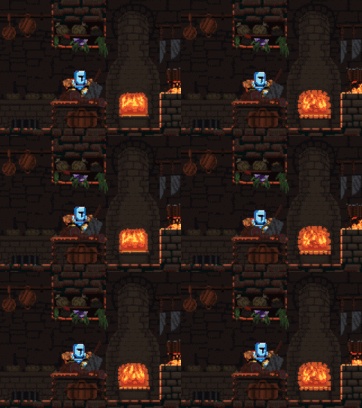
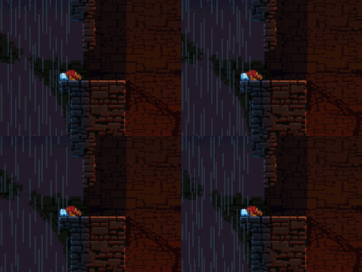
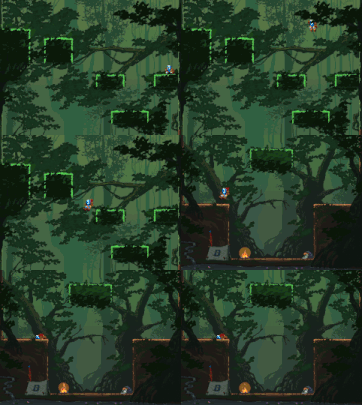
Leap through an intriguing world and meet curious characters along your way. Hand-drawn backgrounds and distinct animations paint a rare picture, while the blend of retro sfx, beautiful arrangements and high definition ambiences give a peculiar atmosphere – thanks to composers/sound designers Nils Eklöf and Elias Thörnlund.
Do you have the guts to take that jump? The last hour led to this point, now everything is on the line! Will you get that Babe? Will you reach the Top? Do you think you have what it takes to defeat this game!?
Features:
- The only way forward is up, and your only enemy is yourself!
- Simple but iconic jump-mechanic, charge each jump just right!
- Once you leap away there is no retreat.
- Tactical platformer; the obvious path is sometimes not the best…
- Mysterious world with characters that you will learn to love and hate.
- The higher you jump, the harder you fall!
- All your progress (and each setback) is saved automatically!
- That jump which you so easily cleared a moment ago has somehow turned into the hardest jump in the game – what are you going to do? Cry about it? You only have yourself to blame! He he he…
- Classic graphics – painstakingly hand drawn backgrounds.
- Tough but addictive gameplay.
- Hours of nail-biting suspense await you!
- Full controller support and freely rebindable keys.
System Requirements
- System: Windows 7
- Processor: Dual Core 2.4 GHz
- Memory: 2 GB RAM
- Storage: 1200 MB available space
Jump King Free Download
Additional Download Details
Free GOG PC Games PRESENTS:
Jump King © Nexile / Nexile
We only provide full unmodified DRM-free GOG installers. No serial key, activation, or crack needed.
Latest we have –> Check version info and changelog
Easy to Download, Install and Play
- Click the download button. You can also select a previous version if available.
- You’ll be redirected to Vidgazoo. Wait 5 seconds, then directly click the button or copy the link.
- Make sure you have a supported download client installed (it’s free here) before downloading.
- Once the download process reaches 100%, locate the downloaded files.
- Get ready for installation and make sure you have enough disk space for the game.
- To Install DRM-free Jump King:
- Run or double-click
setup_jump_king_********.exeto launch the installer. - Follow the on-screen instructions to complete the installation.
- If a DLC folder is included, run any
.exefiles inside it as well.
- Run or double-click
- Once the installation is complete, launch the game and start playing.
Need help?
Check our FAQs for common questions and fixes. If you need additional assistance, you can also visit the official GOG Support Center.


