
Loria Free Download (1.2.0)
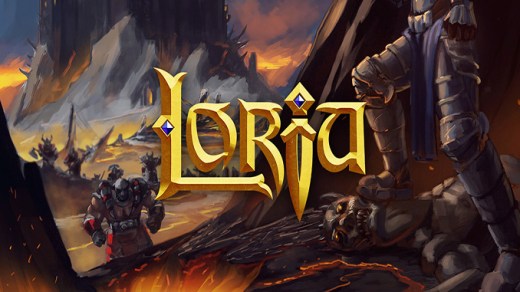
Loria is a real-time fantasy strategy game where players build and manage a medieval kingdom. Gather resources, construct buildings, raise an army, and expand territory through diplomacy or conquest in a dynamic world. The game emphasizes kingdom management with strategic depth in resource allocation and military planning.
Action Role-playing Strategy
Show 1 more game badges
Highlights
Loria Features
- Build and manage a medieval kingdom by gathering resources and constructing various buildings to support your population and economy.
- Raise and command an army to defend your territory or expand through military conquest against rival factions.
- Engage in diplomacy with other kingdoms to form alliances, negotiate trade, or avoid conflict through peaceful means.
- Experience a dynamic world where events and conditions change over time, affecting resource availability and strategic decisions.
- Balance multiple aspects of kingdom management including resource production, military strength, and population needs.
- Play in real-time with continuous gameplay that requires ongoing attention to economic and military developments.
Instructions
Easy to Download, Install and Play
- Click the download button below. You can also select a previous version if available.
- You’ll be redirected to Vidgazoo. Wait 5 seconds, then directly click the button or copy the link.
- Make sure you have a supported download client installed (it’s free here) before downloading.
- Once the download process reaches 100%, locate the downloaded files.
- Get ready for installation and make sure you have enough disk space for the game.
- To Install DRM-free Loria:
- Run or double-click
setup_loria_********.exeto launch the installer. - Follow the on-screen instructions to complete the installation.
- If a DLC folder is included, run any
.exefiles inside it as well.
- Run or double-click
- Once the installation is complete, launch the game and start playing.
DRM-free
Loria Free Download
This download is 100% free, so you can enjoy the game without spending a penny. Enjoyed it? Consider supporting the developers by purchasing an official copy.
Support the Developers
Additional Download Details
FreeGOGPCGames PRESENTS:
Loria © Loria / Loria
We only provide full unmodified DRM-free GOG installers. No serial key, activation, or crack needed.
Latest we have 1.2.0 –> Check version info and changelog
Can Your PC Run It?
System Requirements
Minimum:
- System: Windows 7 SP1+, 8, 10
- Processor: SSE2 instruction set support
- Memory: 4096 MB RAM
- Graphics: Graphics card with DX10 (shader model 4.0) capabilities
- Storage: 1250 MB available space
Need help?
Check our FAQs for common questions and fixes. If you need additional assistance, you can also visit the official GOG Support Center.


