WW2 Rebuilder
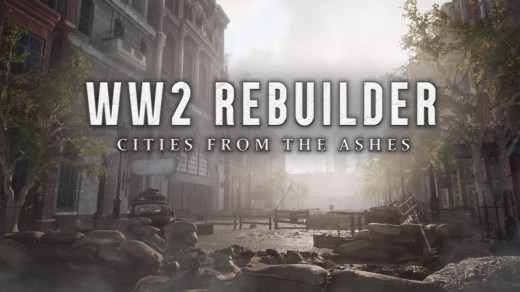
WW2 Rebuilder is a first-person building and renovation simulation set in Europe after the end of World War II. Instead of fighting the war, you take part in rebuilding what it left behind, traveling through devastated locations to restore homes, industrial buildings, roads, public squares, and important landmarks. Clear rubble, recover useful resources, craft construction materials, and operate a variety of tools and heavy machinery as damaged communities gradually return to life. Travel through England, Germany, and France, learn about the history of each location, assist local civilians, dispose of unexploded bombs, and personalize completed areas with decorations.
Show 1 more game badges
System Requirements
- System: Windows 10 (64-bit)
- Processor: Intel Core i3-9100 or AMD Ryzen 3 2300X
- Memory: 8 GB RAM
- Graphics: NVIDIA GeForce GTX 1050 Ti or AMD Radeon RX 560 with 4 GB VRAM
- DirectX: Version 12
- Storage: 36 GB available space
- Other: SSD recommended
- System: Windows 11 (64-bit)
- Processor: AMD or Intel CPU running at 3.6 GHz or higher, such as AMD Ryzen 5 3600X or Intel Core i5-8600K or newer
- Memory: 16 GB RAM
- Graphics: NVIDIA GeForce RTX 2060 with 6 GB VRAM or AMD Radeon RX Vega 56 with 8 GB VRAM or newer
- DirectX: Version 12
- Storage: 36 GB available space
- Other: SSD recommended
WW2 Rebuilder Free Download
Additional Download Details
Free GOG PC Games PRESENTS:
WW2 Rebuilder © Madnetic Games / Madnetic Games, PlayWay S.A.
We only provide full unmodified DRM-free GOG installers. No serial key, activation, or crack needed.
Latest we have –> Check version info and changelog
Interface language : English, French, German, Russian, Spanish – Spain, Polish, Italian, Japanese, Korean, Chinese (simplified), Ukrainian
Voice language : English
Easy to Download, Install and Play
- Click the download button. You can also select a previous version if available.
- You’ll be redirected to Vidgazoo. Wait 5 seconds, then directly click the button or copy the link.
- Make sure you have a supported download client installed (it’s free here) before downloading.
- Once the download process reaches 100%, locate the downloaded files.
- Get ready for installation and make sure you have enough disk space for the game.
- To Install DRM-free WW2 Rebuilder:
- Run or double-click
setup_ww2_rebuilder_********.exeto launch the installer. - Follow the on-screen instructions to complete the installation.
- If a DLC folder is included, run any
.exefiles inside it as well.
- Run or double-click
- Once the installation is complete, launch the game and start playing.
Need help?
Check our FAQs for common questions and fixes. If you need additional assistance, you can also visit the official GOG Support Center.