
Beyond These Stars v1.0.2250
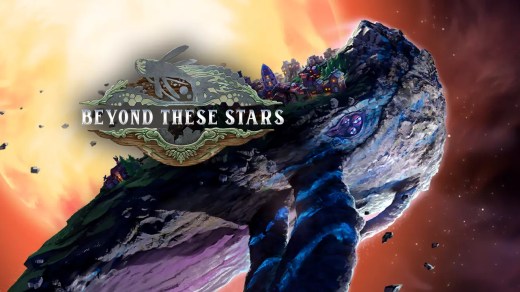
Beyond These Stars is a sci-fi city-building and management game where your people, known as Peeps, establish a new home on the back of Kewa, a giant sentient Space Whale traveling across the galaxy. Build a functioning settlement, manage production chains, reshape the terrain, and balance expansion with the fragile ecosystem supporting your civilization. As Kewa moves between star systems, establish planetary outposts, gather scarce resources, research new technologies, and meet alien species offering trade, objectives, and discoveries. Build a relationship with Kewa itself, learn about the history of the Space Whales, and decide how aggressively your growing society should exploit the living world beneath it.
Show 1 more game badges
System Requirements
- System: Windows 10 (64-bit)
- Processor: Intel Core i5-6600 (quad-core) or AMD Ryzen 3 3200G (quad-core)
- Memory: 8 GB RAM
- Graphics: NVIDIA GeForce GTX 960 (4 GB) or AMD Radeon RX 570 (4 GB)
- DirectX: Version 11
- Storage: 7 GB available space
- Other: SSD recommended
- System: Windows 10 (64-bit)
- Processor: Intel Core i5-9600 (hexa-core) or AMD Ryzen 5 2600X (hexa-core)
- Memory: 16 GB RAM
- Graphics: NVIDIA GeForce RTX 2070 (8 GB) or AMD Radeon RX 6600 XT (8 GB)
- DirectX: Version 12
- Storage: 7 GB available space
- Other: SSD recommended
Beyond These Stars Free Download
Additional Download Details
Free GOG PC Games PRESENTS:
Beyond These Stars © Balancing Monkey Games / Hooded Horse
We only provide full unmodified DRM-free GOG installers. No serial key, activation, or crack needed.
Latest we have v1.0.2250 –> Check version info and changelog
Interface language : English, French, German, Russian, Spanish – Spain, Japanese, Korean, Chinese (simplified), Chinese (traditional), Polish, Portuguese – Brazil, Italian, Czech, Turkish, Ukrainian
Voice language : English
Previous versions (1)
Easy to Download, Install and Play
- Click the download button. You can also select a previous version if available.
- You’ll be redirected to Vidgazoo. Wait 5 seconds, then directly click the button or copy the link.
- Make sure you have a supported download client installed (it’s free here) before downloading.
- Once the download process reaches 100%, locate the downloaded files.
- Get ready for installation and make sure you have enough disk space for the game.
- To Install DRM-free Beyond These Stars:
- Run or double-click
setup_beyond_these_stars_********.exeto launch the installer. - Follow the on-screen instructions to complete the installation.
- If a DLC folder is included, run any
.exefiles inside it as well.
- Run or double-click
- Once the installation is complete, launch the game and start playing.
Need help?
Check our FAQs for common questions and fixes. If you need additional assistance, you can also visit the official GOG Support Center.


