
Rayman Raving Rabbids v2.0.0.4
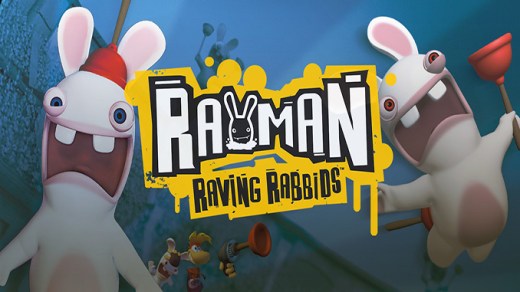
Rayman Raving Rabbids is an action-adventure game where hordes of manic bunnies enslave Rayman, forcing him to compete in absurd gladiator-style trials. Players race animals, fight in arenas, dance to mesmerize the bunnies, and use wacky moves like cow-tossing and plunger shooting to earn freedom. With over 70 trials and multiplayer for up to four, the chaos is relentless.
Show 1 more game badges
System Requirements
- System: Windows XP / Vista / 7 / 8 / 10
- Processor: Intel Pentium® IV 1.0 GHz or AMD Athlon processors (2.5 GHz or better recommended)
- Memory: 256 MB RAM or above (512 MB recommended)
- Graphics: 64 MB DirectX 8.1-compliant video card (128 MB video card recommended)(*see supported list); Supported video cards at time of retail release: NVIDIA GeForce FX/6/7/ series; ATI Radeon 9000/X series. Laptop versions of these cards may work but are not supported. These chipsets are the only ones that will run this game. For an up-to-date list of supported chipsets; video cards
- DirectX: DirectX version 9.0c or higher
- Storage: 1.5 GB available hard disk space
- Additional Notes: Direct X 8.1-compliant sound card; Only local multiplayer for up to 4 player; Keyboard and mouse, Windows-compatible gamepads; and operating systems; please visit the FAQ for this game at http://support.ubi.com
Rayman Raving Rabbids Free Download
Additional Download Details
Free GOG PC Games PRESENTS:
Rayman Raving Rabbids © Ubisoft Bulgaria, Ubisoft Montpellier / Ubisoft
We only provide full unmodified DRM-free GOG installers. No serial key, activation, or crack needed.
Latest we have v2.0.0.4 –> Check version info and changelog
Easy to Download, Install and Play
- Click the download button. You can also select a previous version if available.
- You’ll be redirected to Vidgazoo. Wait 5 seconds, then directly click the button or copy the link.
- Make sure you have a supported download client installed (it’s free here) before downloading.
- Once the download process reaches 100%, locate the downloaded files.
- Get ready for installation and make sure you have enough disk space for the game.
- To Install DRM-free Rayman Raving Rabbids:
- Run or double-click
setup_rayman_raving_rabbids_********.exeto launch the installer. - Follow the on-screen instructions to complete the installation.
- If a DLC folder is included, run any
.exefiles inside it as well.
- Run or double-click
- Once the installation is complete, launch the game and start playing.
Need help?
Check our FAQs for common questions and fixes. If you need additional assistance, you can also visit the official GOG Support Center.


