Rayman Origins v1.0.32504
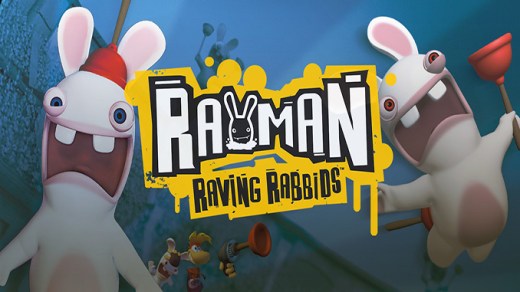
Rayman Origins is a vibrant 2D platformer where players control the limbless hero Rayman as he runs, jumps, and punches through hand-drawn levels filled with whimsical enemies and hidden secrets. The game features tight, responsive controls and supports up to four players in local co-op, allowing friends to team up to overcome obstacles and collectibles. With its colorful art style, fluid animation, and emphasis on precision platforming, Rayman Origins delivers a joyful and challenging return to classic side-scrolling action.
Show 1 more game badges

System Requirements
- System: Windows XP / Vista / 7 / 8 / 10
- Processor: 3.0 GHz Intel Pentium 4 or 1.8 GHz AMD Athlon 64 3000+ (2.0 GHz Intel Core 2 Duo E4400 or 2.0 GHz AMD Athlon X2 3800+ or better recommended)
- Memory: 2 GB RAM
- Graphics: 128 MB DirectX 9.0c-compliant video card or higher
- Storage: 2.5 GB available space (HDD)
- Additional Notes: DirectX 9.0c-compatible sound card; Mouse and keyboard
Rayman Origins Free Download
Additional Download Details
Free GOG PC Games PRESENTS:
Rayman Origins © Ubisoft / Ubisoft
We only provide full unmodified DRM-free GOG installers. No serial key, activation, or crack needed.
Latest we have v1.0.32504 –> Check version info and changelog
Previous versions (2)
Easy to Download, Install and Play
- Click the download button. You can also select a previous version if available.
- You’ll be redirected to Vidgazoo. Wait 5 seconds, then directly click the button or copy the link.
- Make sure you have a supported download client installed (it’s free here) before downloading.
- Once the download process reaches 100%, locate the downloaded files.
- Get ready for installation and make sure you have enough disk space for the game.
- To Install DRM-free Rayman Origins:
- Run or double-click
setup_rayman_origins_********.exeto launch the installer. - Follow the on-screen instructions to complete the installation.
- If a DLC folder is included, run any
.exefiles inside it as well.
- Run or double-click
- Once the installation is complete, launch the game and start playing.
Need help?
Check our FAQs for common questions and fixes. If you need additional assistance, you can also visit the official GOG Support Center.