
Fallout: New Vegas Ultimate Edition v1.4.0.525a
Fallout: New Vegas Ultimate Edition is an action RPG set in the post-apocalyptic Mojave Wasteland. You play as a courier left for dead after being ambushed and shot in the head, then rescued by a robot. Navigate warring factions including the New California Republic, Caesar's Legion, and New Vegas itself, making choices that determine the fate of Hoover Dam and the Las Vegas Strip through combat, dialogue, and moral decisions. The Ultimate Edition includes all DLC: Dead Money, Honest Hearts, Old World Blues, and Lonesome Road.
Show 1 more game badges

Fallout: New Vegas Ultimate Edition Overview
With the Ultimate Edition, Bethesda Softworks offers you the chance to double-down and get the complete package of New Vegas fun. Fallout: New Vegas Ultimate Edition includes the full suite of highly acclaimed add-on content: Dead Money, Honest Hearts, Old World Blues, and Lonesome Road. To sweeten the pot, you’ll be armed with the latest cache of unique weapons, ammo types and recipes from the most recent add-on packs: Courier’s Stash and Gun Runners Arsenal. Whether you’re a seasoned explorer of the Mojave or playing the game for the first time, you’ll find there are more friends and enemies to make, more consequences to your actions and more opportunities to live in glory or infamy throughout the Wasteland. The choices you make will be as crucial to your survival as ever.
Welcome to Vegas. New Vegas.
It’s the kind of town where you dig your own grave prior to being shot in the head and left for dead… and that’s before things really get ugly. It’s a town of dreamers and desperados being torn apart by warring factions vying for complete control of this desert oasis. It’s a place where the right kind of person with the right kind of weaponry can really make a name for themselves, and make more than an enemy or two along the way. As you battle your way across the heat-blasted Mojave Wasteland, the colossal Hoover Dam, and the neon drenched Vegas Strip, you’ll be introduced to a colorful cast of characters, power-hungry factions, special weapons, mutated creatures, and much more. Choose sides in the upcoming war or declare “winner takes all” and crown yourself the King of New Vegas in this follow-up to the 2008 videogame of the year, Fallout 3.
Enjoy your stay.
- Feel the Heat in New Vegas!
Not even nuclear fallout could slow the hustle of Sin City. Explore the vast expanses of the desert wastelands – from the small towns dotting the Mojave Wasteland to the bright lights of the New Vegas strip. See the Great Southwest as could only be imagined in Fallout. - Feuding Factions, Colorful Characters and a Host of Hostiles!
A war is brewing between rival factions with consequences that will change the lives of all the inhabitants of New Vegas. The choices you make will bring you into contact with countless characters, creatures, allies, and foes, and determine the final explosive outcome of this epic power struggle. - New Systems!
Enjoy new additions to Fallout: New Vegas, such as a Companion Wheel that streamlines directing your companions, a Reputation System that tracks the consequences of your actions, and the aptly titled Hardcore Mode to separate the meek from the mighty. Special melee combat moves have been added to bring new meaning to the phrase “up close and personal”. Use V.A.T.S. to pause time in combat, target specific enemy body parts and queue up attacks, or get right to the action using the finely-tuned real-time combat mechanics. - An Arsenal of Shiny New Guns!
With double the amount of weapons found in Fallout 3, you’ll have more than enough new and exciting ways to deal with the threats of the wasteland and the locals. In addition, Vault-Tec engineers have devised a new weapons configuration system that lets you tinker with your toys and see the modifications you make in real time. - Let it Ride!
In a huge, open world with unlimited options you can see the sights, choose sides, or go it alone. Peacemaker or Hard Case, House Rules, or the Wild Card – it’s all in how you play the game.
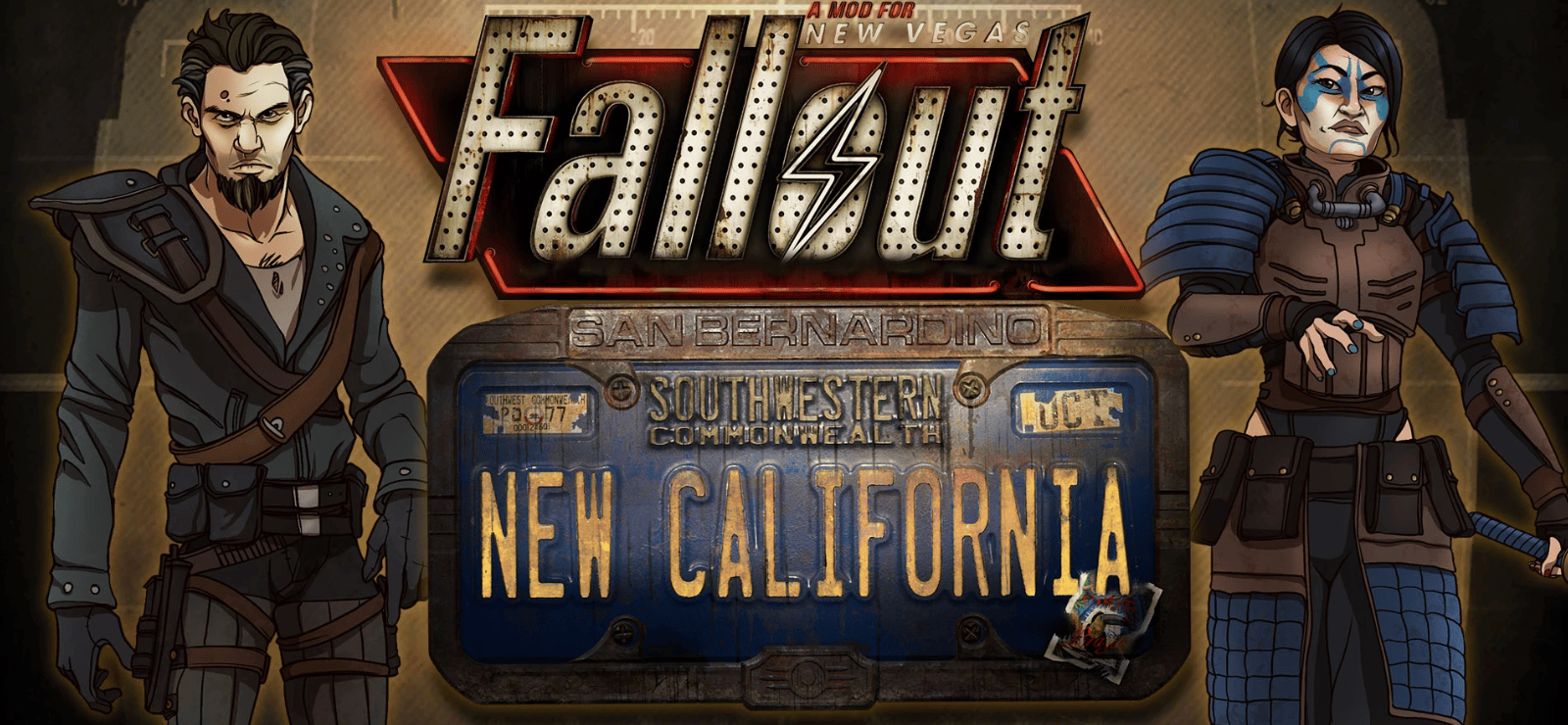
You can also check out Fallout – New California – unofficial, massive prequel to Fallout: New Vegas created by Radian-Helix Media
- Feel the Heat in New Vegas!
Not even nuclear fallout could slow the hustle of Sin City. Explore the vast expanses of the desert wastelands – from the small towns dotting the Mojave Wasteland to the bright lights of the New Vegas strip. See the Great Southwest as could only be imagined in Fallout. - Feuding Factions, Colorful Characters and a Host of Hostiles!
A war is brewing between rival factions with consequences that will change the lives of all the inhabitants of New Vegas. The choices you make will bring you into contact with countless characters, creatures, allies, and foes, and determine the final explosive outcome of this epic power struggle. - New Systems!
Enjoy new additions to Fallout: New Vegas, such as a Companion Wheel that streamlines directing your companions, a Reputation System that tracks the consequences of your actions, and the aptly titled Hardcore Mode to separate the meek from the mighty. Special melee combat moves have been added to bring new meaning to the phrase “up close and personal”. Use V.A.T.S. to pause time in combat, target specific enemy body parts and queue up attacks, or get right to the action using the finely-tuned real-time combat mechanics. - An Arsenal of Shiny New Guns!
With double the amount of weapons found in Fallout 3, you’ll have more than enough new and exciting ways to deal with the threats of the wasteland and the locals. In addition, Vault-Tec engineers have devised a new weapons configuration system that lets you tinker with your toys and see the modifications you make in real time. - Let it Ride!
In a huge, open world with unlimited options you can see the sights, choose sides, or go it alone. Peacemaker or Hard Case, House Rules, or the Wild Card – it’s all in how you play the game.
System Requirements
- System: Windows 7 / 8 / 10
- Processor: Dual Core 2.0 GHz
- Memory: 2 GB RAM
- Graphics: NVIDIA GeForce 6 series, ATI 1300XT series
- Storage: 10 GB free space
- Additional Notes: Mouse and keyboard
Fallout: New Vegas Ultimate Edition Free Download
Additional Download Details
Free GOG PC Games PRESENTS:
Fallout: New Vegas Ultimate Edition © Obsidian Entertainment / Bethesda Softworks LLC
We only provide full unmodified DRM-free GOG installers. No serial key, activation, or crack needed.
Latest we have v1.4.0.525a –> Check version info and changelog
Publication type : License (GOG)
Interface language : English, Russian
Voice language : English
Description of the Ultimate Edition
Fallout: New Vegas Ultimate Edition includes four massive story expansions, as well as gear and item sets featuring unique weapons and upgrades, ammunition, and recipes to be found throughout the vast Mojave Wasteland.
Beyond the Wasteland: The world of New Vegas has undergone its most extensive expansion yet. Each new location offers its own fresh set of storylines, memorable characters, and more opportunities to play the role of savior or oppressor of the peoples of New Vegas.
New Trinkets: Each expansion expands the already overwhelming arsenal of weapons available to you. Whether you’re a brawler and the terror of bar fights or prefer to take down targets from afar, weapons like the Two-Step Goodbye (unique power fists) and Sleepytime (a handy 10mm submachine gun) will give your inner bloodthirsty self a chance to truly shine.
Growth potential: with each of the four major expansions, the maximum possible number of levels increases by 5, ultimately reaching level 50.
Dead Money: Trapped behind the mask of the Sierra Madre Casino, you’ll find yourself in a game where the stakes are so high that you and three other lost captives will need to work together to survive.
Honest Hearts: An expedition to Utah’s Zion National Park goes tragically wrong, plunging you into a tribal war and a standoff between a New Canaan missionary and the enigmatic Scorched One.
Old World Blues: Arriving at the research crater inside the Big Mountain, you become the only hope for saving the inhabitants of the Think Tank from the results of their scientific work, which ended extremely tragically.
Lonesome Road: Ulysses, the original Courier #6, has contacted you and promised to answer the question of why he refused to deliver the platinum chip at the beginning of Fallout: New Vegas, but only if you brave one last trek through the treacherous canyons of the Rift.
Easy to Download, Install and Play
- Click the download button. You can also select a previous version if available.
- You’ll be redirected to Vidgazoo. Wait 5 seconds, then directly click the button or copy the link.
- Make sure you have a supported download client installed (it’s free here) before downloading.
- Once the download process reaches 100%, locate the downloaded files.
- Get ready for installation and make sure you have enough disk space for the game.
- To Install DRM-free Fallout: New Vegas Ultimate Edition:
- Run or double-click
setup_fallout_new_vegas_ultimate_edition_********.exeto launch the installer. - Follow the on-screen instructions to complete the installation.
- If a DLC folder is included, run any
.exefiles inside it as well.
- Run or double-click
- Once the installation is complete, launch the game and start playing.
Need help?
Check our FAQs for common questions and fixes. If you need additional assistance, you can also visit the official GOG Support Center.


