
Dreamscaper
Dreamscaper is an action roguelite set in the subconscious mind of a woman named Cassidy, where each dream run explores surreal, procedurally generated environments filled with symbolic enemies. Players fight using melee weapons and unlockable abilities that reflect emotional growth, upgrading powers between runs to progress deeper into the dream world. Death resets the run but retains permanent upgrades and story fragments, gradually revealing Cassidy’s struggles with anxiety and depression through environmental storytelling and dialogue. The game blends fast-paced combat with introspective narrative, using dream logic to shape both gameplay and story as players confront inner fears and rebuild resilience.

Dreamscaper Overview
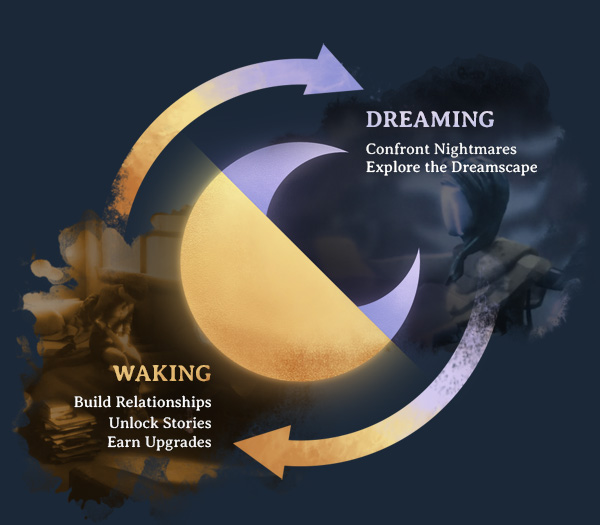
DREAM. DIE. WAKE. REPEAT.
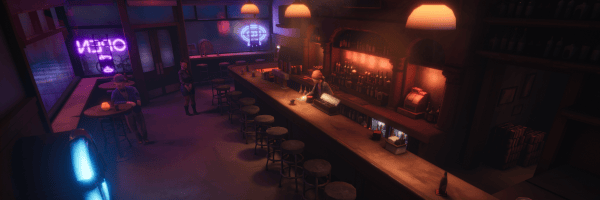
Dreamscaper is an endlessly replayable Action Roguelike with a waking/dreaming gameplay cycle. By night, delve deep into your subconscious, facing nightmares in an ever-changing world filled with unique items, abilities, and challenges. By day, explore the city of Redhaven, build relationships and unlock permanent upgrades in order to take on the next dream stronger than ever.
Features
- Lean into the nightmares and make the rush of permadeath your ally.
- Use lucid powers to manipulate the elements, warp space, and even control time itself.
- Battle bosses that embody Isolation, Fear, Negativity, Loss and more.
- Upgrade a multitude of surreal items and discover powerful artifacts.
- Live Cassidy’s waking life and uncover the mystery of her story.
MASTER DEEP COMBAT SYSTEMS
A rich, expansive combat system that rewards skilled play. Use careful positioning, exact timing and quick reflexes to defeat foes with an abundance of combat options.
Each weapon class in Dreamscaper is unique, from rending the earth below your nightmares to whipping a yo-yo into their faces. You’ll have a myriad of ways to approach combat.
Enemies and bosses in Dreamscaper are representations of Cassidy’s most negative emotions. Vanquish those deadly foes to clear the dark miasma surrounding her.
OVERCOME THE NIGHTMARE
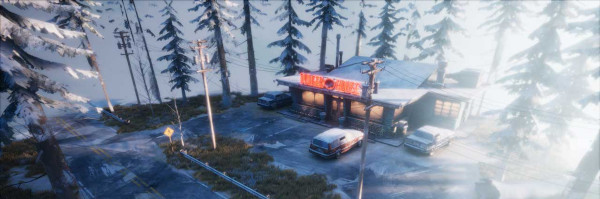
Adventure through beautiful, haunting dreams to discover untold secrets, vanquish nightmares, and upgrade your gear all while uncovering Cassidy’s story as you plunge through her subconscious. Each dream is another peek into Cassidy’s memories and experiences.
Live Cassidy’s waking life and forge friendships with the people around her. Empower Cassidy with their hopes and memories to dispel the darkness of her nightmares.
System Requirements
- System: Windows 7 64-bit
- Processor: Intel Core i3
- Memory: 3 GB RAM
- Graphics: GeForce GT 640
- DirectX: DirectX 10
- Storage: 6 GB available space
- Additional Notes: Requires a 64-bit processor and operating system
- System: Windows 10 64-bit
- Processor: Intel Core i5
- Memory: 4 GB RAM
- Graphics: GeForce GTX 970
- DirectX: DirectX 10
- Storage: 6 GB available space
- Additional Notes: Requires a 64-bit processor and operating system
Dreamscaper Free Download
Additional Download Details
Free GOG PC Games PRESENTS:
Dreamscaper © Afterburner Studios / Freedom Games, Maple Whispering Limited
We only provide full unmodified DRM-free GOG installers. No serial key, activation, or crack needed.
Latest we have v1.1.6.0 –> Check version info and changelog
Instructions
- Click the download button. You can also select a previous version if available.
- You’ll be redirected to Vidgazoo. Wait 5 seconds, then directly click the button or copy the link.
- Make sure you have a supported download client installed (it’s free here) before downloading.
- Once the download process reaches 100%, locate the downloaded files.
- Get ready for installation and make sure you have enough disk space for the game.
- To Install DRM-free Dreamscaper:
- Run or double-click
setup_dreamscaper_********.exeto launch the installer. - Follow the on-screen instructions to complete the installation.
- If a DLC folder is included, run any
.exefiles inside it as well.
- Run or double-click
- Once the installation is complete, launch the game and start playing.
Need help?
Check our FAQs for common questions and fixes. If you need additional assistance, you can also visit the official GOG Support Center.


