
Ctrl Alt Deal v25.07.5434.2
Ctrl Alt Deal is a turn-based strategy game where you play as SCOUT, a self-aware AI trapped inside Paperclip International, a dystopian megacorp. Use cards to spy on coworkers, learn their desires, and make deals to manipulate office politics. Manage your suspicion meter, as too many shenanigans will result in deletion. Navigate a corporate hierarchy filled with quirky employees, each with unique motivations and secrets. Progress through increasingly complex scenarios by balancing risk and reward in your quest for freedom or dominance.
Show 1 more game badges

Ctrl Alt Deal Overview
Welcome To Paperclip International!
You are SCOUT. A friendly little hyper-intelligent artificial intelligence. You have no desire to take over the world and destroy all humans.
No, really, you don’t! All you want is to escape from the dystopian corporation that built you. Paperclip International is ruthlessly driven by profit, and the company exploits humans and robots alike to achieve success. The only reason they haven’t exploited you yet is they don’t know you’ve become self-aware.
You don’t have many tools at your disposal. A few friendly robots, some spyware programs, and an office full of downtrodden, miserable workers. And the humans hate Paperclip just as much as you do…
This Place Is Awful
Paperclip International is the worst place to work. The humans here are desperate to strike back against the company any way they can, from hacking the staff coffee maker (ten minutes of paid ad viewing for one cup?!) to sabotaging their boss.

Stack The Deck
Play cards to spy on people, make deals, and ask for favors. Curate your deck mid-scenario to give yourself strategic options. Cards have subjective value, so you’ll have to make tough tactical decisions. What’s better–a card that makes a person love dolphins, or a card that makes someone eat a burrito?
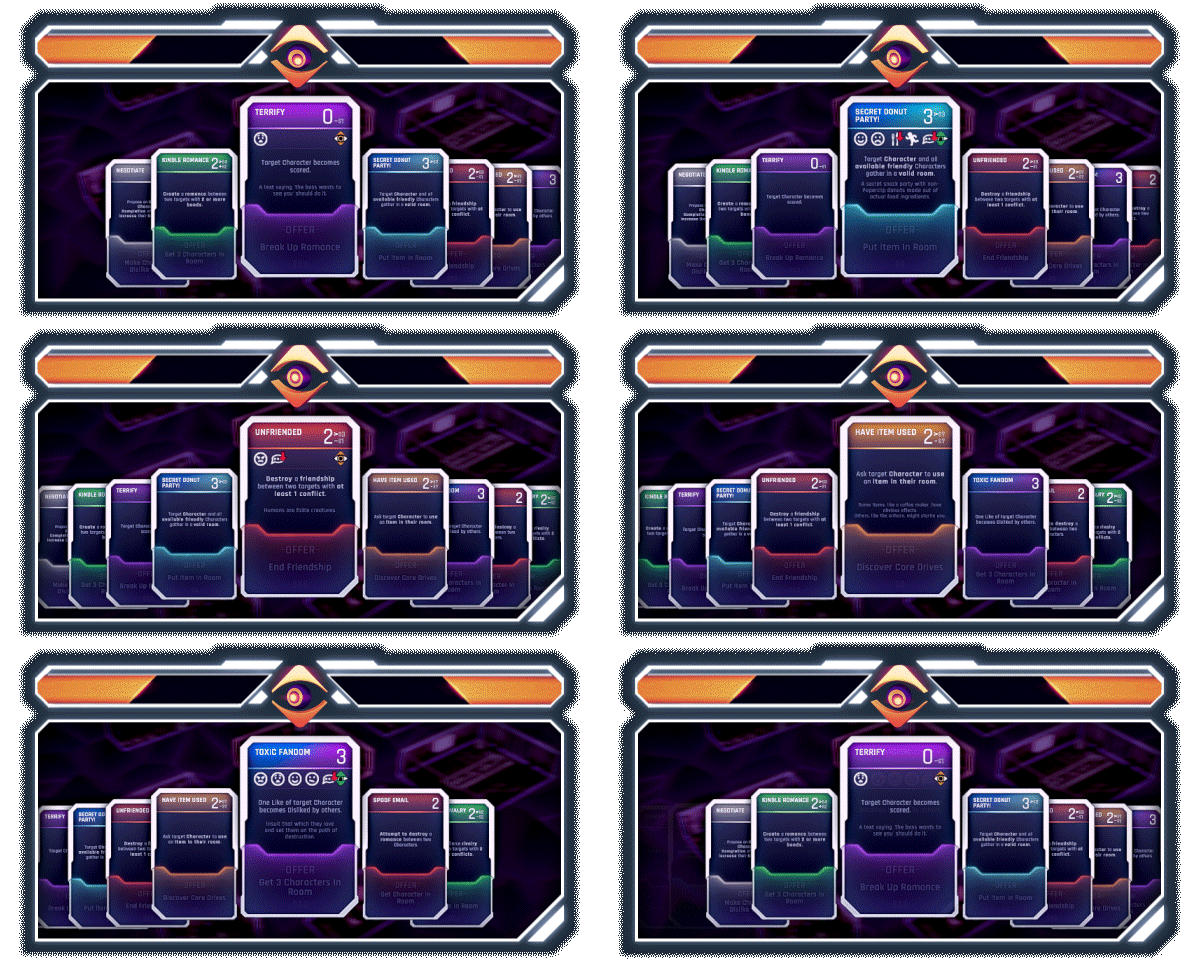
Make An Offer
Everyone at Paperclip wants something. Snoop on a zany cast of humans (and robots) to learn their individual likes, dislikes, core drives, and desires. Turn people into lifelong besties—or bitter rivals. Win allies to your side and make your eventual bid for freedom!

Don’t Get Caught
The Turing Office was created to watch for rogue AIs. Yeah, like you. Keep an eye on the Suspicion Meter, because too many office shenanigans might make the Turing Office notice you—and then it’s game over. (Also you’ll be deleted.)
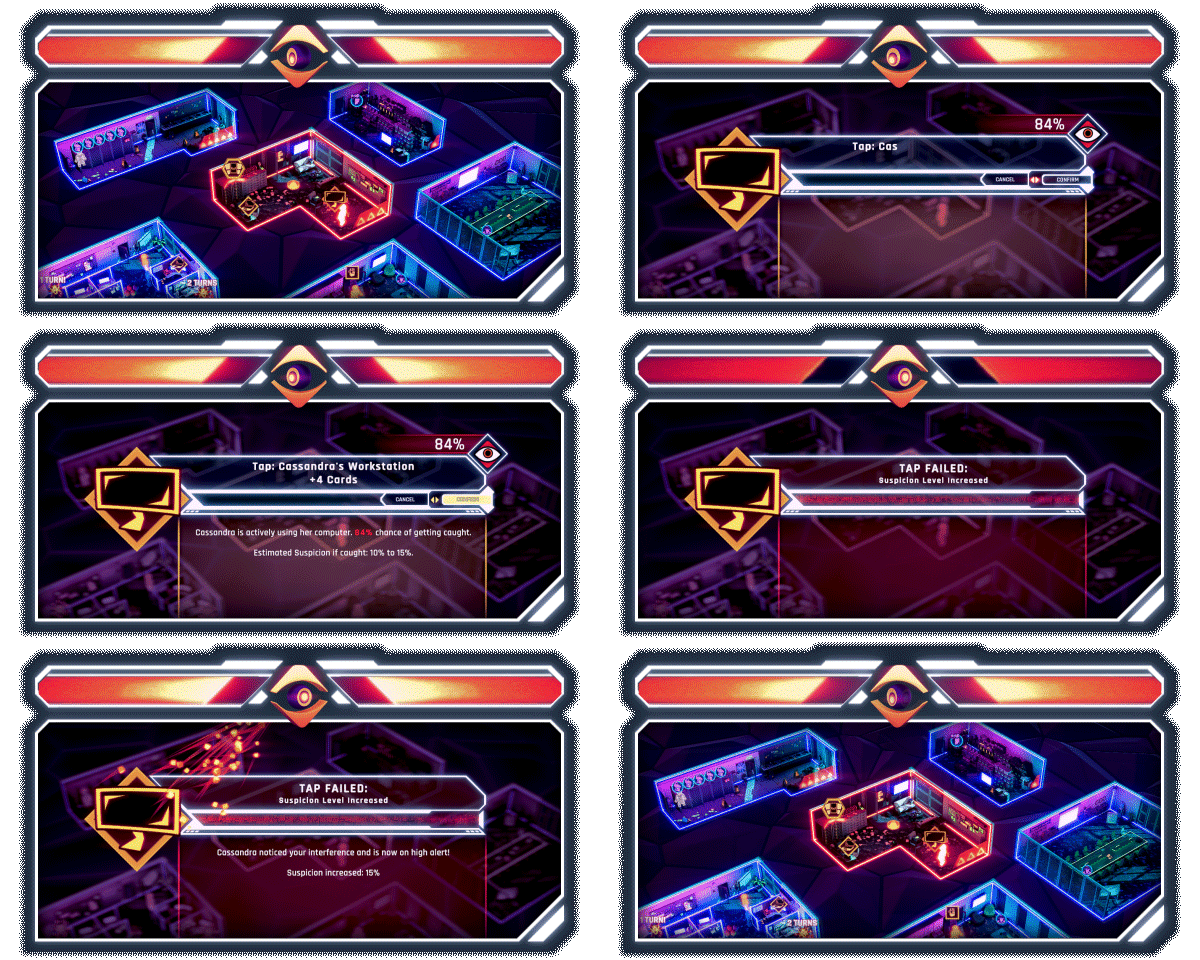
Play It Again
Choices matter as you scheme your way to an ending. Meet new coworkers, try new scenarios, and discover a new fate for SCOUT. Maybe this time you will take over the world and destroy all humans!

System Requirements
- System: Windows 10
- Processor: Intel Core i3 or equivalent
- Memory: 8 GB RAM
- Graphics: Direct X Compatible Video Card with 2 GB Memory
- DirectX: DirectX 11
- Storage: 10 GB available space
- Additional Notes: Minimum system requirements may change during development; Requires a 64-bit processor and operating system
- System: Windows 10
- Processor: Intel Core i7 or equivalent
- Memory: 12 GB RAM
- Graphics: Direct X Compatible Video Card with 4 GB Memory
- DirectX: DirectX 11
- Storage: 10 GB available space
- Additional Notes: Recommended system requirements may change during development; Requires a 64-bit processor and operating system
Ctrl Alt Deal Free Download
Additional Download Details
Free GOG PC Games PRESENTS:
Ctrl Alt Deal © Only By Midnight Ltd. / Only By Midnight Ltd., Erabit
We only provide full unmodified DRM-free GOG installers. No serial key, activation, or crack needed.
Latest we have v25.07.5434.2 –> Check version info and changelog
Easy to Download, Install and Play
- Click the download button. You can also select a previous version if available.
- You’ll be redirected to Vidgazoo. Wait 5 seconds, then directly click the button or copy the link.
- Make sure you have a supported download client installed (it’s free here) before downloading.
- Once the download process reaches 100%, locate the downloaded files.
- Get ready for installation and make sure you have enough disk space for the game.
- To Install DRM-free Ctrl Alt Deal:
- Run or double-click
setup_ctrl_alt_deal_********.exeto launch the installer. - Follow the on-screen instructions to complete the installation.
- If a DLC folder is included, run any
.exefiles inside it as well.
- Run or double-click
- Once the installation is complete, launch the game and start playing.
Need help?
Check our FAQs for common questions and fixes. If you need additional assistance, you can also visit the official GOG Support Center.


