
Radiolight
Radiolight is a survival game set in a world consumed by darkness where the player must manage a limited light source as both a lifeline and a resource. Navigate treacherous environments, conserve energy to keep threats at bay, and evade unseen dangers that emerge beyond the glow. Success depends on careful light usage and situational awareness in a tense, atmospheric setting.

Radiolight Overview
WELCOME TO ASHWOOD CREEK, SEPTEMBER 1985
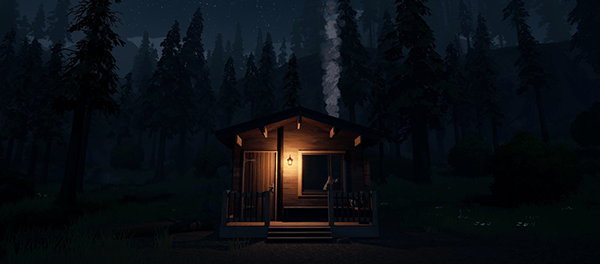
Step into the shoes of Ethan, a police officer in the quaint town of Ashwood Creek—a place where the trees whisper, the mountains loom, and secrets hide just out of sight. What begins as a routine investigation, quickly spirals into a haunting journey through the unknown.
Ashwood Creek feels frozen in time, untouched by the chaos of the outside world. But under the surface, something dark is stirring. A teenager has gone missing. A strange signal is cutting through the static of local radio stations. Lured deeper into Ashwood Creek National Park, you’ll need to tune in to every frequency and every echo of the past in the hopes of uncovering the truth.
A MYSTERY YOU CAN’T IGNORE
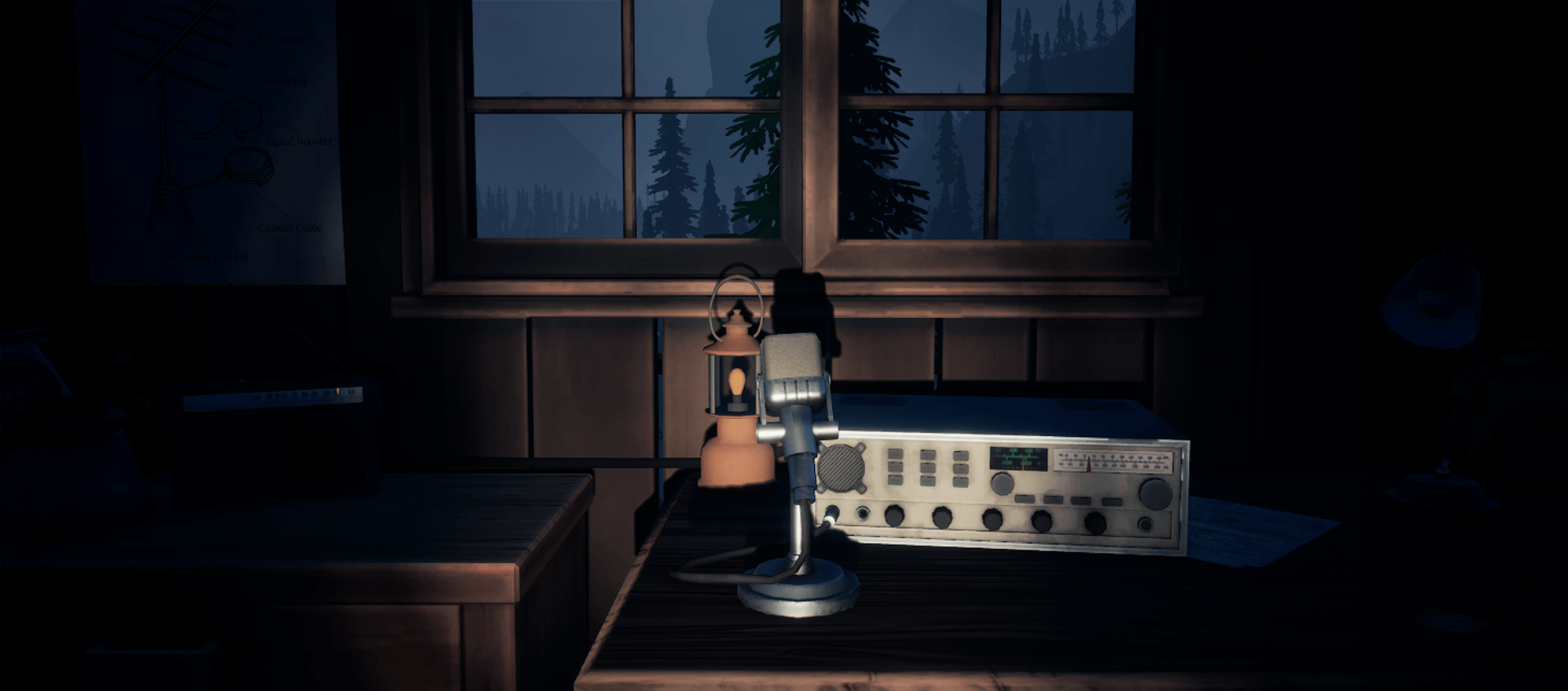
As you explore the vast, eerie expanse of Ashwood Creek National Park, you’ll find that your radio is more than just a piece of electronics — it’s your key to survival. Pick up supernatural signals and tune into otherworldly transmissions. But not all signals will guide you to safety… some are meant to lead you astray, deeper into the shadows, where the past waits to confront you.
WHO DO YOU TRUST WHEN DARKNESS FALLS?
Guided by the voice of Robert, your childhood friend and the town’s chief of police, you’ll venture through dense forests, foggy valleys, and forgotten trails. Together, you’ll piece together clues, follow mysterious broadcasts, and uncover the secrets that Ashwood Creek would rather keep hidden. But the closer you get to the truth, the more you’ll realise that some things are better left buried.
Key Features
- An Edge-of-Your-Seat Mystery: Unravel a story filled with suspense, supernatural elements, and dark secrets that blur the line between reality and the unknown.
- Captivating Characters: Dive deep into a gripping narrative as you uncover the past and present lives of those in Ashwood Creek, including your own.
- Stylized Timeless Graphics: Step back into the 1980s with beautifully stylized visuals that capture the nostalgic vibe of the era and the beauty of the nature that engulfs you.
- A Beautiful National Park to Explore: Wander through the serene yet unsettling landscapes of Ashwood Creek National Park, where every corner hides a clue… or a threat.
- Can You Uncover the Secret? Armed with only your radio and a walkie-talkie, you’ll need to think on your feet, listen carefully, and trust no one.
Created by the solo developer Krystof Knesl, Radiolight offers a unique blend of atmospheric tension, exploration, and a story that will keep you on the edge of your seat. Will you brave the darkness, or will the whispers consume you?
System Requirements
- System: Windows 10 64Bit
- Processor: Intel Core i5-9600 / AMD R5 3600
- Memory: 6 GB RAM
- Graphics: NVIDIA GTX 1060 6 GB/ AMD Radeon RX 480
- DirectX: DirectX 11
- Storage: 6 GB available space
- Additional Notes: Older and weaker devices might run the game but are more likely to have occasional frame drops below what we consider playable
- System: Windows 11 64Bit
- Processor: Intel Core i3-14100 / AMD r5 5600
- Memory: 16 GB RAM
- Graphics: NVIDIA RTX 2070 / AMD Radeon RX 6700
- Storage: 6 GB available space
- Additional Notes: These settings target great framerates also on higher resolution monitors
Radiolight Free Download
Additional Download Details
Free GOG PC Games PRESENTS:
Radiolight © Krystof Knesl / Iceberg Interactive
We only provide full unmodified DRM-free GOG installers. No serial key, activation, or crack needed.
Latest we have v0.9 –> Check version info and changelog
Previous versions (1)
Instructions
- Click the download button. You can also select a previous version if available.
- You’ll be redirected to Vidgazoo. Wait 5 seconds, then directly click the button or copy the link.
- Make sure you have a supported download client installed (it’s free here) before downloading.
- Once the download process reaches 100%, locate the downloaded files.
- Get ready for installation and make sure you have enough disk space for the game.
- To Install DRM-free Radiolight:
- Run or double-click
setup_radiolight_********.exeto launch the installer. - Follow the on-screen instructions to complete the installation.
- If a DLC folder is included, run any
.exefiles inside it as well.
- Run or double-click
- Once the installation is complete, launch the game and start playing.
Need help?
Check our FAQs for common questions and fixes. If you need additional assistance, you can also visit the official GOG Support Center.


