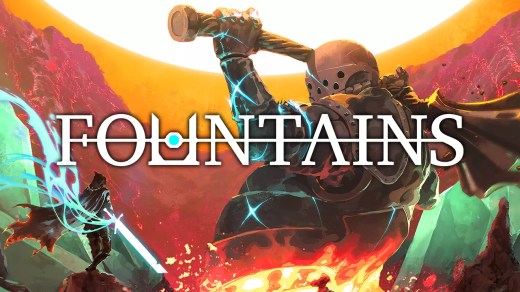
Crimson Oath
Crimson Oath is an action RPG set in a dark fantasy world where players take on the role of warriors facing dangerous enemies while uncovering the secrets behind a mysterious oath. Combat emphasizes skill-based encounters requiring tactical use of abilities and positioning. Character progression allows players to develop their warrior through unlocking and upgrading powerful skills tailored to preferred playstyles. Exploration reveals a world marked by conflict, magic, and deadly threats lurking in varied environments. The game blends intense combat with a grim atmosphere to deliver an adventure focused on survival, progression, and mastering increasingly difficult challenges through player ability and strategic decision-making.
Show 1 more game badges

System Requirements
- System: Windows10 64bit
- Processor: Intel Core i5-8400/AMD Ryzen 5 1600
- Memory: 16 GB RAM
- Graphics: NVIDIA GeForce GTX 1660 6 GB/AMD Radeon RX 580 8 GB
- DirectX: DirectX 12
- Storage: 9 GB available space
- Additional Notes: N/A; No; Supports HDD, SSD recommended; Requires a 64-bit processor and operating system
- System: Windows10/11 64bit
- Processor: Intel Core i7-9700/AMD Ryzen 5 5500
- Memory: 16 GB RAM
- Graphics: NVIDIA GeForce RTX 3060/AMD Radeon RX 6600
- DirectX: DirectX 12
- Storage: 9 GB available space
- Additional Notes: N/A; No; SSD required. All above tested with DLSS/FSR enabled; Requires a 64-bit processor and operating system
Crimson Oath Free Download
Additional Download Details
Free GOG PC Games PRESENTS:
Crimson Oath © Parry Frames Team / Parry Frames Team
We only provide full unmodified DRM-free GOG installers. No serial key, activation, or crack needed.
Latest we have –> Check version info and changelog
Source : Digital
Publication type : License
Release : GOG
Interface language : English, Chinese (simplified), French, German, Russian, Spanish — Spain, Japanese, Chinese (traditional), Portuguese — Brazil, Korean, Italian, Turkish
Voice language : English, Chinese (simplified)
Easy to Download, Install and Play
- Click the download button. You can also select a previous version if available.
- You’ll be redirected to Vidgazoo. Wait 5 seconds, then directly click the button or copy the link.
- Make sure you have a supported download client installed (it’s free here) before downloading.
- Once the download process reaches 100%, locate the downloaded files.
- Get ready for installation and make sure you have enough disk space for the game.
- To Install DRM-free Crimson Oath:
- Run or double-click
setup_crimson_oath_********.exeto launch the installer. - Follow the on-screen instructions to complete the installation.
- If a DLC folder is included, run any
.exefiles inside it as well.
- Run or double-click
- Once the installation is complete, launch the game and start playing.
Need help?
Check our FAQs for common questions and fixes. If you need additional assistance, you can also visit the official GOG Support Center.