
Songbringer v1.2.1
Songbringer is a procedurally-generated sci-fi action RPG where you play as Roq Epimetheos, who awakens an ancient evil by discovering a nanosword alongside his skybot companion Jib. Explore a non-linear open world with nine dungeons that reconfigure based on a six-letter seed value, solve environmental puzzles, craft artifacts, and uncover secrets by interacting with cacti and other elements. Progress is driven by exploration and combat rather than experience points, with optional leaderboards tracking speedrun performance.
Show 1 more game badges

Songbringer Overview
Songbringer: Procedural Action RPG

Songbringer is a scifi action RPG with swords, secrets, dungeons, bosses and stuff.
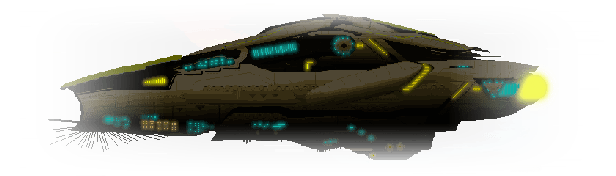
You play the role of protagonist and accidental hero, Roq Epimetheos. With a propensity for partying and making music, he cruises the galaxy with his skybot Jib aboard the ship Songbringer, searching for verdant planets absent the presence of galactic police.
When Roq finds the nanosword hidden in a cave on Ekzera, he unwittingly awakens an ancient evil. The sword is pretty fraggin’ sweet though. It… hums.
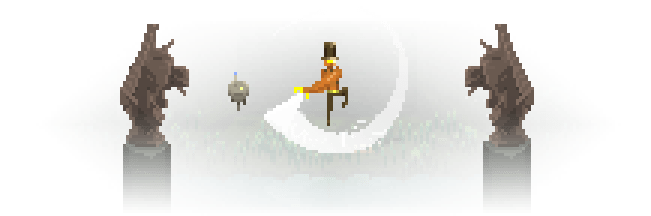
Jib, the Skybot
Jib began life as a human boy on the skycity planet Yuerder. Growing up, he took an interest in programming artificial intelligence, eventually making a career for himself. On his deathbed, he illegally transferred his consciousness into a skybot, destroying the consciousness link thereby preventing overwrite.
Jib scans the bodies of your fallen foes, sometimes uncovering valuable loot. He can also gain the ability to stun foes. Jib is automatically controlled by AI, or player two can play Jib in local co-op mode.
Lacking the ability to grow one as a human, Jib is obsessed with mustaches.
Procedural
You choose a 6-letter world seed when beginning a quest. This seed is used to procedurally generate the planet, overworld, secrets and dungeons.
Entering the same world seed will always generate the same world, no matter which platform you are playing on. Thus lore and competition can be shared with others.
Play a new seed and surprise yourself with a new world. Or enter a seed you are familiar with for a speed run.
Open / Non-linear
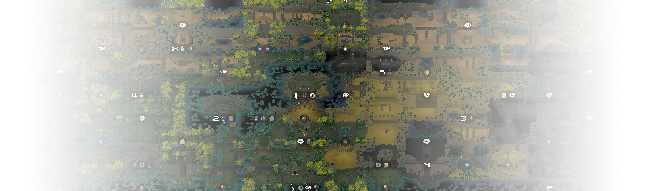
The generated overworld is open and non-linear. Head in any compass direction you like or play dungeons out of order. You aren’t even required to pick up the sword.
Of the nine dungeons Roq and Jib can uncover in each world:
- Some are thematic, containing puzzles and items integral to completing the world.
- Some are secret, hidden side quests in which abilities can be gained.
- Some are tough as nails with overwhelmingly difficult foes, mobs and bosses.

Secrets of the Cacti
Everywhere one looks, there is much that is not seen. Concealed treasures abound. By eating cacti, Roq gains psychedelic powers and is able to perceive the secrets that lurk in plain sight.
Some items Roq discovers can be combined to create distinct artifacts. Find a blink orb and a fire cube? Take these to the droidsmith aboard Songbringer to craft a fire orb enabling Roq to teleport forward a few steps while turning into a fireball.
Songbringer features no experience points (no XP). Progress is made by crushing mobs, vanquishing bosses and claiming lost technological devices.
Leaderboard
On completing a quest, several factors are quantified to produce an overall score:
- Time to complete
- Percentage of map uncovered
- Percentage of items obtained
- Game mode: regular vs permadeath
Your score can be saved to a global leaderboard sorted by world seed. This leaderboard cycles through seeds by popularity and freshness. You can manually override to view a particular seed.
- Single-player action RPG
- AI or human-controlled second player
- Local co-operative two player mode
- Full gamepad support, including rumble
- Realtime combat
- 7 kinds of weapons including the nanosword, boomerang-like tophat, bombs, blink orb, ghost sword projectile, lighter and kilobombs
- Hundreds of unique items and powerups
- Some items can be combined, for example: ghost sword + lightning cube = lightning sword
- Hidden items, secret entrances, secret pathways, bomb-able walls
- Over 30 different achievements
- A science fiction narrative featuring a spacecutter named Songbringer, its crew, an ancient evil army, and a planet named Ekzerra
- Approximately 8-16 hours of gameplay per adventure, depending on thoroughness
- Procedurally generated overworld and dungeons
- A world contains: 1 overworld, 10 dungeons and 13 primary bosses
- Worlds are based on a six-letter seed; enter the same seed to play the same world on any platform, or enter a new seed to play something different
- World generator is hand-crafted, creating worlds based on human-designed rules, blending the best of both procedural and bespoke game design
- Online leaderboards highlight the top players based on completion time, percentage of map uncovered and percentage of items found
- Roguelike-inspired permadeath option which gives a higher score on the leaderboard and allows for faster runs
System Requirements
- System: Windows 7
- Processor: 1.0 GHz or faster
- Memory: 1 GB RAM
- Graphics: OpenGL 2.0+ Compatible Card
- Storage: 2 GB available space
- System: Windows 10
- Processor: 2.0 GHz or faster
- Memory: 2 GB RAM
- Graphics: OpenGL 3.0+ Compatible Card
- Storage: 4 GB available space
Songbringer Free Download
Additional Download Details
Free GOG PC Games PRESENTS:
Songbringer © Wizard Fu Inc. / Double Eleven Ltd.
We only provide full unmodified DRM-free GOG installers. No serial key, activation, or crack needed.
Latest we have v1.2.1 –> Check version info and changelog
Previous versions (2)
Easy to Download, Install and Play
- Click the download button. You can also select a previous version if available.
- You’ll be redirected to Vidgazoo. Wait 5 seconds, then directly click the button or copy the link.
- Make sure you have a supported download client installed (it’s free here) before downloading.
- Once the download process reaches 100%, locate the downloaded files.
- Get ready for installation and make sure you have enough disk space for the game.
- To Install DRM-free Songbringer:
- Run or double-click
setup_songbringer_********.exeto launch the installer. - Follow the on-screen instructions to complete the installation.
- If a DLC folder is included, run any
.exefiles inside it as well.
- Run or double-click
- Once the installation is complete, launch the game and start playing.
Need help?
Check our FAQs for common questions and fixes. If you need additional assistance, you can also visit the official GOG Support Center.


