
Take Notes
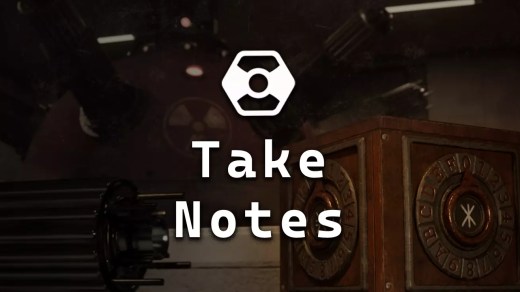
Take Notes is a first-person puzzle adventure set inside a mysterious underground research facility. After everyone at Fusion Energetics disappears and an experimental reactor becomes dangerously unstable, you must explore the abandoned complex and reach its control panel before disaster strikes. Search the facility carefully, uncover clues about what happened, and overcome security systems built around logic, observation, and unconventional thinking. The game features 40 different puzzles, each requiring its own approach as you move deeper through the bunker and piece together the story behind the vanished personnel.
Show 1 more game badges
System Requirements
- System: Windows 10
- Processor: Intel Core i5-4570
- Memory: 8 GB RAM
- Graphics: NVIDIA GeForce GTX 750 Ti
- Storage: 3 GB available space
- DirectX: Version 12
- System: Windows 10
- Processor: Intel Core i5-7500
- Memory: 16 GB RAM
- Graphics: NVIDIA GeForce GTX 1060
- Storage: 3 GB available space
Take Notes Free Download
Additional Download Details
FreeGOGPCGames PRESENTS:
Take Notes © Stoneware Game Studio / Stoneware Game Studio
We only provide full unmodified DRM-free GOG installers. No serial key, activation, or crack needed.
Latest we have –> Check version info and changelog
Interface language : English, Polish
Voice language : English, Polish
Easy to Download, Install and Play
- Click the download button. You can also select a previous version if available.
- You’ll be redirected to Vidgazoo. Wait 5 seconds, then directly click the button or copy the link.
- Make sure you have a supported download client installed (it’s free here) before downloading.
- Once the download process reaches 100%, locate the downloaded files.
- Get ready for installation and make sure you have enough disk space for the game.
- To Install DRM-free Take Notes:
- Run or double-click
setup_take_notes_********.exeto launch the installer. - Follow the on-screen instructions to complete the installation.
- If a DLC folder is included, run any
.exefiles inside it as well.
- Run or double-click
- Once the installation is complete, launch the game and start playing.
Need help?
Check our FAQs for common questions and fixes. If you need additional assistance, you can also visit the official GOG Support Center.


