

SpongeBob SquarePants: Titans of the Tide is a colorful action-adventure game where SpongeBob and friends team up to stop giant robotic enemies threatening Bikini Bottom. Swap between characters, use their unique abilities, and explore lively underwater locations filled with puzzles and combat. With its cartoon humor and fast-paced gameplay, the game captures the fun and chaos of the SpongeBob universe.
Game Details
About this game:
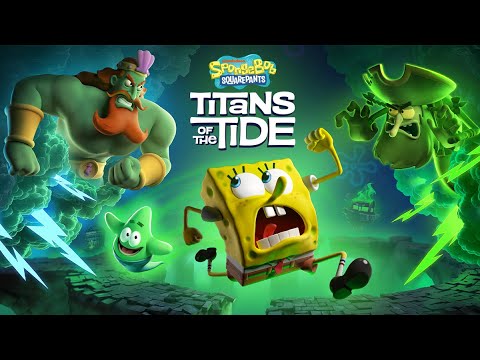
How do you stop the two biggest egos of the Seven Seas from fighting? A clash between the Flying Dutchman and King Neptune has unleashed ghostly mayhem all over Bikini Bottom. SpongeBob and Patrick will need all their skills, bravery and – dare I say – wit, to return life to what passes for normal in their undersea home. Join Bikini Bottom’s most notorious duo on their ghostliest adventure yet!
KEY FEATURES:
– Switch seamlessly between SpongeBob and Patrick
– Combine SpongeBob and Patrick’s unique platforming skills
– Master Patrick’s brand-new skills like grappling and burrowing
– Experience a new ghostly story
– Fully voiced by the original cast of the show
– Visit iconic locations like Neptune’s Palace and Mount Bikini
– Battle epic bosses like the Flying Dutchman, King Neptune and Hibernation Sandy
Minimum:
System: Windows 10
Processor: Ryzen 3 1300X / Core i5-3570k
Memory: 8 GB RAM
Graphics: GeForce GTX 1050 Ti / Radeon RX 470
DirectX: Version 11
Storage: 11 GB available space
Requires a 64-bit processor and operating system
Recommended:
System: Windows 11
Processor: Ryzen 5 5600X / Core i5-12400
Memory: 16 GB RAM
Graphics: GeForce RTX 3060 / Radeon RX 6600XT / Arc B580
DirectX: Version 11
Storage: 11 GB available space
Requires a 64-bit processor and operating system
Game Media


How to Download & Install
- Click the download button below. You will be redirected to our link generator.
- On that page, copy the link or click the button. Make sure you have a Supported Client before starting.
- Wait for the SpongeBob SquarePants: Titans of the Tide download process to finish (100%), then locate the files or folder.
- Install the game:
– Run or Double click setup_********.exe
– Run or Double click (all) .exe on the DLC folder - Once installation is complete, launch the game and enjoy!
- Support the developers: If you like the game, please consider buying the official version.
Need help? Visit our FAQs page for common issues and solutions, or go to the official Support Center directly for further assistance.
This is a free unmodified SpongeBob SquarePants: Titans of the Tide DRM-Free installer. No activation required. Just install and play.
Download Here⇩
Size: 9.61 GB
SpongeBob SquarePants: Titans of the Tide v1.3.0.0 + 6 DLC [GOG]
Previous Version and Patch
We are keeping some of the old links and patches to make sure you can revert back to old version if you have problem with the latest version.
Previous Version/s:
Size: 9.52 GB
SpongeBob SquarePants: Titans of the Tide v1.2.0.0 [GOG]
Size: 9.53 GB
SpongeBob SquarePants: Titans of the Tide v1.2.0.1 [GOG]


Game updated to latest version + 6 DLC
– Plankton’s Portal Challenge
– Natural Costume Pack
– The SpongeBob Movie: Search for SquarePants
– The SpongeBob Movie: Search for SquarePants Costume Pack
– Double Deluxe Costume Pack
– Soundtrack
Hi. Can you update the game with all released dlc? It has only the plankton challange dlc. Thank you for your answer.
Can you update the game with all released dlc? Only the planton challange accesible, but in the game gog page there are listed 2 more. Thank you for your answer.
Very Good !!!
jogo instala, mas apenas abre a unreal engine para avisar que esta crashando ao iniciar, o que posso fazer? instalei ai fui para a pasta dlc, porém só tem a instalação novamente la
Hello, can you confirm if your system meets the requirements for the game?