Isekai Rondo
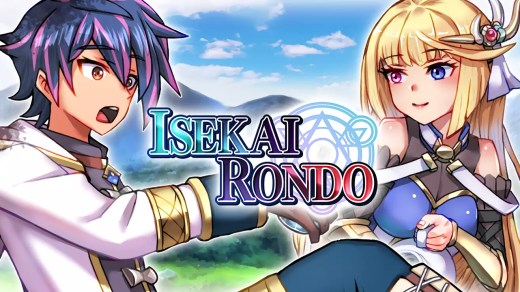
Isekai Rondo is a turn-based fantasy RPG about Sho, an overworked young man who is reincarnated in another world as Shaw. Initially burdened with the unfortunate job of “Unemployed,” his fortunes change when he obtains the powerful Sage class and rare passive skills that give him extraordinary abilities. Join the Hero Viola on a quest against the Overlord’s Army while completing missions, exploring dungeons, and improving your guild rank. Summon spirits, manage mana plants, use monster skills in battle, and take advantage of abilities that can even turn back events before a Game Over.
Show 1 more game badges
System Requirements
- System: Windows 11 or later
- Processor: Intel® Core™ i5
- Memory: 8 MB RAM
- Graphics: 4 GB VRAM
- Storage: 2 GB available space
Other: This app features keyboard controls and partial controller support with the Xbox controller. Mouse and touchscreen input are not supported.
Isekai Rondo Free Download
Additional Download Details
Free GOG PC Games PRESENTS:
Isekai Rondo © Exe Create Inc. / KEMCO
We only provide full unmodified DRM-free GOG installers. No serial key, activation, or crack needed.
Latest we have –> Check version info and changelog
Interface language : English, Japanese
Voice language : none
Easy to Download, Install and Play
- Click the download button. You can also select a previous version if available.
- You’ll be redirected to Vidgazoo. Wait 5 seconds, then directly click the button or copy the link.
- Make sure you have a supported download client installed (it’s free here) before downloading.
- Once the download process reaches 100%, locate the downloaded files.
- Get ready for installation and make sure you have enough disk space for the game.
- To Install DRM-free Isekai Rondo:
- Run or double-click
setup_isekai_rondo_********.exeto launch the installer. - Follow the on-screen instructions to complete the installation.
- If a DLC folder is included, run any
.exefiles inside it as well.
- Run or double-click
- Once the installation is complete, launch the game and start playing.
Need help?
Check our FAQs for common questions and fixes. If you need additional assistance, you can also visit the official GOG Support Center.